Saves time on video creation for marketing and internal communications by streamlining AI generation and upscaling.
What Is Gemini Omni 1.1 Flash in Google Vids?
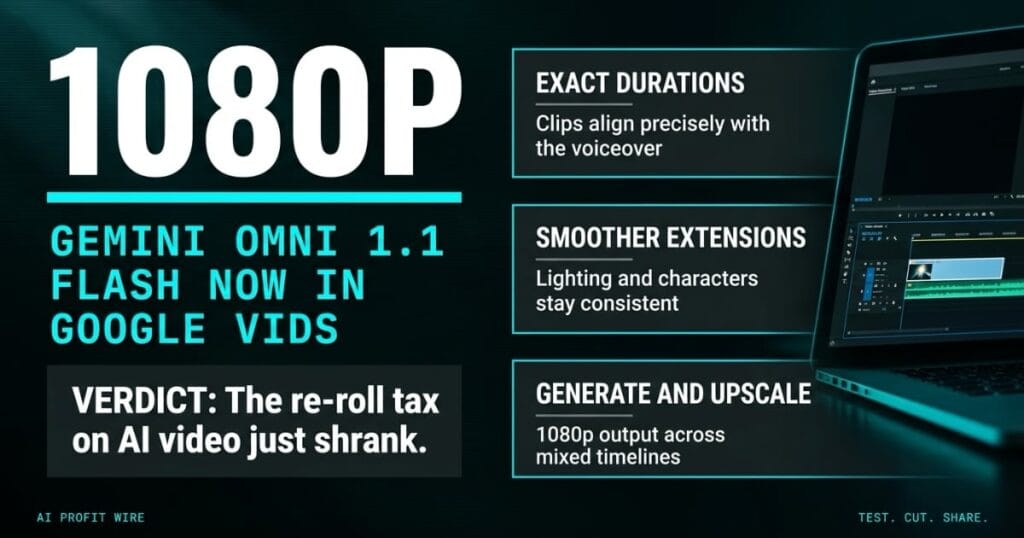
Google put its Gemini Omni 1.1 Flash video model directly into Google Vids, so AI video generation now runs inside the Workspace tool teams already use. The Workspace Updates announcement lists 3 capabilities: scene extension with consistent visuals, exact clip duration control, and 1080p generation with upscaling.
Omni 1.1 improves character and audio consistency across extended scenes, which targets the drift that made longer AI clips unusable. The official Vids help guide documents the generation workflow for end users.
Google designed Vids as the video layer of Workspace, a collaborative document where teams storyboard and assemble clips together. Dropping generation into that flow means the storyboard, the generated footage, and the review comments share 1 file instead of 3 tools.
AI video generation moved inside the Workspace document flow, with 1080p output as the new floor.
Does Gemini Omni 1.1 Flash Fix AI Video Control?
It attacks the 2 failure modes that waste the most time: duration mismatch and scene drift. Users set the exact duration of a generated clip so footage aligns with a voiceover instead of getting trimmed to fit.
Scene extension keeps visual context, lighting, character appearance, and environment consistent while a scene runs longer. Existing AI clips upscale to 1080p, so mixed timelines stop breaking at the soft clip.
The rollout went live September 23 with full visibility in 1 to 3 days, and availability spans Business Starter through Enterprise Plus, Education Plus, personal accounts, and AI Pro and Ultra tiers. Admins get no control to toggle, so the feature appears for end users automatically.
Users with AI Expanded Access add-on licenses get higher usage limits, which is the only tier distinction the announcement draws. Everyone else shares the same generation ceiling within their plan’s AI limits.
Duration control and 1080p upscaling fix the 2 complaints that killed earlier AI video workflows.
Is Google Vids Good Enough to Replace Dedicated AI Video Editors?
Standalone AI video tools charge separate subscriptions and often need external upscaling software, while Vids embeds generation inside a collaborative Workspace document. Teams already paying for qualifying Workspace tiers add no new vendor to the stack.
The official Vids product page positions it for internal communications and quick marketing assets, not a full editing suite. Dedicated editors still win on fine cuts, compositing, and everything beyond generation.
The honest comparison is scope: Vids covers generate, extend, and upscale inside the docs you share anyway, and it leaves heavy post-production to tools built for it. No admin toggle exists, so the feature arrives for eligible users without an approval cycle.
Vids replaces the subscription sprawl for light video work, and it leaves serious editing alone.
Who Is Gemini Omni 1.1 Flash For?
Marketing teams, internal communications, and founders building pitch or training assets fit the target profile, because the workflow lives where those docs already do. Solo founders on personal accounts get access too, so the test costs nothing but time.
Teams producing high-volume short clips for social should compare it against clipping tools, and the OpusClip intelligence report covers the repurposing side of that workflow. If duration control removes the re-roll cycle, the time savings decide whether Vids earns a slot in the publishing process.
The rollout pace matters for planning: full visibility took 1 to 3 days from September 23, so most eligible accounts already see the option. AI Expanded Access license holders get higher usage limits, which is the only tier distinction the announcement draws.
Workspace teams needing fast, voiceover-synced clips are the exact audience, and personal accounts can test free.
The training video sits 4 scenes deep, and scene 2 keeps cutting off 3 seconds before the narrator finishes the sentence. The old fix was re-rolling the clip until the length landed close, then shaving frames by hand.
The fix inside Vids is typing the duration the voiceover needs and letting the model extend the scene to match it. That’s 20 minutes of render roulette replaced by 1 input field, and it repeats across every scene in the timeline.
Duration control is the difference between generating clips and producing video.
Should You Use Google Vids for AI Video Now?
Test it on 1 script that already exists, because the fastest verdict comes from regenerating a clip your team has already produced the hard way. Check the timing against the voiceover, since exact duration control is the headline capability.
Availability is broad enough that most Workspace accounts and personal accounts already have it, so the pilot needs no procurement conversation. Keep a dedicated editor for anything beyond generation, extension, and upscaling, and treat Vids as the fast lane for internal and light marketing video.
The evaluation standard stays the same as any generation feature: measure whether the promised time savings survive a real deadline, because a demo clip is not a workflow.
Run 1 existing script through it this week, and keep the heavy editor for the cuts Vids doesn’t do.
Source: Google Workspace Updates
