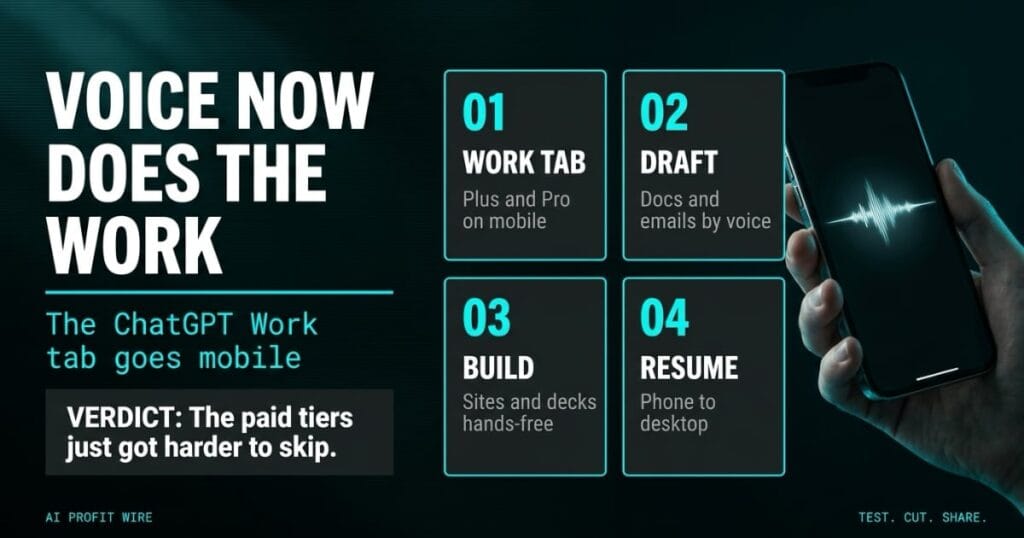
Saves time on administrative tasks by allowing hands-free document and email drafting from mobile devices.
What Is the ChatGPT Mobile Work Tab?
OpenAI moved its Work tab onto the ChatGPT mobile app, giving Plus and Pro subscribers voice-driven agentic workflows away from a desk. The TechCrunch report confirms subscribers can create documents, draft emails, and summarize Slack messages by voice, and go further with site builds, presentations, the cloud browser, and finances access.
Free and Go users stay on plugins and connected apps, which keeps the agentic tier behind the paid plans. Voice conversations also gain richer text output, and switching between text and voice mid-task no longer breaks the thread or the context.
Desktop-class task execution now travels in a pocket, gated behind Plus and Pro.
Does ChatGPT Voice Actually Execute Tasks on Mobile?
Yes, within the boundaries OpenAI drew. The Work tab on phone handles the same task categories as desktop: drafting documents and emails, summarizing chat threads, building sites and decks, and running the cloud browser.
A task started on mobile resumes on desktop, which turns a commute into the first half of a work session. The rollout extends what OpenAI shipped in July, when voice mode reached the ChatGPT desktop app and GPT-Live arrived as the conversational model behind it.
OpenAI hasn’t published adoption or accuracy metrics for the mobile agent yet, so treat the hands-free pitch as unproven until the workflows survive a real week. The desktop precedent covers task execution, and phones add ambient noise, interruptions, and smaller screens to the mix.
The execution claim is credible on desktop precedent, and unmeasured on mobile.
How Does ChatGPT Mobile Voice Compare to Anthropic’s Handoffs?
Anthropic merged its Claude chat and Cowork interfaces into 1 view in September and simplified mobile-to-desktop handoffs, which TechCrunch covered at the time. OpenAI is running a different shape: chat and workspaces stay separate, but the same session follows you across devices.
Both companies converge on the same bet, that people will start AI tasks in 1 place and finish them in another. The difference is whether the agent lives inside the conversation or beside it, and OpenAI just put its version on phones first.
That choice matters for how you manage it: chat and workspaces staying separate keeps personal conversations out of work outputs by design, which is a cleaner boundary than a merged interface gives you.
Plan pricing decides who gets in, and the official ChatGPT pricing page lists the tiers that carry the Work tab.
The handoff race is now 2-horse, and OpenAI chose voice as its mobile wedge.
Who Is the ChatGPT Mobile Work Tab For?
Plus and Pro subscribers who manage heavy email volumes and chat threads across locations get the most from hands-free drafting. Founders working between sites, flights, and school pickups fit the profile OpenAI is targeting, and the paid tiers are the only door to the tab.
Users on Free and Go plans won’t see the agentic tab at all, only plugins and connected apps. If you’re weighing the upgrade, the Elementor intelligence report covers what a page builder does that a voice agent can’t, because “build a site” means different things in each tool.
Mobile-first founders on paid tiers benefit immediately, and everyone else keeps the old workflow.
The property manager is 3 stops into a Tuesday route when the vendor emails about a delayed HVAC part. By the old routine, that answer waits until the truck cab becomes an office, or it gets dictated badly and rewritten twice at the desk.
The new routine is a spoken instruction, a drafted reply, and a document waiting on the desktop when the route ends. The risk travels with the convenience: a misheard phrase ships to a client faster than any typing mistake ever did.
Paid tiers buy the speed, and the proofread habit is the part that has to catch up.
Should You Upgrade to ChatGPT Plus for Mobile Voice Work?
Upgrade if your week already runs through ChatGPT on desktop, because the mobile Work tab makes the subscription portable rather than new. The 2 paid tiers carry the agentic tab, and the plan comparison on OpenAI’s pricing page settles which 1 fits your task volume.
Stay put if your tasks are single-step questions, because plugins and connected apps on Free and Go still cover the basics. The subscription math only works when the Work tab replaces hours, so run it against your own week.
Whatever you do, route client-facing deliverables through a desktop proofread for the first month, because voice drafting trades accuracy risk for speed on a screen you can’t easily scan. Internal threads are the training ground where a misfire costs a laugh instead of a client.
Paid users should test it on internal work this week, and Free users have no reason to move yet.
Source: TechCrunch
