EngageBay Intelligence Report
EngageBay
A free CRM that turns into a per-seat automation bill at Growth, and a 3-seat team pays about 4.4x what Zoho charges for the same capacity.
In This Report
What is EngageBay and who is it for?
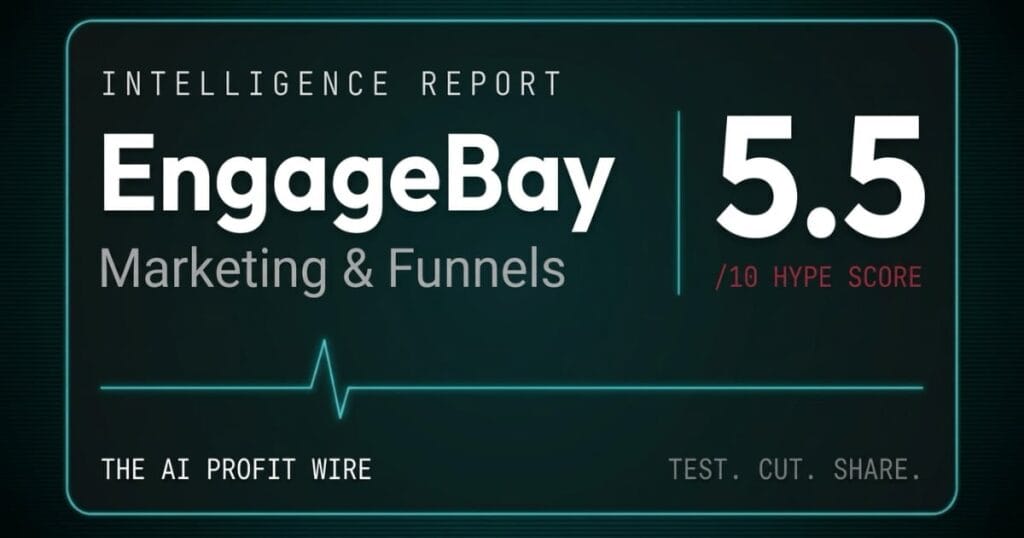
EngageBay is an all-in-one CRM that bundles marketing, sales, and customer service into a single per-user subscription, and it scores 5.5/10 on the Hype Check.
It’s built for small teams that want 1 login instead of 3 tools, and small business owners usually weigh it against HubSpot and Zoho. The price gap is the story: at 3 users and 5,000 contacts with visual automation, Zoho’s cheapest route costs $44 a month, EngageBay’s Growth tier costs $194.97, and HubSpot Professional lists at $890.
The score sits at 5.5 because the free plan is real, the public ratings are high, and the vendor publishes a full price list. Against that, visual automation doesn’t start until the $64.99 per user Growth tier, refunds run out after 2 months, and the only reliability promise is a bullet point on the Pro plan.
EngageBay is a free CRM worth taking for CRM, email, and helpdesk, and a costly automation tool once you need the feature most small businesses sign up for.
How widely is EngageBay actually used?
Community Adoption: 7.5/10
The ratings are high, the volume is moderate, and the review-pressure claim this report used to make didn’t survive a check.
Trustpilot shows 4.8 out of 5 across 1,015 reviews, with 89% of them 5 stars. Software Advice shows 4.6 out of 5 across 910 reviews, and it says it may earn a referral fee when its advisors match a buyer to a vendor. EngageBay’s pricing page also says it’s rated #1 CRM software for small business on Capterra, a vendor claim I couldn’t check because Capterra and G2 block automated readers.
The old version of this report said EngageBay pushes users to leave 5-star reviews. Trustpilot’s own transparency panel says the opposite, listing “No recent history of asking for reviews”. The same panel adds a caution: because EngageBay hasn’t invited customers recently, the reviews may not be representative. GetLatka, an estimate site, puts EngageBay at about 28,000 customers, a figure nobody has audited.
Ratings of 4.6 and 4.8 across roughly 1,900 reviews on 2 sites make a solid base, and nothing I could verify supports the claim that those ratings were manufactured.
Read adoption here as people rating the product well, not as a neutral firm measuring its market share.
Is EngageBay pricing fair for a small business?
Pricing Model: 4.5/10
The free plan is fair and the price list is public, and the paid structure is where a thin-margin business gets caught.
The pricing page lists a price for every tier, offers a free plan with CRM, helpdesk, live chat, and email autoresponders, and advertises a free migration service from other platforms. You can also buy 1 module, since Marketing and CRM & Sales start at $11.04 per user on the 2-year price and the Service help desk is free.
The catch is what the headline number leaves out. The page opens on the 2-year toggle, so the $12.74, $55.24, and $101.99 it shows are Biennial (15% off) prices. Monthly billing is $14.99, $64.99, and $119.99 per user, and Yearly (8% off) is $13.79, $59.79, and $110.39. Marketing Automation first appears on Growth, so reaching it costs 4.3 times the Basic price.
Per-user billing multiplies the gap. A 3-person team on Growth pays $194.97 a month on monthly billing, and the refund terms are tight: a full refund may be issued inside 3 days of payment, 50% inside 1 month, and none after 2 months. You can start EngageBay through our affiliate link (the score is unaffected), but read the comparison section first.
There are 2 corrections to the old version: the yearly discount is 8%, not the 15 to 20% it claimed, and Basic lists no automations or workflows, because the 10-workflow limit belongs to Growth.
The free plan and the public price list earn credit, and a 4.3 times jump to reach automation, a per-user bill, and a refund window that closes at 2 months keep this score low.
EngageBay scores 5.5 out of 10 on our Hype Check. The full verdict and the numbers behind that score are further down this page.
Has EngageBay’s reliability been independently tested?
Benchmark Data: 4.5/10
No neutral test exists that I could find, and the vendor’s own paper trail is thin.
engagebay.com’s sitemap lists 1,060 URLs, and none of them is a status page, changelog, or security page. The status.engagebay.com address redirects to the app login screen.
The Terms of Service go further. Section 17 says “the reliability of hosting services cannot be assured”, and that account holders accept those risks. The only reliability promise I found is a checkmark: the Pro card on the pricing page lists an Uptime SLA, yet there’s no SLA document or uptime figure to read, and I found no SOC 2 or ISO report on the site. EngageBay does publish a GDPR policy.
The only performance signal left is anecdotal. Findstack, which earns affiliate commissions, says reviewers report daily email sending quotas that can catch out anyone using EngageBay mainly as an email tool, and the pricing page lists branded email allowances of 1,000, 3,000, 25,000, and 50,000 across the 4 tiers without stating a period.
EngageBay publishes an SLA bullet on its top plan and no status page, no uptime figures, and no security report, so reliability rests on reputation.
This score reflects missing evidence more than bad results, so ask for the SLA in writing before you rely on a Pro plan.
What do reviewers say about EngageBay?
Expert Sentiment: 5.5/10
Reviewers like the price and the all-in-one scope, and the 2 I could read both earn money from the links.
CRM.org (updated January 19, 2026, with an advertising disclosure) lists a strong free plan and easy onboarding as pros, and limited reporting, basic template design, and no native social media management as cons. It also says large, multi-layered sales teams will miss quota tracking, territory rules, and advanced forecasting. It calls automation part of the core plans, which doesn’t match the pricing page, where Marketing Automation starts on Growth.
Findstack (updated September 21, 2026, with an affiliate disclosure) is sharper. It says the pricing page defaults to 2-year prices, that visual automation arrives on Growth and is the main upgrade trigger, and that Growth is a 4.3 times jump from Basic, so the realistic price for an automation-led business is $55 to $65 per user. Its cons are an interface that isn’t always intuitive and an onboarding process that could be better.
Several complaints on the old page didn’t survive a check. I found no source for a weak form builder, for a missed 24-hour support promise, or for slow bug fixes, so they’re gone. Trustpilot’s AI-generated summary of recent reviews praises support responsiveness, though the panel also notes that EngageBay hasn’t replied to negative reviews.
Both reviewers I could read praise the price and warn about the same thing, which is that the automation you came for costs several times the advertised entry price.
Both earn commissions, so read the overlap between them and not the star ratings.
Is EngageBay production-ready?
Release Maturity: 5.5/10
It’s stable and still shipping, and it publishes almost nothing about how.
GetLatka says EngageBay was founded in 2018, has about 75 employees, and serves about 28,000 customers, and it puts 2024 revenue at an estimated $6 million. All of those are estimates, not filings. The old version of this report also called EngageBay bootstrapped, and I couldn’t source that, so it’s gone. Trustpilot shows a company profile claimed in February 2019.
There are signs of active development: the pricing page now lists AI conversations per month (20, 50, 200, and 500 across the 4 tiers) and AI knowledge sources. But I found no public changelog, release notes, or version history, and the Terms of Service page says it was last updated in 2023.
EngageBay is an 8-year-old vendor with a live AI roadmap on its pricing page and no public changelog, so you can see that it ships without seeing what it ships.
What does the overall 5.5 Hype Score mean for your business?
A 5.5 means take the free plan, price the paid plans per seat before you commit, and treat EngageBay as a bundle rather than a bargain.
Community Adoption carries the score, because the ratings are high and verified. Pricing Model and Benchmark Data pull it down: the entry price hides a 4.3 times jump to automation, and the reliability evidence is a single bullet point. Expert Sentiment and Release Maturity sit in the middle.
The verdict moved by 0.2 in this update, but the evidence under it changed more than the number: 9 claims on the previous version turned out to be wrong or outdated, and 11 couldn’t be verified at all.
Use EngageBay for the free CRM, and pay for it only if a per-seat bill with automation still beats Zoho at your team size.
What does EngageBay actually cost at every tier?
All prices below were read from the official pricing page on October 28, 2026 with the billing toggle switched to Monthly. The prices had not changed since our September 21 read. Every paid tier is priced per user per month.
- Free ($0): Includes 250 contacts, with email marketing, autoresponders, email broadcasts, sequences, lead grabbers, landing pages, CRM, helpdesk, and live chat. No Marketing Automation
- Basic ($14.99 per user per month, paid yearly): Includes 500 contacts, with email templates, web pop-ups, lead scoring, SMS marketing, and social suite. No automations or workflows
- Growth ($64.99 per user per month): Includes 5,000 contacts and is the first tier with Marketing Automation, plus push notifications, A/B testing, a custom domain for landing pages, call records, and proposals. The comparison table caps it at 10 workflows per module and 15 nodes per workflow
- Pro ($119.99 per user per month): Includes 10,000 contacts, up to 100 workflows and 50 nodes per workflow, SSO, role management, custom reporting, a dedicated account manager, phone support, and the Uptime SLA bullet
Yearly billing takes 8% off and Biennial takes 15% off, so Growth drops to $59.79 and $55.24 per user. The all-in-one label only becomes real at Growth. Below it you have a CRM with email, helpdesk, and chat, but no Marketing Automation.
Price Growth per seat, because it’s the first tier where the automation promise is real, and it’s the number that decides whether EngageBay is affordable. Check current EngageBay pricing (affiliate link; the score is unaffected) before you commit to a year.
EngageBay vs HubSpot vs Zoho: which costs less at 3 users and 5,000 contacts?
Zoho is cheapest at $44 a month, EngageBay Growth costs $194.97, and HubSpot Professional lists at $890, and the 3 tools price different jobs.
| Tool | Best At | Monthly Cost (3 users, 5,000 contacts) | Where It Breaks | Best Fit For |
|---|---|---|---|---|
| Zoho | Cheapest automation at this capacity | $44/mo (Marketing Automation Standard plus free CRM) | Needs 2 products; Standard has only a basic journey builder | Cost-first teams comfortable running 2 products |
| EngageBay | CRM, email, automation, helpdesk, and chat in 1 login | $194.97/mo (Growth, 3 seats, 5,000 contacts) | Caps at 10 workflows per module; price multiplies per seat | Small teams wanting 1 bundle and a free start |
| HubSpot | Omni-channel campaigns, automation, and reporting at scale | $890/mo (Professional list, 3 seats, before extra contacts) | Required $3,000 onboarding; extra contacts cost more | Marketing teams with budget and a growth plan |
Every price was read on September 21, 2026 from EngageBay, Zoho Marketing Automation, Zoho CRM, and HubSpot. The workload is 3 users who need visual marketing automation, with 5,000 contacts, billed monthly. Zoho is 2 products: Marketing Automation Standard at 5,000 contacts costs US$44 monthly (US$33 on the Yearly toggle), and Zoho’s CRM free edition supports up to 3 users.
HubSpot’s pricing page shows Professional at $800 a month with $890 struck through, includes 3 Core Seats and 2,000 marketing contacts, and adds a required one-time onboarding fee of $3,000. Its bundle page lists Professional at $890 a month and sells extra contacts in blocks of 1,000 from $50 a month, so the real figure at 5,000 contacts is higher than the table shows. I couldn’t get HubSpot’s calculator to return a final quote.
At 3 seats and 5,000 contacts EngageBay costs about 4.4 times Zoho’s 2-product route and about a fifth of HubSpot Professional’s list price, so price alone points away from EngageBay unless you value 1 login.
Worth naming plainly: at 1 seat the gap is much smaller, since Growth at $64.99 is about 1.5 times Zoho’s $44, so the per-user model is what makes EngageBay expensive.
What billing warnings should you know before subscribing to EngageBay?
Every term below is quoted from EngageBay’s own terms, help center, or pricing page, not from a third-party summary.
- Automation costs 4.3 times the entry price. Basic is $14.99 per user monthly and Growth, the first tier with Marketing Automation, is $64.99, according to the pricing page. A solo owner who needs automation can’t get it at the advertised low price.
- Per-user pricing multiplies with every seat. Growth for 3 users is $194.97 a month on monthly billing, 5 users is $324.95, and 10 users is $649.90, all before extra contacts.
- The default price is the 2-year price. The pricing page opens on Biennial (15% off) and shows $12.74, $55.24, and $101.99. Monthly is $14.99, $64.99, and $119.99, and Yearly (8% off) is $13.79, $59.79, and $110.39.
- Refunds end after 2 months. Section 3(A) of the terms says a full refund may be issued within 3 days of payment and a 50% refund and account credit within 1 month, then adds "No refunds will be issued if the annual plan was active for more than two months." It also says "This refund policy does not apply to any advertising charges, fully managed services or any special pricing plans or discounts." The terms only mention annual plans, so ask in writing what applies to a 2-year plan.
- The terms say a trial bills your card. Section 3(B) says that if you don’t cancel a free trial in time, "your credit card will be billed starting on the day after your trial period expires". The pricing page says no credit card is required, so confirm which rule applies before you enter a card.
- The terms and the help center disagree on how to cancel. Section 5(A) says "An email or phone request to cancel your account shall not be considered cancellation of your account" and describes a cancel button under Plans. The help center says "To cancel your subscription, please send an email on support@engagebay.com or initiate a chat with us." Use the account path the terms describe and keep a copy of every confirmation.
- Access ends with the billing period. Section 5(B) says the applications "will remain functional through the end of your current monthly billing period". If EngageBay terminates you, section 5(C) says the result is "deactivation or deletion of your account with no refund".
- Prices can change on 30 days notice. Section 3(E) says prices are "subject to change upon 30 days notice from us", and that notice can be given by posting the changes to the EngageBay website. That’s a notice period, not a price lock.
- Fees adjust automatically and downgrades can cost you features. Section 3(D) says "Your plan and access fees will be adjusted automatically based upon data thresholds as set forth in the plan pricing." It adds that downgrading "may cause you to lose access to certain content or features".
Why does EngageBay price like a point-of-sale system?
I ran restaurants for 16 years, and this pricing looks like a point-of-sale contract.
The base package is cheap, and the free tier gets you through the door. Then the feature you bought it for, the kitchen display in a restaurant and the automation workflows here, usually sits 1 tier up, and every terminal or seat you add is another line on the monthly bill.
The smart way to buy either 1 is to count the seats you’ll have in a year, price the tier that has your must-have feature, and only then compare it to the sticker. The headline price is built to get you to sign, and the per-seat number is what lands on your P&L.
Price the tier you’ll actually use, per seat, before you look at the sticker.
Who should use EngageBay?
There are 4 profiles where a 5.5/10 still earns its place.
Solo owners who need CRM, email, and a help desk for $0. The Free plan on the pricing page lists CRM, helpdesk, live chat, email marketing, autoresponders, sequences, and landing pages for up to 250 contacts. It has no Marketing Automation, and that’s the line to respect.
Teams of 2 or 3 that want CRM and email without automation. Basic is $14.99 per user monthly for 500 contacts, lead scoring, web pop-ups, and SMS marketing, so 3 seats cost $44.97 a month.
Teams of 2 to 5 who need visual automation and accept Growth pricing. Growth is $64.99 per user monthly, so 2 seats cost $129.98 and 5 seats cost $324.95, with a cap of 10 workflows per module.
Owners who need only 1 module. Marketing and CRM & Sales start at $11.04 per user on the 2-year price and the Service help desk is free, so buying 1 module avoids paying for the rest of the bundle.
Who should skip EngageBay?
There are 5 situations where EngageBay isn’t the right buy.
Anyone buying mainly for automation on a budget. Zoho fits better: Marketing Automation Standard at 5,000 contacts is US$44 monthly and the CRM edition is free for up to 3 users, against $194.97 for 3 Growth seats. The catch is running 2 products with a basic journey builder. See our Zoho CRM Intelligence Report.
Teams that will grow past 5 to 10 people. Per-user pricing turns Growth into $649.90 a month at 10 seats on monthly billing, and every hire adds another $64.99.
Buyers who need a written SLA or a security report. The Pro card lists an Uptime SLA, but I found no SLA document, status page, or SOC 2 report, and the terms say reliability can’t be assured. Ask for the SLA in writing first.
Anyone who needs flexible refunds or a clean exit. The terms end refunds after 2 months on an annual plan, exclude discounted plans, and conflict with the help center on how to cancel.
Large, multi-layered sales teams. CRM.org’s own review says EngageBay has no quota tracking, territory rules, or advanced forecasting.
EngageBay quick answers: free plan, cost, complaints and setup
Owners searching for an EngageBay review often ask these 7 questions. Every price and rating below was read on October 28, 2026, on EngageBay’s pricing page, its mobile CRM page, its privacy policy and Trustpilot.
Is EngageBay really free?
Yes, for the core tools. EngageBay’s pricing page lists a $0 plan with 250 contacts, 1,000 branded emails, CRM, a helpdesk, live chat, autoresponders and landing pages, and says it is free for 15 users with no credit card. Marketing Automation is not on the Free card. It starts on Growth, at $64.99 per user a month.
How much does EngageBay cost for 3 users?
Every paid price is per user, so multiply by 3. On monthly billing, 3 users pay $194.97 a month on Growth and $359.97 on Pro. The pricing page lists Basic at $14.99 per user a month, paid yearly. On the 2-year price the page shows first, Growth is $55.24 per user, or $165.72 a month for 3 users.
What do EngageBay users complain about?
Trustpilot shows 4.8 out of 5 from 1,015 reviews, 2% at 1 star. Its first 8 one- and two-star reviews raise 3 themes: surprise renewal charges and hard cancelling, a free plan missing a needed feature, and bulk emails where the send report showed fewer sent than the list size. Trustpilot notes reviews may not be representative, as EngageBay hasn’t invited customers recently.
Can EngageBay replace HubSpot for a small team?
For CRM, email, a helpdesk and live chat, it can, because those sit on the Free plan for up to 15 users. Automation is where the bill grows: it starts on Growth at $64.99 per user a month. The 3-user comparison above shows how that stacks up against HubSpot and Zoho before you switch. Our HubSpot alternatives guide runs the same 3-user math for HubSpot Starter and Zoho CRM.
Does EngageBay have a mobile app?
Yes. EngageBay’s mobile CRM page says iOS and Android versions are available, and its site links to the App Store and Google Play. The page describes working with contacts from your phone: contact details, past interactions and replies to queries. It does not list which paid features the app covers, so check the app listing first.
Can I move my contacts from another CRM to EngageBay?
EngageBay’s pricing page advertises a free migration service from any other platform. That is the vendor’s own promise, and the page doesn’t say which data moves (contacts, deals, email history) or how long it takes. Ask for that in writing, and export a full backup from your old CRM before you cancel it.
Is EngageBay GDPR compliant?
EngageBay says so itself. Its privacy policy, last updated in 2023, states a commitment to GDPR compliance, names a Data Protection Officer, and says it takes part in the EU-U.S. Data Privacy Framework, and it publishes a GDPR policy. Those are its own statements. This report found no SOC 2 or ISO report on its site.
What is the final verdict on EngageBay?
Yes for the free CRM. No for paid automation on a budget.
A 5.5/10 buys a bundle of CRM, email, helpdesk, and chat with a real free plan, high public ratings, and a complete price list. It costs you a 4.3 times jump to reach automation, a bill that multiplies with every seat, and refunds that end after 2 months.
If you need CRM, email, and a help desk for a small team, start on the Free plan and move up only when you hit a limit. If you need automation and you’re watching every dollar, price Zoho first, and if you’re a marketing team with budget, price HubSpot Professional first. This is why our best AI marketing platforms for small business roundup names EngageBay the tool to approach with caution on automation cost, and points to Systeme.io as the lower-cost all-in-one default.
Start EngageBay on the Free plan. (Affiliate link; the score is unaffected.) Don’t enter a card until you’ve priced the seats you’ll have in a year.
For the methodology behind every Hype Check score, see the Pipeline page. For another tool scored the same way, see the ElevenLabs Intelligence Report. For weekly pipeline intelligence, subscribe to The AI Profit Wire.
This report is updated quarterly. Pricing verified September 21, 2026. The score moved from 5.3 to 5.5 in this update: Community Adoption rose because the Trustpilot and Software Advice ratings were verified and the review-pressure claim didn’t hold up, and Benchmark Data rose because the Pro tier lists an Uptime SLA. Pricing Model held, because a higher yearly price and a tighter refund window offset the corrected cancellation terms.
Test. Cut. Share.
Leaving Freshdesk after a renewal increase? Our software renewal playbook shows where EngageBay’s free helpdesk fits and what Freshdesk’s export leaves behind.
A free CRM that turns into a per-seat automation bill at Growth, and a 3-seat team pays about 4.4x what Zoho charges for the same capacity.
See EngageBay pricing →Scores 5.5/10, below our 7.0 threshold. Read the verdict above before you commit.
