Gives small business owners a free Swift-native macOS video editor with a local MCP server their AI agent can drive directly.
What is Palmier Pro and what changed?
Palmier Pro is an open source macOS video editor built for AI workflows. The repo description labels it the video editor built for AI, and the founders benchmark it against Premiere Pro as their north star.
The editor is built from scratch in Swift and runs on macOS 26 Tahoe, Apple Silicon only. It exposes a local MCP server at http://127.0.0.1:19789/mcp so founders can drive the timeline from Claude Code, Codex, or Cursor.
The project ships with 13 non-English README translations, including Spanish, Chinese, Japanese, Korean, and Hindi, which signals a global founder audience. The repo carries 75 tags and 74 releases, showing active iteration rather than a one-time launch.
Palmier Pro merges a Swift-native timeline editor with an MCP server your AI agent can control directly.
What is the evidence behind Palmier Pro?
The GitHub repo confirms 11,328 stars, 847 forks, and 74 releases as of fetch. Palmier is a Y Combinator S24 company, and the project is licensed under GPL-3.0.
Built-in generative AI runs on SOTA models including Seedance, Kling, and Nano Banana Pro directly inside the timeline editor. The editor and MCP server are fully open source, while the generative AI processing layer is closed source.
Founders connect to the MCP server with 3 setup commands. Claude Code uses claude mcp add with the http transport, Codex uses codex mcp add with the URL, and Cursor adds the server via its mcp.json config. A bundled mcpb file also enables one-click install for Claude Desktop.
The evidence shows 11,328 GitHub stars, YC S24 backing, and a clear open-core split between editor and AI processing.
How does Palmier Pro compare to the alternatives, and what background do small business owners need?
The README positions Palmier Pro explicitly against CapCut and Adobe Premiere as alternatives for standard video editing. The Swift-native architecture is built from scratch, with the founders naming Premiere Pro as their north star for the editing experience.
Neither CapCut nor Premiere ships a local MCP server that an AI agent can drive from the timeline. That gap is the entire reason Palmier Pro exists, since founders running Claude Code, Codex, or Cursor as their primary agent currently have no native way to point the agent at a video timeline.
Palmier Pro’s editor is free with no login required, while generative AI features require a paid subscription. That open-core split lets founders test the editor and MCP integration before paying for AI generation.
Palmier Pro trades mature-feature stability for a Swift-native timeline your agent can control through MCP.
How does Palmier Pro affect day-to-day operations for small businesses?
Small business owners can download the editor free with no login and use it like CapCut or Premiere for standard video work. The MCP server exposes the timeline to Claude Code, Codex, and Cursor, so founders can drive edits from their existing AI agent.
Generative AI features require a subscription, but the editor and MCP layer remain free. That split lets founders test the workflow before committing to a paid tier.
The macOS 26 Tahoe requirement narrows the audience to founders on recent Apple Silicon hardware. Intel Macs and Windows machines are not supported, which means small business owners on older hardware need to factor an upgrade into the adoption cost.
You can scan other early-stage tool signals on the AI Profit Wire signals dashboard.
Founders gain a free Swift-native editor with a local MCP server their agent can drive directly.
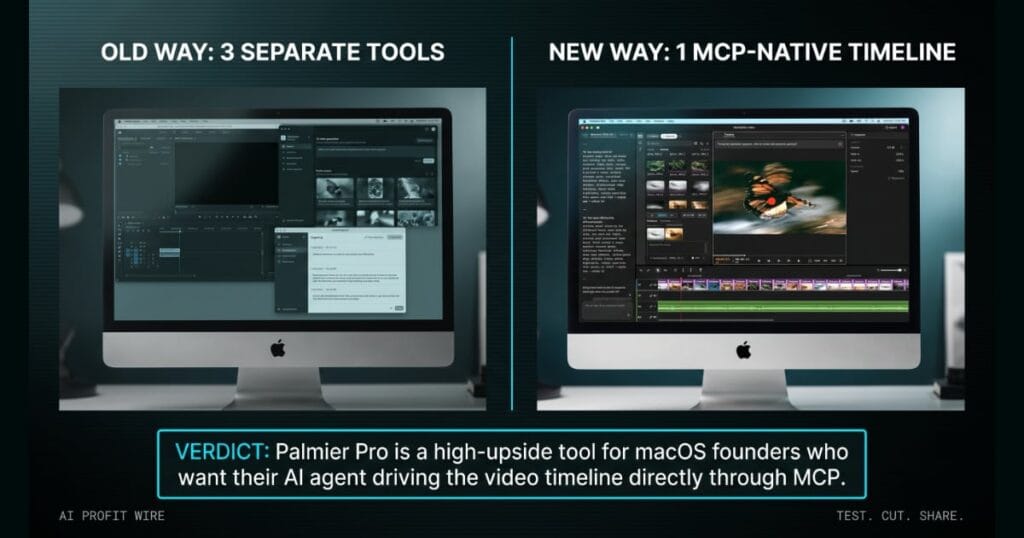
The marketing director drops a 12-minute product demo into the shared drive and asks for 3 vertical clips cut for social by end of day. The video editor opens, but the AI generation tab is a separate app, the captioning tool is a third subscription, and the agent that drafts the captions can’t see the timeline.
That 3-app friction is what Palmier Pro removes on macOS 26 Tahoe. The local MCP server at 127.0.0.1:19789 exposes the timeline to Claude Code, Codex, or Cursor, so the agent reads and edits the same project the founder is cutting.
For a small business owner, the 11,328 GitHub stars and YC S24 backing lower the adoption risk. You download the editor free, point your agent at the MCP endpoint, and test the loop before paying for generative AI features.
What is the final verdict on Palmier Pro?
Palmier Pro is a real option for macOS founders who want their AI agent inside the video editor. The 11,328 stars and YC S24 backing signal real adoption, and the GPL-3.0 license protects the open core.
The macOS 26 Tahoe and Apple Silicon requirements narrow the audience, and the paid tier for generative AI means the free editor alone won’t generate content. Founders on Intel Macs or Windows are out of luck.
Palmier Pro is a high-upside tool for macOS founders who want their AI agent driving the video timeline directly through MCP.
Source: GitHub
