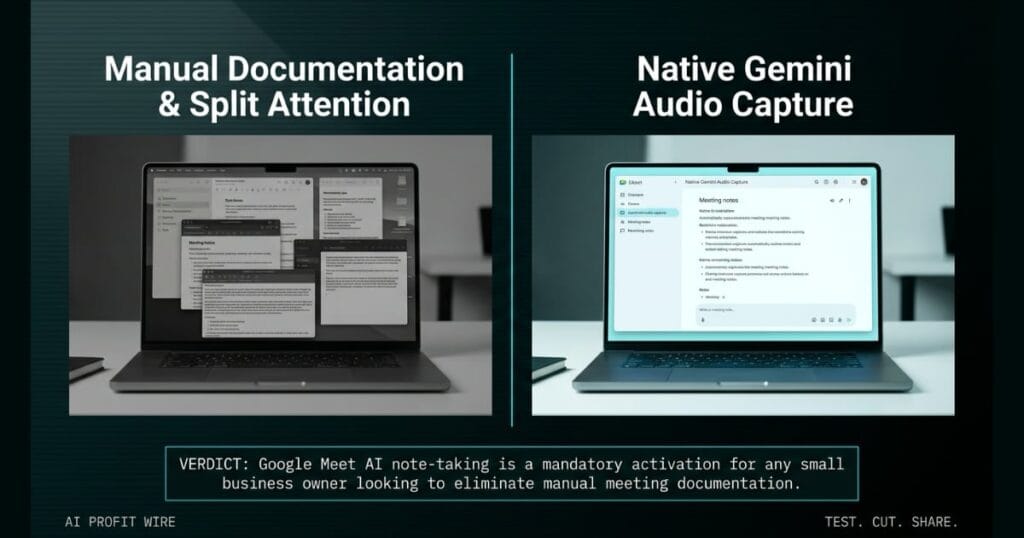
Saves time and ensures critical context is captured from face-to-face client or team meetings without needing a dedicated note-taker.
What’s Google Meet AI note-taking and what changed?
Google Meet now lets users launch a dedicated AI note-taking session for physical, in-person meetings, expanding beyond video calls to support face-to-face collaboration.
You start a session directly from the Google Meet home screen on web or mobile by selecting the Take notes button, and Gemini actively captures the room audio for the duration of the meeting.
Rollout is staggered across platforms, with Android starting August 11, 2026, web starting no sooner than August 14, 2026, and iOS starting no sooner than August 31, 2026.
Each platform’s rollout extends over potentially longer than 15 days for feature visibility, which means the Take notes button may not appear in every account on day one of the rollout window.
The feature is available to Business Standard, Business Plus, Enterprise Standard, Enterprise Plus, Frontline Plus, and consumer Google AI Pro and Ultra plans, which means most paying Workspace customers get it without an upgrade.
Google Meet AI note-taking turns physical room conversations into structured digital records.
What’s the evidence behind Google Meet AI note-taking?
The official Google Workspace Updates blog provides specific operational steps for how Gemini captures and processes the meeting audio, and it frames the feature as a direct fix for a known friction point.
The blog notes that “balancing active participation with note taking during face-to-face discussions can be a challenge,” and that users “shouldn’t have to choose between staying present in the moment and capturing critical context for later.”
When the meeting finishes, you press the button to conclude audio capture, and Gemini compiles a structured notes summary, action items, and complete transcript into a Google Doc saved to Google Drive.
Gemini also emails the link to you, which closes the loop between the live conversation and the reviewable artifacts without any manual handoff.
The blog directs end users to the Google Workspace Admin Help Center for additional guidance on the in-person meeting notes workflow, which is where team members should look for step-by-step setup instructions.
The official documentation confirms Gemini handles audio capture, summarization, and delivery natively.
How does Google Meet AI note-taking compare to the alternatives, and what background do small business owners need?
Google Meet AI note-taking builds the functionality directly into the primary platform interface, accessible through a native button on the home screen across both web and mobile devices.
The feature expands Google Meet beyond video calls to support in-person collaboration, which positions the platform as the home for all meetings whether remote or face-to-face.
The feature is controlled by existing Google Meet notes settings, so admins do not need to configure a separate permissions stack to roll it out.
Native integration inside Google Meet removes the setup friction of a separate note-taking application.
How does Google Meet AI note-taking affect day-to-day operations for small businesses?
The tool captures critical operational context without pulling a dedicated employee out of the conversation, which prevents the loss of key details that occurs when someone tries to listen and type simultaneously. You can read more about similar operational AI shifts in our analysis of operational AI integrations.
Founders can launch the capture from a mobile device placed on a conference table, which turns any physical room into a documented strategy session without extra hardware.
The structured notes summary, action items, and full transcript land in a Google Doc in Drive, which gives small business owners a verifiable record of every verbal commitment, pricing change, or project scope agreed in the room.
Gemini also emails the link to you, which means the follow-up is automatic and the meeting artifacts are searchable before the conversation is even cold.
Google Meet AI note-taking removes the friction between active participation and manual documentation.
The quarterly review unfolds on the client’s showroom floor, and the conversation keeps shifting between pricing, delivery dates, and a contested service-level clause. Your phone sits on the conference table between you and the client, and you tap the Take notes button before the meeting starts.
The friction point has always been trying to negotiate verbally while simultaneously writing down every specific term without missing a beat. You end up with partial notes, a missed concession buried in the back-and-forth, and a follow-up email that undersells what was actually agreed.
With Gemini capturing the audio and building the structured summary, you maintain direct eye contact, push back on the contested clause, and walk away with a verified record of the final terms saved to Drive and waiting in your inbox before you hit the parking lot.
What’s the final verdict on Google Meet AI note-taking?
The tool ensures critical context is captured from face-to-face meetings, which allows small business owners to focus entirely on the conversation while Gemini builds the reviewable artifacts and delivers them to Drive and inbox automatically.
Google Meet AI note-taking is a mandatory activation for any small business owner looking to eliminate manual meeting documentation.
Source: workspaceupdates.googleblog.com
