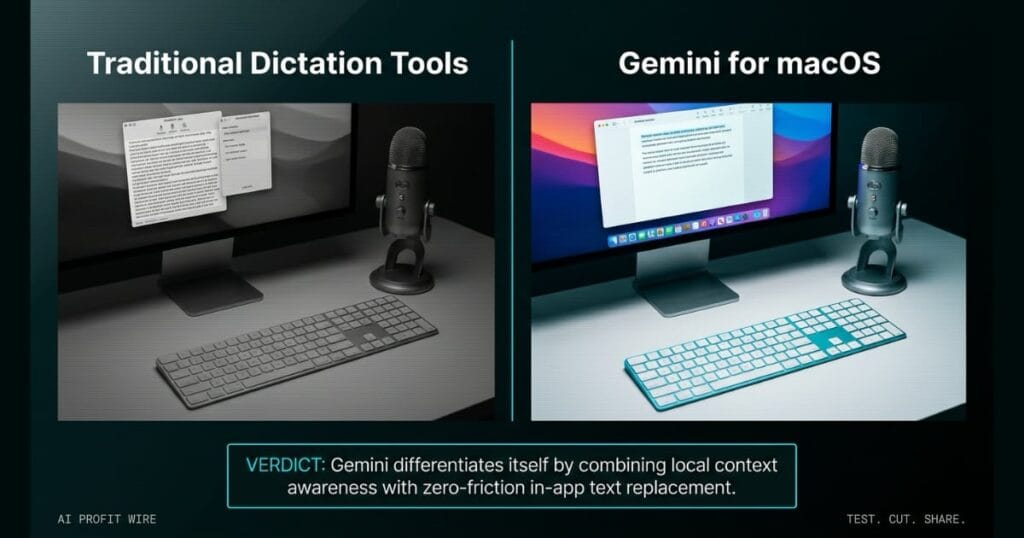
This update can save small business owners significant time by allowing hands-free drafting, editing, and summarizing of documents directly within their daily workflow.
What is Gemini for macOS voice commands and what changed?
Gemini for macOS now lets users long-press the Fn key to dictate, edit, and summarize text using natural voice commands. The update drops formatted text directly into any active window on your desktop.
The new capability allows users to speak naturally without switching applications, which keeps you in your workflow. It automatically removes filler words and catches mid-sentence corrections as you talk.
Users can opt into Gemini reasoning through their settings to execute more complex tasks using on-screen context. This rollout targets all macOS users globally in English, with more languages coming soon.
Voice-driven text creation is now a native desktop function instead of a separate application workflow.
What is the evidence behind Gemini for macOS voice commands?
The official Google AI Blog announcement confirms the feature uses a long-press of the Fn key to trigger intelligent dictation. This functionality formats spoken words instantly at your cursor.
The announcement specifies that users can highlight local files, images, or documents on their desktop for Gemini to summarize. Google gives the example of asking Gemini to read vet files and draft an email to a kennel summarizing a dog’s medical history.
Users can highlight text anywhere on their screen and use voice commands to instantly rewrite or adjust the tone. The tool can also generate and edit images based on voice prompts referencing on-screen illustrations.
The evidence shows a direct integration of voice AI into local file manipulation and text editing workflows.
How does Gemini for macOS voice commands compare to the alternatives, and what background do small business owners need?
Gemini for macOS uses reasoning to understand the context on your screen and help execute complex tasks. The opt-in reasoning layer is what separates it from a basic dictation tool.
The tool automatically removes the ums and ahs, and it catches mid-sentence corrections before dropping the text. That cleanup step is built into the dictation flow.
Gemini operates inside your current window, which eliminates the friction of application switching. The Fn key trigger means you do not need to launch a separate app to start speaking.
Google gives the example of asking Gemini to read vet files and summarize a dog’s medical history in an email to a kennel, which shows the model’s ability to chain file reading, summarization, and email drafting in one voice command. That chained execution is what differentiates Gemini from a single-step dictation tool.
Gemini differentiates itself by combining local context awareness with zero-friction in-app text replacement.
How does Gemini for macOS voice commands affect day-to-day operations for small businesses?
This update allows small business owners to save time by enabling hands-free drafting, editing, and summarizing of documents directly within their daily workflow. The ability to process local files on your screen reduces the manual labor of copying data between tools.
Founders can highlight a document and ask Gemini to turn notes into an executive summary with a TL;DR at the top. This eliminates the need to manually read, synthesize, and type the summary yourself.
The feature is rolling out globally to all users of the Gemini app for macOS in English, with more languages coming soon. You can download the app at gemini.google/mac to get started.
Small business owners can compress document drafting and summarizing tasks into a single voice command.
The 6 AM roastery open starts with weighing out green beans from last night’s delivery and logging the roast profiles on the office laptop. The batch numbers are on the supplier invoice PDF, the moisture readings are in a spreadsheet, and the roast notes are scribbled on a clipboard. You need to draft an email to the supplier flagging a weight discrepancy before the first batch hits the drum.
Instead of typing out the email manually, you long-press the Fn key and tell Gemini to read the invoice PDF and the spreadsheet, then draft an email summarizing the discrepancy. The tool reads the local files on your screen, formats the text, and drops it into your draft. It removes the filler words and catches the mid-sentence corrections before the polished version lands at your cursor.
The 1-key trigger is the operational shift. You stay in your email window with your hands on the roaster controls, and the administrative friction moves to a single voice command instead of a typing session.
What is the final verdict on Gemini for macOS voice commands?
Gemini for macOS voice commands deliver a practical time-save for small business owners by embedding intelligent dictation and file summarization directly into the desktop workflow. The ability to process on-screen context without application switching is a clear operational advantage.
The global rollout to all macOS users provides a broad baseline of access. Founders can immediately leverage this to compress administrative drafting time without adding new software to their stack.
This update is a functional win for macOS users looking to compress administrative drafting time without adding new software to their stack.
Source: Google AI Blog
