The Best Page Builders for Small Business Websites in 2026 Intelligence Report
In This Report
The page builder you pick is not a design decision, it is a lock-in decision. It sets what a developer will charge you later, whether you can leave the platform without rebuilding from scratch, and how much control you have over the SEO that brings you customers. This roundup covers the 3 tools every small business compares (Elementor, Wix, and Squarespace) and it grades them on the parts vendors do not put on the sales page: renewal pricing, page speed, portability, and search control. Every figure was verified from live web data in June 2026 and scored against our Hype Check methodology.
What is the fastest way to build a small business website in 2026?
The fastest safe path for most small businesses is Elementor on WordPress, because it gives you design control without the portability trap of closed platforms.
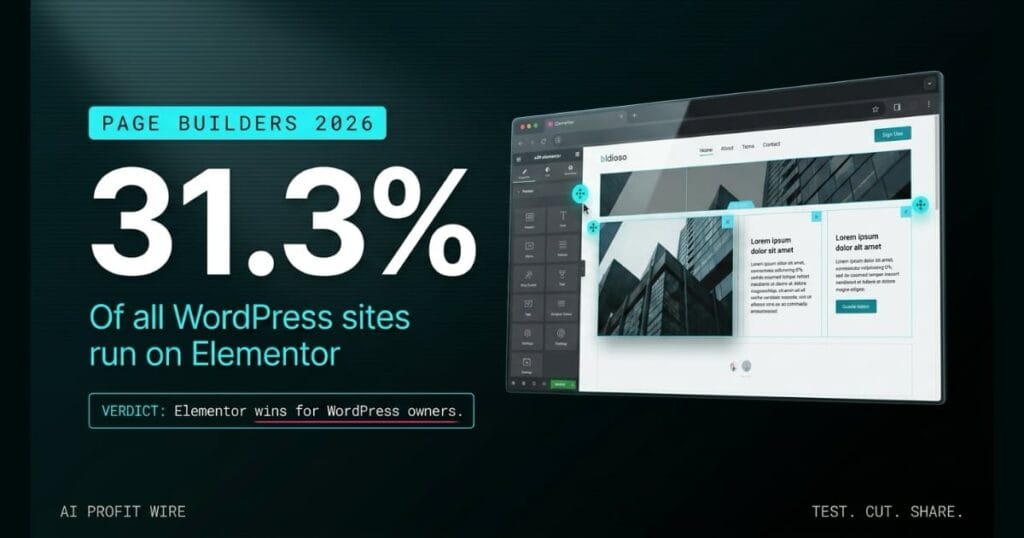
The reason to think past speed alone is cost and control. A closed builder can look faster on day 1, and then cost you $1,000 to $5,000 in migration fees the day you outgrow it, while Elementor runs on WordPress, which you own and can move. Elementor powers 31.3% of all WordPress websites, so the skills and help you need are everywhere when something breaks.
Speed to launch matters for a week, but portability and SEO control matter for the life of the business, and that is where an owned WordPress build beats a rented closed platform.
The fast recommendation by use case:
- Best for WordPress users: Elementor (31.3% of all WordPress sites, full design control, portable)
- Best for total beginners: Wix, with a serious lock-in warning (migration off Wix runs $1,000 to $5,000)
- Best for design control without WordPress: Squarespace, with a serious SEO warning (you cannot edit robots.txt or add custom schema)
Is Elementor Pro worth it for a small business?
Yes, for WordPress users who accept its performance homework, and it earns an overall Hype Check score of 7.1/10.
On community adoption, the footprint is enormous. BuiltWith counts 11,414,604 live websites using Elementor as of June 2026, and W3Techs reports it powers 13.1% of all websites and 31.3% of all WordPress websites, which makes it the dominant page builder for WordPress by a wide margin.
On pricing reality, read the renewal line, not the promo line. The standalone Essential plan is $60 per year for 1 site (annual only, no monthly option), while the Elementor One all-in-one suite is advertised at a $168 first-year price that renews at $228 per year. You can start Elementor through our Elementor affiliate link, and you should budget for the renewal, not the intro rate.
On the billing warning, the discount is a first-year event only. The 60% off promotional sales (Black Friday, birthday events) apply to year 1 and never to renewals, that Elementor One suite jumps $60 per year at renewal (a 35.7% increase), and the pricing page advertises “starting from $49/year” while the actual current Essential plan is $60 per year. Grandfathered users on Reddit report renewal jumps from $99 per year to $199 per year on plans they thought were locked.
Elementor is worth it for WordPress owners who want design flexibility and will do the speed optimization, but you should sign up expecting the renewal price ($228 per year on the One suite), not the introductory one.
For the full 5-dimension Hype Check analysis, see the Elementor Intelligence Report.
How fast are Elementor websites actually in 2026?
Out of the box, Elementor is slow, with a median mobile Largest Contentful Paint of 3.8 to 5.2 seconds against Google’s 2.5 second threshold.
The weight is the cause. Elementor can add over 21 MB of unzipped code to a WordPress install and push DOM size to 800 to 2,000 or more elements, versus 200 to 500 for lightweight themes like GeneratePress and Kadence, which consistently land under 2.0 seconds. Even after aggressive optimization (critical CSS, deferred JavaScript, reduced DOM), Elementor sites still show a median mobile LCP of 2.0 to 2.8 seconds, and in a WP Rocket benchmark Elementor scored 75/100 on PageSpeed Mobile with its LCP at 5.4 seconds, in the red and failing Google’s threshold.
Elementor can pass Core Web Vitals, but only with real optimization work, so budget for a caching plugin and a performance pass, because the default build fails Google’s mobile speed threshold.
Why do most popular DIY website builders fail small businesses on SEO?
Wix and Squarespace fail small businesses on the 2 things that matter long term: you cannot take your site with you, and you cannot fully control your search settings.
The lock-in is documented. Wix exports blog posts by RSS only, while pages, layouts, forms, and images cannot be exported in any usable format, which is zero design portability, and professional migration off Wix costs $1,000 to $5,000 (among the most expensive in the category) with DIY timelines that regularly exceed 6 or more weeks. Squarespace carries a separate ceiling, because per official Squarespace documentation every Squarespace site uses the same robots.txt file that users cannot access or edit, and users also cannot reach .htaccess, add custom schema markup, or set bulk redirects.
If organic search is a core way you get customers, a platform that blocks robots.txt access and charges $1,000 to $5,000 to leave is a liability, not a shortcut.
Should you build your small business website on Elementor today?
The site looked connected in the demo. Every button clicked, the template snapped into place, and the whole thing felt like it would just keep working. Then the business grows, a new offer needs a redirect, a stubborn page needs a schema tweak for search, and the platform quietly says no. That is the phantom in the workflow: the parts that were never wired the way the demo implied, the export that only carries the blog posts, the robots.txt file you are not allowed to touch, the redirect map you cannot build. And it always surfaces at the worst time, 6 months into content investment, when moving means paying a migration bill between $1,000 and $5,000 to free work you already paid to create. WordPress with Elementor is not the flashiest answer, it is the one where the wiring is yours, the door out is open, and the search settings are in your hands instead of the vendor’s.
The final ranking for a small business website build in 2026:
- 1. Elementor on WordPress: The pick for owners who want design flexibility and will do the performance optimization. Portable, controllable, and supported everywhere. Start through the Elementor plan that fits your site count, and budget for the renewal price.
- 2. Squarespace: Acceptable for a brochure site where SEO is not a primary acquisition channel. Avoid it if organic search matters, because you cannot edit robots.txt or add custom schema.
- 3. Wix: Easiest to start, hardest to leave. Avoid for any business that may need to migrate, given $1,000 to $5,000 exit costs and near-zero design portability.
For the weekly verified tool breakdowns behind rankings like this, subscribe to The AI Profit Wire, and track every tool we score in the Intelligence library.
