Could simplify daily workflows by bringing third-party business software directly into ChatGPT.
What are ChatGPT’s new plugin extensions?
OpenAI announced at its Dev Day presentation that ChatGPT plugins now support app-like interfaces and automations inside the chat window. TechCrunch’s launch coverage has the full feature set.
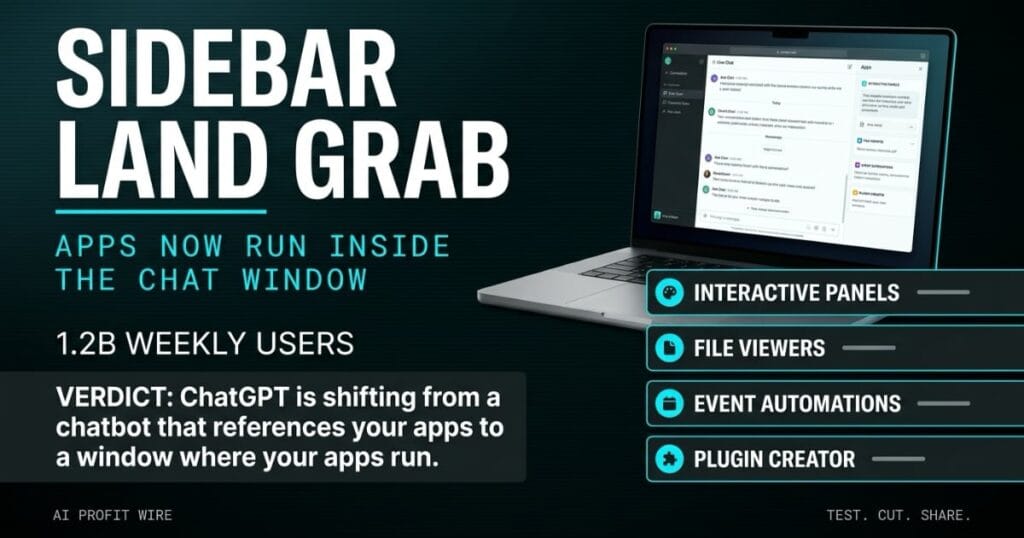
Plugins get a dedicated home in the ChatGPT sidebar, and developers can build interactive panels that let users work with their tools while chatting with the model. File viewers support whatever formats the developer’s product uses, and a new Plugin Creator tool ships alongside a redesigned directory submission flow with clearer feedback.
ChatGPT already connects to tools like Slack, SharePoint, Airtable and Google Drive through connectors, and the new plugin extensions sit on top of that plumbing. This is the second year running that OpenAI has pushed apps into the chat window, after launching apps inside ChatGPT at Dev Day 2025, and the pieces are more finished this time.
ChatGPT is shifting from a chatbot that references your apps to a window where your apps run.
Do ChatGPT plugins actually run apps inside the chat window?
The feature set is confirmed and shipping: plugins render interactive panels, display files, and trigger automations based on events in a connected app through support for the proposed MCP Events specification.
Users approve each plugin’s access needs one by one, and OpenAI says it improved how plugins are ranked and recommended in the directory and when they surface in conversations. The automations piece rests on a spec still in motion: the MCP Triggers and Events working group charter lists the Events specification as an active work item, and the Model Context Protocol itself is an open standard the events layer extends.
Treat the panels and file viewers as confirmed, and treat the automations as a spec still being written.
How are plugin extensions different from ChatGPT connectors?
Connectors pipe data in from tools like Slack, SharePoint, Airtable and Google Drive, so ChatGPT can read what lives there. Plugin extensions move in the opposite direction: the app gets a home in the sidebar, a panel to work in, and permission to act.
ChatGPT Sites adds a second angle, since the lightweight sites users build with ChatGPT can host plugins. That pattern mirrors what small teams already do with internal dashboards, with colleagues running a shared tool on their own connected data and permissions rather than yours.
The permission models also point in different directions, because a connector grants ChatGPT read access to a data source, while a plugin extension asks the user to approve what an app can see and do. OpenAI ranks and recommends the extensions in its directory, and the review still falls on whoever runs the team.
Your seat licenses and your data stay where they are, and the surface changes to the sidebar.
Who are ChatGPT plugin extensions actually for?
The audience is the team that already lives in ChatGPT during the workday and loses real hours hopping between the chat window and standalone apps.
OpenAI’s platform play gives the shift scale: TechCrunch reports ChatGPT has 1.2 billion weekly users and 16 launch partners, including Notion and Vercel, building for the surface. The plugin wave pulls the tools your team touches daily into 1 window, and we track each permission and automation change in our ChatGPT plugin and app store coverage.
Teams without a developer to own the permission and automation rules will get less out of it, since the value concentrates in internal plugins built for your own workflows.
The fit is the team with a developer to own the rules, and the win is 1 window over tools you already pay for.
A keyed-alike padlock set hangs on the equipment shed of a landscaping crew, and the crew chief loves it because 1 key opens 4 doors.
Then a seasonal hire uses the same key to open the chemical cabinet and mixes 2 concentrates that should never meet. The lock worked as designed, and the problem was that 1 key covered 4 doors carrying different risk levels.
That is the plugin trade: 1 window over 4 connected apps, with a permission grant standing in for the key.
Is the ChatGPT plugin update production ready?
Build 1 internal plugin if your team loses real hours switching between chat and a business tool, and skip it if nobody on your side can own the permission and automation rules.
The lowest-risk entry point is an internal plugin shared through ChatGPT Sites, since colleagues run it with their own connected data and permissions rather than yours. The automations deserve the most scrutiny, because a plugin that fires on events in a connected app runs on the access you granted at setup, and the events spec behind it is still a proposal.
The overhead lands in governance rather than new license fees, since the extensions run inside ChatGPT accounts your team already holds. Name an owner for every approval, and review the access a plugin carries before its first automation runs.
Pilot 1 internal plugin with named approval ownership, and hold the automations until the read-only use case pays for itself.
Ship the panel, hold the trigger, and name the owner before anything touches client data.
Source: TechCrunch AI
