Helps small business owners write better prompts to save time when using AWS AI tools.
How Do You Get Better AI Output From Amazon Quick?
You prompt each Amazon Quick component differently, and that is the entire point of part 2 of AWS’s prompt engineering series, published on the AWS Machine Learning Blog.
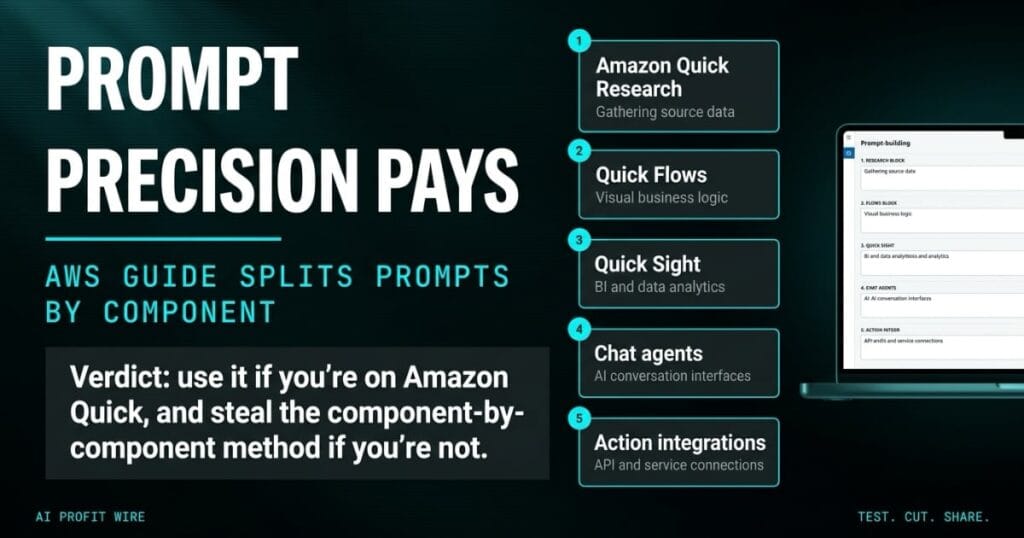
The guide covers 5 components, Amazon Quick Research, Quick Flows, Quick Sight, chat agents, and action integrations, and it pairs the working patterns for each one with the pitfalls that break them.
Where part 1 covered the universal fundamentals, specificity, context-setting, few-shot examples, and the CRISPE framework, part 2 argues the component decides the shape of the prompt.
The practical claim: a prompt that performs in a chat agent underperforms in an automation flow, so reusable prompts get written per component.
Does Component-Specific Prompting Actually Work?
The guide’s evidence is concrete rather than theoretical, and the research component shows it: a vague objective produces a shallow report, while a specific one names the topic, timeframe, audience, and outputs.
Quick Research backs those prompts with serious fuel, because AWS documents that the tool draws on enterprise data through Quick Index, 200+ trusted news outlets, and premium datasets from S&P Global, FactSet, IDC, US Patent data, and PubMed.
The chat agent chapter pushes the same discipline into configuration: a strong agent identity names the role, the expertise, and the boundary, so the agent answers cloud cost questions and says so when a question falls outside its scope instead of guessing.
On the automation side, the guide rebuilds “create a report from our sales data” into a scheduled instruction with a named source, specific calculations, and an output target, and the difference between the 2 versions is the difference between a flow that saves 5 minutes and one that saves 5 hours.
The patterns work because they hand the model the constraints a professional would specify, and the pitfall lists document what happens when a team skips that step.
How Is This Different From Generic Prompt Tips?
Generic advice treats every AI interaction as the same shape, while this guide splits the work by component and documents what breaks in each one.
Quick Flows prompts need schedules, conditions, and numbered steps that map to the runtime’s structure, Quick Sight queries need metrics, dimensions, timeframes, and a visualization type, and chat agents need a defined identity with explicit boundaries.
The pitfall framing is the difference: most prompt content tells you what to do, and this series also documents what fails, component by component, so a team can debug an output by checking its instruction against a known failure mode.
That failure catalog is also what makes the guide cheap to apply, because a mismatch between component and prompt shows up in minutes once you know which failure each component produces.
The component-by-component structure with explicit pitfalls makes this production documentation rather than a prompt cheat sheet.
Who Should Use the Amazon Quick Prompt Guide, and Who Should Skip It?
Teams already running or evaluating Amazon Quick components are the audience, because the patterns name platform-specific features like Topics, Builder Mode, and Quick Index.
Teams on other BI stacks should skip the platform detail and steal the method instead, because the underlying lesson, that instructions must match the tool interpreting them, transfers to any AI product your business already pays for, and our small-business guide to AI chatbots and design tools covers the category if you are still choosing.
The guide itself is free documentation, so the only cost of applying it is the hour spent rewriting the prompts your team reuses most.
Use the patterns if you run Quick, and steal the component-by-component discipline if you do not.
The ops dashboard prints the same wrong number for the third week, and the analyst who built it has stopped trusting it.
She asks the chat agent, the automation flow, and the analytics tool the same way, “summarize this,” and gets 3 different grades of wrong, because each component reads instructions differently and her instruction was written for none of them. That is the 5-component problem in miniature: one generic prompt stretched across tools that each need their own work order.
Write the instruction with the schedule, the source, and the output named, and the dashboard heals without a single new integration.
What Should You Do About the Amazon Quick Prompt Guide Now?
Pick the AI tasks your team reruns most, match each one to its component chapter, and rewrite the instruction against both the pattern and the pitfall list.
The AWS team maintains the Amazon Quick platform page and documentation alongside the guide, so check current feature names before you copy an example into production.
If your team’s AI output is inconsistent, this is the cheapest fix in the stack, because better-structured prompts cost writing time and nothing else.
Better prompts are the least expensive upgrade available to an AI stack, and this guide is a free set of blueprints for writing them.
Source: AWS Machine Learning Blog
