Automating file downloads can save small businesses significant time spent on manual data retrieval, allowing teams to focus on analyzing the data instead of fetching it.
What is AI agent file download automation and what changed?
AI agents can now log into systems, locate specific documents, and download files on a schedule without human intervention, saving teams hours of manual data retrieval.
The system independently retrieves data from external sources and can transfer files to other services for further processing, including storage systems, analytics platforms, and CRMs.
This eliminates the manual bottleneck of logging into multiple portals daily to fetch reports, backups, and media files.
AI agents have turned file retrieval from a manual chore into an automated, scheduled pipeline.
What is the evidence behind AI agent file download automation?
No-code platforms like Zapier, Make, n8n, and Microsoft Power Automate allow creating workflows without in-depth programming, responding to new files in cloud storage and triggering subsequent analysis processes.
For more complex tasks, developers use Node.js with Puppeteer, Python with the Requests and Playwright libraries, or official cloud service APIs that let the agent receive files directly instead of emulating browser actions.
The process follows a consistent sequence: opening a website, passing authorization, checking for new files, and downloading them to a specified folder or cloud storage.
Both no-code platforms and custom API scripts provide reliable methods for continuous, scheduled file retrieval.
How does AI agent file download automation compare to the alternatives, and what background do small business owners need?
Organizations can run agents on their own servers for maximum control over sensitive data, although this requires separate administration and dedicated resources.
No-code platforms like Zapier and Make deploy faster for business teams that need integration across different systems, while custom Python and Playwright scripts offer deeper integration and direct API access.
The API approach gives the agent files directly instead of emulating user actions in a browser, which means faster retrieval and fewer errors from browser-specific issues. For SMBs building their first automation, Systeme.io’s all-in-one marketing and automation platform offers a simpler starting point than stitching together multiple tools.
Choosing between on-premises agents and cloud platforms depends on your data sensitivity and the development resources you have available.
How does AI agent file download automation affect day-to-day operations for small businesses?
Automation introduces 3 immediate operational risks: account credentials security, downloading malicious files, and excessive access to data.
If API keys are stored in plain text, a serious risk of compromise arises, requiring secret managers and environment variables to protect credentials. An automated process can’t always determine whether a file is safe, so antivirus scanning and digital signature verification must be added to every download workflow.
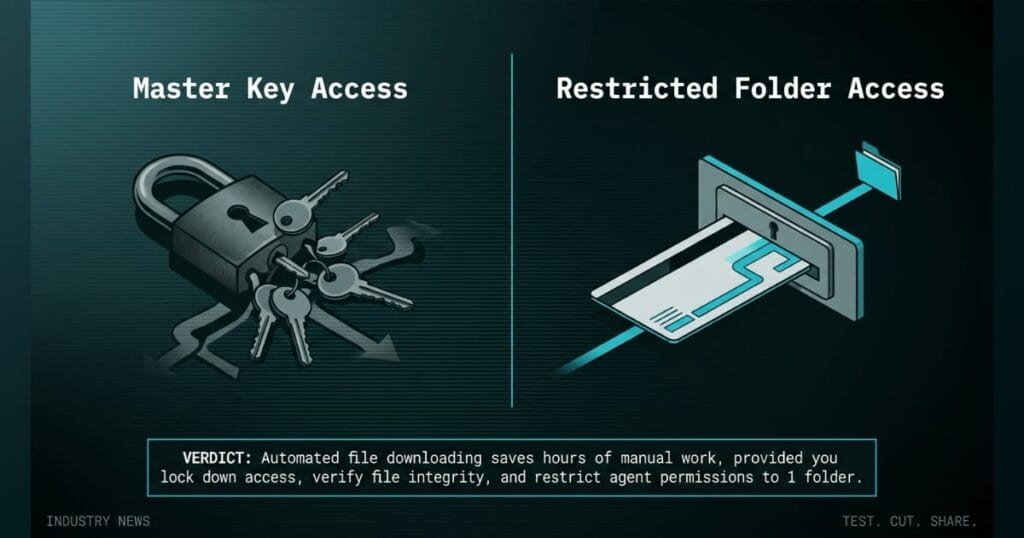
Sometimes the agent gets rights to the entire file system or corporate drive, when it only needs a single folder to function. Limiting permissions to 1 required folder prevents a single error or breach from spreading across the entire system.
Small business owners must secure credentials, verify file sources, and restrict access to prevent automation from becoming a liability.
The grinding whine of a key cutting machine fills the shop, but the real bottleneck isn’t the metalwork. It’s the daily grind of logging into 6 different supplier portals to download digital key blank profiles and access code databases before cutting a single blank.
You deploy an AI agent to automate those logins and file downloads, but if you hand the agent master access to your entire digital filing cabinet instead of a single restricted folder, you create a silent operational defect. A misconfigured script downloads an outdated file or grabs the first profile instead of the most recent version, and your tech cuts physical blanks based on bad data before anyone notices the error.
You don’t hand a new apprentice the master key to the entire building and tell them to sort the inventory room. You give them access to the specific cabinet they need, you verify their work, and you run file checksum checks to ensure the digital profiles match the supplier’s database before turning on the grinder.
What is the final verdict on AI agent file download automation?
AI agents can greatly simplify file management and make data processing more stable, but they don’t eliminate the need for human oversight.
Founders must securely store credentials, verify file sources, monitor errors, and properly configure access rights. If the process is set up correctly, automation not only saves time but also makes data processing more scalable.
Automated file downloading saves hours of manual work, provided you lock down access, verify file integrity, and restrict agent permissions to 1 folder.
Source: AutoGPT Blog
