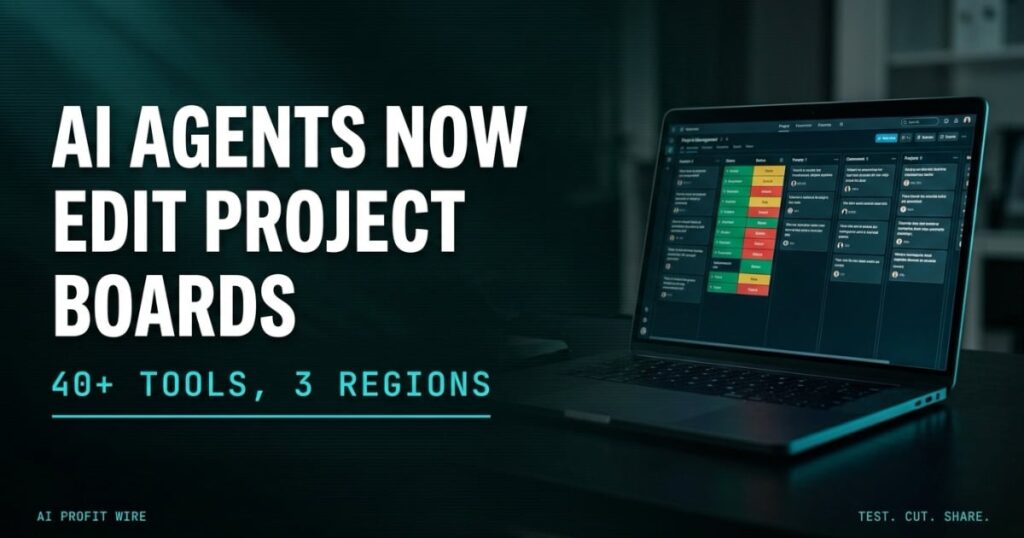
Saves operational time by enabling AI agents to automate updates and retrieve project data directly from Smartsheet.
What Is The Smartsheet MCP Server On AWS?
Smartsheet’s Model Context Protocol server connects AI agents directly to live work management data: sheets, rows, columns, discussions, and automations, all readable and writable through a standardized protocol.
The protocol spans more than 40 tools for exploring, creating, and managing sheets, rows, columns, and automations, and it returns structured context, including row relationships, column types, cell history, and comments, in token-efficient payloads.
Smartsheet launched the server on March 24, 2026, and the new AWS playbook documents two supported connection paths: Amazon Quick for business teams and Kiro for developers.
The Smartsheet MCP server turns project boards into live, agent-readable data instead of exports.
Does The Smartsheet MCP Server Actually Work?
The generally available server exposes real operational actions: updating task statuses, creating rows, querying project health, surfacing blocked sprint tasks, and reconciling task statuses between issue trackers and Smartsheet plans.
Agents can also monitor active project sheets, identify rows marked Blocked or At Risk, annotate projects with discussion comments, and generate prioritized fix lists from live data.
It implements Anthropic’s Model Context Protocol, the open standard that lets AI applications connect to external systems through one shared interface, so any MCP-compliant client can attach without a custom build.
The infrastructure is proven rather than experimental: the server rides Smartsheet’s REST API layer, which the company says processes 1 billion calls per day.
For developers, the Kiro path needs one config entry and a personal access token, and Amazon Quick ships Smartsheet as a pre-built connector with OAuth, so no app registration is required.
The server is production infrastructure with live endpoints, not a preview announcement.
Is The Smartsheet MCP Server Better Than Custom API Integrations?
Custom integrations mean custom code: scripts that push status changes between systems, and middleware that breaks quietly when either side changes a field.
The Model Context Protocol standardizes how agents discover and use remote capabilities, so the same client connection reads sheets today and manages automations tomorrow without a rebuild.
Security carries over rather than expanding: the server runs on the same infrastructure and permissions layer as the Smartsheet REST API, administrators govern MCP access at the organization level, and the agent only reaches data the authenticated user can already see.
Scale changes the arithmetic too. Smartsheet points to teams running hundreds of AI-assisted queries across a project portfolio, and the structured payloads keep token consumption lower than brute-force API pulls, which is where the cost shows up at volume.
A standardized protocol replaces the per-tool integration build, and the permission model stays the one you already manage.
The project board shows the same task in three places, and by Thursday the statuses disagree. Someone spends the afternoon reconciling rows by hand, again, while the real work waits. Smartsheet’s MCP server points 40+ agent tools at exactly that board, and the row updates once, from the client the team already uses.
Custom integrations used to mean scripts that broke quietly and became somebody’s weekend. The protocol version runs on the same permission layer as the REST API, so the agent reads only what the logged-in user already could.
The gate is boring: a Business-tier plan, a token, an IAM role. Then the retype work stops being anyone’s job.
Who Is The Smartsheet MCP Server Actually For?
Amazon Quick targets knowledge workers, project managers, and operations teams who want to query, update, and automate Smartsheet through natural language, with the pre-built connector available across the organization and no app registration.
Kiro targets developers who want Smartsheet project context beside their code, packaged as a one-click installable bundle with steering files and hooks, scoped to the individual workflow.
The setup requirements stay concrete on both paths: Kiro needs the IDE from kiro.dev with Node.js available, and Amazon Quick needs Author-level permissions and a Smartsheet app registration for the client ID and secret.
Teams without any engineering support face the hardest version of this rollout, because AWS IAM permissions, client configuration, and token management all sit in the prerequisites.
Organizations with technical capacity get the most from the server, and out-of-the-box-only teams will feel the setup friction.
Should You Connect AI Agents To Smartsheet Now?
The prerequisite list decides the timeline: an active AWS account with IAM permissions, a Smartsheet Business, Enterprise, or Advanced Work Management plan, and a personal access token or OAuth credentials.
The server runs at three regional endpoints covering the US, the EU, and Australia, so region planning is a config choice rather than a procurement question.
Start with one recurring status report your team sends every week, connect an MCP-capable client through Quick or Kiro, and measure the hours that report consumed last month before widening access.
If you are mapping what shipped this year, our running log of AI agent integrations tracks each one as it lands.
Teams that already meet the prerequisites can connect an agent this week; everyone else should fix the plan tier first.
Source: AWS Machine Learning Blog
