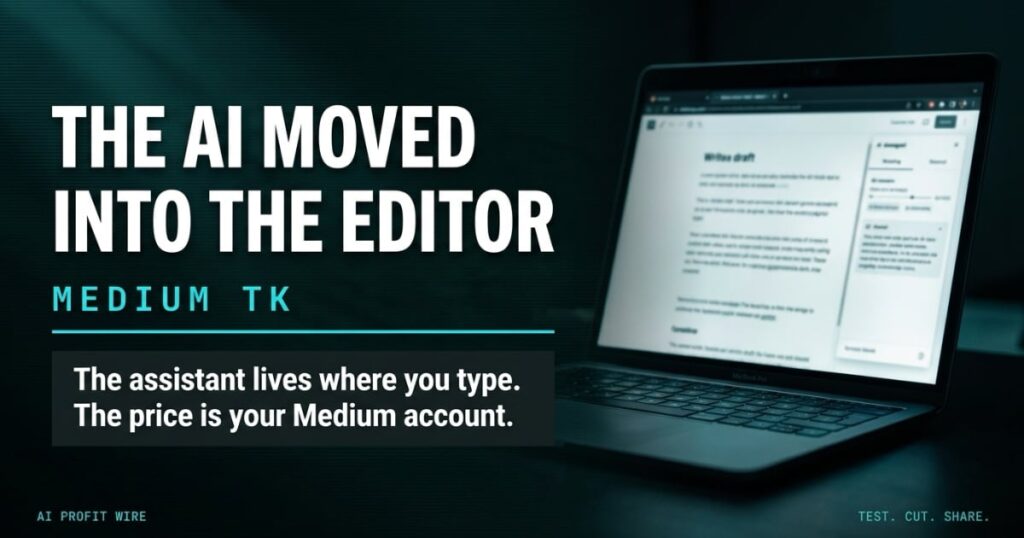
Provides small business content teams with a free, integrated AI drafting and editing workspace to speed up content creation.
The honest read: this is a real free tool, not a teaser with a clock on it. TK costs $0 for anyone with a Medium account, read on Medium’s own TK page on November 10, 2026, and the AI assistant is inside the editor rather than a tab away. For a small content team, the entry price is the Medium account you may already have.
Medium launched TK on Monday, November 9, 2026, and TechCrunch’s launch coverage describes it as an attempt to bring AI deeper into the writing process itself. The name is publishing shorthand: in newsrooms, TK marks a spot where a missing fact will go, because the letter combination is rare enough to catch a proofreader’s eye.
What Is Medium TK And How Does The AI Writing App Work?
TK is a web app for the thinking and writing that happens before publication. You write, and when you hit a gap, you type @TK followed by a request, and the assistant answers inside the document.
Medium’s own TK page frames the assistant around 3 jobs: checking a fact, digging up something you wrote last month, and giving a quick read on structure or a headline before anyone else sees the draft.
The app imports and exports Markdown, although it is not a Markdown app. It runs on the web at launch, and a desktop app is on the roadmap, per TechCrunch.
Medium TK puts a research assistant, an archive search, and an editorial read into the document itself, at no charge.
Does Medium TK Actually Speed Up Writing?
The speed claim rests on tab switching. Medium’s example, per TechCrunch, is the lookup you would leave the editor for, like how many days a month has, and the assistant answers it where you type.
The archive angle is the stronger half. TK pulls in writing you saved while developing an idea, so the sentence you half-wrote in March can surface while you draft in November. That is memory a small content team fakes with a folder of untitled documents.
It also ships with skills for editorial feedback and headline feedback that match a draft to the style guide for Medium publications. It also lets authors publish notes that lay out how AI was used, which Medium’s launch post calls a start of what it believes is required to publish in the AI era: provenance that is clear, transparent, and inspectable, right down to the prompting and source material.
The assistant saves the small lookups and the archive digs, and it does not pretend to write the piece for you.
What Comes With The Free TK Workspace?
Three things land with the account. The notes system remembers and organizes what you wrote before and suggests writing prompts, so the half-finished idea from March is a search away instead of a scroll away.
The import path matters for teams with an existing pile: the app imports from Evernote, Bear, and beyond, per Medium’s own page, and the app also imports and exports Markdown.
The social layer is the third piece. Writers can share early drafts with peers and collect human feedback before anything publishes, which turns the app into a review space for a 2-person team that does not run formal approval software.
Medium’s page also states the boundary that matters to any team evaluating it: your writing is private until you choose to share it, you control who sees it, and no AI company trains on your writing or uses it without your permission.
The free account carries the notes, the imports, the sharing layer, and a no-training promise, which covers most of what small teams pay note apps for.
Is Medium TK Safe For Client And Company Content?
The caveat to hold onto: writing in TK is not encrypted, because the app is designed for collaboration. Users set access control permissions on their work instead.
Medium’s page is direct about the boundary: your writing is private until you choose to share it, no AI company trains on your writing without permission, and the assistant stays out of your way until you invoke it.
The agent connection cuts both ways. TK can connect to your own AI agent, when you opt in, through an MCP server or a Claude skill, so it can reference the projects and positions stored in your agent’s memory, which is powerful for a team already running the AI agent stack we recommend for small teams and a data path worth auditing for everyone else. The Model Context Protocol documentation and Claude’s agent skills documentation both describe what those connections expose.
Run client work inside TK with permissions set, and treat the agent connection as a feature you opt into, not a default you inherit.
Who Is Medium TK For?
Content teams that publish often benefit first. The style guide matching, the headline feedback, and the notes archive map onto the weekly grind of a 2-person content operation.
Solo founders who write long-form prose get a workspace that organizes ideas before they are posts. Teams already building custom AI agents get the MCP server, and everyone else can ignore it. Groups with strict compliance requirements get the transparency features instead: publishable notes on how AI was used, and provenance Medium describes as clear, transparent, and inspectable down to the prompting and source material.
You don’t manage a content operation for long before the tab shuffle starts costing real hours. Eleven open tabs, one of them holding the style guide, another holding the research, and the draft buried in the middle, that is the desk TK is built to clear. I hand-coded our first sites in HTML, CSS, and PHP, and the tooling lesson from those years never changed: the editor that wins is the one already holding your text when you need help. An assistant that lives one @TK away beats a stronger assistant that lives one login away. The price of admission is a free Medium account, and the productivity question is whether your team writes enough for $0 and one tab to matter. Most weeks it does.
TK fits teams whose bottleneck is drafting volume, not teams that need layout, approvals, or CMS plumbing.
Should You Use Medium TK Instead Of Paying For A Writing Tool?
Test it against the tool you already pay for. The candidates are note apps that charge per seat and AI writing tools that charge per user, and TK’s cost is a Medium account. If the drafts feed a newsletter, our roundup of the newsletter tools we score for small teams covers where those drafts end up publishing.
Keep sensitive client work out until the access permissions are configured, because writing in TK is not encrypted, since the app is built for collaboration. Then move one real workflow: the weekly first draft, the outline pass, or the research roundup.
The comparison that matters is the one you can measure. Take the last piece your team published and count the tools it passed through before it went live: the notes app, the drafting tool, the style guide document, the feedback thread. If that count is 3 or more, a single free workspace that holds the notes, the assistant, the style matching, and the feedback layer removes 2 hops from every future piece, and the removal compounds on a weekly publishing cadence.
The desktop app is still on the roadmap, so a team that lives in native apps should check back, and a team that lives in browser tabs can start this week.
Use TK for early-stage drafting and idea capture at $0, keep the paid tools for whatever they do that TK does not, and revisit when the desktop app ships.
FAQ: Medium TK
Is Medium TK free? Yes. TechCrunch reports TK is a free tool for those with a Medium account, and Medium’s own TK page says to sign in or create a free Medium account to join, read on November 10, 2026.
What does TK stand for? In publishing, TK means “to come,” a placeholder writers leave where a fact or phrase is not ready yet, spelled with a K so it stands out to proofreaders.
Does Medium TK encrypt your writing? No. Writing in TK is not encrypted because the app is designed for collaboration, and users set access control permissions on their work.
Can Medium TK connect to your own AI agent? Yes, when you opt in, through an MCP server or a Claude skill, so the app can reference projects and ideas stored in your agent’s memory.
Source: TechCrunch AI | Last Updated: November 10, 2026 | Signal Type: breaking
