Saves time on manual data analysis by instantly categorizing and summarizing customer or client feedback.
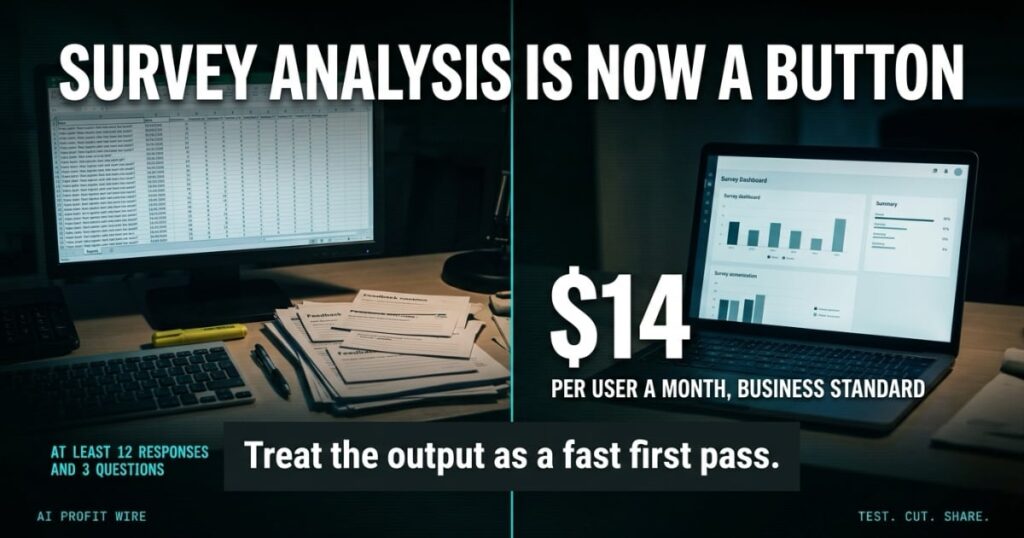
Google Forms now generates Gemini-written “actionable insights” directly inside the Responses tab, analyzing survey answers with Python code and recommending next steps, and it ships inside plans most teams already pay for. The feature is included in Google Workspace Business Standard and Business Plus, listed at $14 per user a month with an annual commitment on Google’s pricing page as of November 6, 2026, which puts a 5-person team at $70 a month with no separate add-on to buy.
What Is Google Forms Gemini Insights?
Google announced actionable insights in Google Forms on November 5, 2026, on the Workspace Updates blog. The feature sits inside the Responses tab, next to the charts Forms already draws for multiple-choice questions, and adds a Generate insights button that asks Gemini to analyze the full response set.
Click it and Gemini writes and runs Python code against your actual response data, so the counts, percentages, and comparisons it reports are grounded in what respondents submitted. It returns 3 blocks: an Executive Synthesis, an Advanced Analysis and Correlations section, and Recommended Next Steps.
Google names the use cases it built the feature around: event and product feedback, research surveys, and registration or application forms. The rollout started on Rapid Release domains on November 2, 2026, with up to 15 days for full visibility, and Scheduled Release domains follow from November 19, 2026.
Gemini survey analysis is now a button inside Google Forms, not an export and a spreadsheet.
How Accurate Are Gemini’s Insights in Google Forms?
Google publishes no accuracy score for this feature, so there is no benchmark to quote, and any review that hands you one invented it. What the company states is the mechanism: Gemini writes and runs Python code against your responses, and the findings it shows, including counts, percentages, and comparisons, are grounded in that response data.
The Forms help center carries Google’s standard Gemini caution, that Gemini features may suggest inaccurate or inappropriate information. It also builds in a feedback loop: every generated insight can be flagged as a good or a bad suggestion, and a Retry button regenerates the whole analysis.
The feature has hard edges. It refuses forms with Quiz settings turned on, it requires at least 12 responses and 3 questions, and it will not run if the form is linked to a sheet you cannot access.
Treat the output as a fast first pass, because the math is real and the judgment call stays yours.
Google Forms Gemini vs. a Spreadsheet Export: Which Is Faster?
The old workflow still works: link the form to Sheets, export the rows, then build pivot tables and count text answers by hand. TechRadar’s June 2026 walkthrough of Gemini in Forms describes that hand-counting of descriptive questions as the exact bottleneck these features attack.
The difference is where the analysis starts. A spreadsheet export gives you every raw row and asks you to find the pattern, while the Responses tab hands you counts, cross-question correlations, and recommended next steps first, and the export stays available for anything the summary misses.
The limits matter at both ends. Forms with fewer than 12 responses or fewer than 3 questions cannot generate insights at all, and quiz forms are excluded entirely, so teams running scored assessments still count those by hand.
The older summarize feature works between 3 and 200 responses on text questions, which covers the small end that the new tool will not touch.
For plain feedback forms the analysis now starts inside the Responses tab; quiz forms still need the export.
A stack of printed feedback cards, a highlighter, and a free afternoon: that has been the survey analysis setup at most small businesses for 20 years. The count comes back as 3 numbers, the week moves on, and nobody rechecks the math.
Google’s floor for this feature is 12 responses and 3 questions, which is the size of a single busy week for most small business feedback forms. The tool switches on at the exact point where manual counting starts to cost real time.
Move the counting to the Responses tab and the afternoon goes back to acting on what the numbers say, which is the part a spreadsheet never did for you anyway.
Who Is Google Forms Gemini For?
Google built the feature for form owners who work through many responses across multiple questions: event and product feedback, research surveys, and registration or application forms. That is the standard mix at a small business, from post-purchase surveys to onboarding questionnaires.
The plan list decides who gets it. On the business side the feature ships with Business Standard and Business Plus, and Business Starter is not on the list; Enterprise Standard and Plus, Education Plus, and the consumer Google AI, Pro, and Ultra plans are included.
Admins have one switch to check: Gemini in the side panel of Workspace apps requires smart features and personalization to be turned on, and admins can set that as the default for their users in the Admin console.
If your team already pays for Business Standard, this arrives as part of the plan, and the only new work is clicking the button.
How Much Does Google Forms Gemini Cost?
There is no separate price for the feature. It is included in Google Workspace Business Standard, listed at $14 per user a month with an annual commitment on Google’s pricing page, checked November 6, 2026, and the same page shows Business Plus at $22 per user a month.
Google is showing up to 50% off the first 3 paid months for new Workspace customers, for a limited time, after a 14-day trial. At the full 50%, Business Standard comes to $7 per user for those months. We track plan-by-plan costs like this in the AI pricing tracker we maintain for small business budgets, because intro windows expire and the renewal price is the one that matters.
Business Starter subscribers do not get the feature, which makes the real price floor $14 per user a month for a company on Workspace. Solo operators can also reach it through the consumer Google AI, Pro, and Ultra plans, which Google lists alongside the Workspace tiers.
The same pricing page carries a 14-day trial at no cost, which spans a full monthly feedback cycle. Test the feature on a live form inside the trial before you commit to the annual plan.
The full price is $14 per user a month on Business Standard, and as little as $7 per user for the first 3 paid months while Google’s offer runs.
Is Google Forms Gemini Worth $14 a Month?
If your business runs feedback forms with dozens of text answers, the answer is yes, because the feature removes a recurring manual count that eats an afternoon every cycle. The Python grounding means the counts and percentages are computed from your data, and the 12-response floor matches the point where hand-counting starts to cost real money.
If your forms are quizzes, scored assessments, or under 12 responses, the feature does nothing for you today, and the plan price buys the rest of Business Standard instead. Google is rolling the rest of Google Workspace AI signals into these plans week by week, and we log the Workspace AI rollups as they land if you want the full cadence before you upgrade.
Worth it for any team already on Business Standard that counts feedback by hand; skip the upgrade if your forms are quizzes or tiny.
Common Google Forms Gemini Questions
How many responses does Google Forms Gemini need?
The help center sets the floor at 12 responses and 3 questions per form. Below that, the Generate insights button does nothing, and the older summarize feature, which works from 3 responses, is the only Gemini option.
Can Gemini analyze quiz responses in Google Forms?
No. Forms with Quiz settings turned on are excluded from actionable insights, and the separate summarize feature also refuses quiz responses. Scored assessments still need Sheets or manual grading.
Is Google Forms Gemini free?
There is no add-on price, but it is not universal. The feature ships with Business Standard and Business Plus, Enterprise Standard and Plus, Education Plus, and the consumer Google AI, Pro, and Ultra plans, so Business Starter users do not have it.
When does Google Forms Gemini reach my domain?
Rapid Release domains started a gradual rollout on November 2, 2026, with up to 15 days for feature visibility. Scheduled Release domains follow from November 19, 2026, on the same gradual pace.
Source: workspaceupdates.googleblog.com
Last Updated: November 6, 2026
Signal Type: breaking
