Krisp.ai Intelligence Report
Krisp.ai
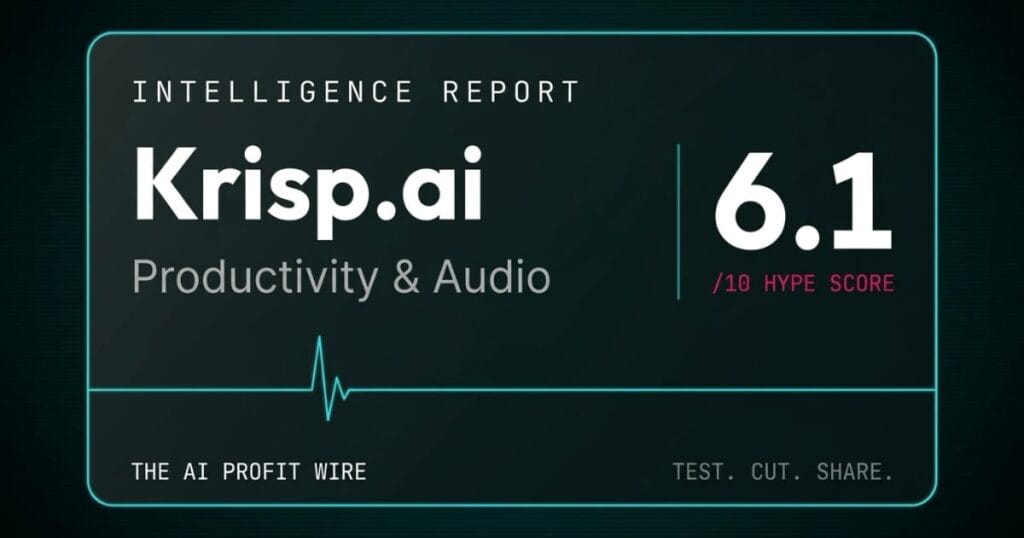
Krisp.ai scores 6.1/10 on the Hype Check. Recommended for real-time noise cancellation in noisy rooms, with a free 7-day trial to test it. Not recommended as a primary meeting notes suite. Fees are non-refundable and a patent suit is active.
In This Report
What is Krisp.ai and who is it for?
Krisp.ai removes background noise from your calls in real time, adds an AI note-taker on top, and scores 6.1/10 on the Hype Check.
It is built for individuals and small teams who live on video calls, and small business owners usually weigh it against Otter.ai and Fireflies.ai. Neither rival lists noise cancellation on its pricing page, so this comparison prices 2 different jobs: cleaning the audio and taking the notes.
The score sits at 6.1 because the noise cancellation has real backing and almost nothing else in the evidence is neutral: Krisp’s only performance claim is self-published, and apart from 1 undated test, the written reviews I could read come from sites that sell a rival or earn a commission from Krisp. A federal patent suit against Krisp is also still active.
Krisp.ai is a strong noise filter with a note-taker attached, and you should price it as the filter.
How widely is Krisp.ai actually used?
Community Adoption: 6.5/10
The scale is claimed by the vendor, and the public ratings are lukewarm.
In a February 17, 2026 press release carried by Yahoo Finance, Krisp says its AI Note Taker has transcribed more than 130 million calls. That is a company counter, and it says nothing about how many of those people stayed. Krisp’s own pricing page also displays a 4.7 rating on G2, which I couldn’t confirm because G2 blocks automated readers.
The independent number is weaker. Trustpilot shows 2.9 out of 5 across 413 reviews, and a G2 reviewer quoted by tl;dv (a rival note-taker) cancelled after a price rise and wrote that reliability had dropped, which is a community report rather than a measurement.
A 130-million-call counter tells you Krisp got tried a lot, and a 2.9 on Trustpilot tells you what some of those people thought afterward.
Read adoption here as a sign that Krisp is established, not a sign that it keeps its buyers, and skim the Trustpilot complaints yourself before you pay for a year.
What does Krisp.ai really cost?
Pricing Model: 6.0/10
The pricing is clearer than this report used to say, and the terms behind it are firmer than the marketing.
Your side of the ledger has 3 entries. Every plan includes noise cancellation, and the pricing FAQ says you can disable the Meeting Assistant if you only want Krisp for clean audio. The Advanced tier is now public at $30 a month or $15 a month billed annually, where the old version of this report said to contact sales. And new accounts get a 7-day free trial with no credit card, which per the Terms of Use expires on its own unless you buy a plan.
What works against you is the refund language and the price history. The terms state “All fees are non-refundable, except as expressly stated otherwise in this Agreement.”, and a G2 reviewer quoted by tl;dv reports an annual rate rise from $60 to $96 (a community report). The terms promise written notice of fee changes, not a price lock.
Another correction: the permanent free plan this report used to describe isn’t on Krisp’s pricing page anymore. Rival reviews from tl;dv and BlueDot still describe a free tier (BlueDot puts its noise cancellation at 60 minutes a day), so treat any permanent free plan as unconfirmed and plan around the 7-day trial.
Krisp fixed the transparency problem this report scored it for, and it kept the refund problem.
Pricing checks out against what Krisp.ai delivers. Current plans and any free tier are on their site.
Has Krisp.ai’s noise cancellation been independently tested?
Benchmark Data: 4.0/10
Not by anyone neutral, and the published tests point in different directions.
Krisp’s headline claim comes from Krisp. A March 20, 2024 post on its own blog says its technology “showed a 10% better result on average” than NVIDIA RTX Voice.
The only outside test I could find, by Stream Tech Reviews, is undated (it states it carries no affiliate links) and ran the standalone RTX Voice beta on a GTX 960M laptop card. The tester wrote that RTX Voice’s “performance is slightly better than Krisp”, and still recommended Krisp overall because RTX Voice crashed and needed reboots, noting that Krisp was the only app that removed the noise floor. Weigh it as 1 tester’s opinion on beta software.
The Picovoice noise suppression benchmark, the benchmark most people cite, tests only 2 engines: Mozilla RNNoise and Picovoice Koala. Krisp isn’t in it, the repo gives no reason, and 1 of the 2 engines is Picovoice’s own product, so it isn’t neutral either.
The only performance number with Krisp’s name on it was published by Krisp, and the only independent test I found is a single tester’s undated comparison against beta software.
The score reflects missing evidence more than bad results. The free trial is the honest benchmark: run 3 real calls in your own noisy room and listen back.
What do reviewers say about Krisp.ai?
Expert Sentiment: 6.0/10
Reviewers agree on the noise filter, and all 4 sites I could read have a commercial stake.
On the plus side, Fritz.ai wrote that Krisp “nails noise cancellation better than anything else out there” (the page discloses that it may earn a commission from links and says the review isn’t sponsored). tl;dv, which sells a rival, wrote that “the noise cancellation is strong and the transcription is generally solid”.
The complaints cluster elsewhere. BlueDot, another rival note-taker, calls the summaries basic with no custom templates and reports support replies averaging about 24 hours. MeetJamie, a third rival, says Krisp “tends to distort your voice during sudden noises” (December 13, 2025).
Transcription is where reviewers disagree. BlueDot and tl;dv rate it solid, MeetJamie’s summary calls it unreliable, and a G2 reviewer quoted by tl;dv blamed the microphone Krisp picked up (a community report). That disagreement is why this report no longer says Krisp’s transcription is inaccurate: the evidence doesn’t support a verdict either way. BlueDot’s page is also undated, and its integrations complaint is out of date, since Krisp’s pricing page now lists webhooks, MCP, and Salesforce.
Every reviewer here earns money from a rival or from Krisp, so the useful part is the overlap: a strong noise filter and newer features that feel thinner.
That overlap is the score. Praise and criticism carry equal weight, and both come from interested parties.
Is Krisp.ai production-ready?
Release Maturity: 8.0/10
Yes, and the evidence is public and recent.
Krisp’s What’s New page lists entries on 10 separate dates between July 24 and September 11, 2026, most of them weekly Call Center AI batches, plus a Krisp 2.81.9 release note on September 1. That is an active shipping cadence, though it leans toward the enterprise product rather than the Meeting AI plans this report prices.
On paper it’s built for regulated buyers. The pricing FAQ says Krisp is “certified for SOC 2 Type II, GDPR, HIPAA” and that meeting data is encrypted with AES-256 at rest and TLS 1.3 in transit and never used to train its models. Those are vendor statements I couldn’t audit.
The architecture is the differentiator, with a catch. Krisp’s help center says “Krisp never sends audio data from your machine to its servers”. The same article says meeting recordings are encrypted and stored in the cloud, and the pricing page reserves Private Transcription & Recordings (On-device) for Enterprise. Read together, the on-device promise covers the noise filter, while your recordings sit in the cloud.
The open item is the lawsuit. Sanas.AI v. Krisp Technologies (N.D. Cal., 3:25-cv-05666) was filed July 7, 2025 and is still active, with its last docket filing on September 17, 2026. The court denied Krisp’s motion to dismiss on December 1, 2025, denied another on December 19, and denied Krisp’s motion for judgment on the pleadings on February 23, 2026. Krisp has counterclaims, and the court dismissed some and kept others. The amended complaint attaches at least 5 patents. The docket text I read doesn’t say which Krisp feature is accused, so this report doesn’t assume it’s accent conversion.
A vendor that ships every week and publishes its own changelog is telling you it’s alive, and a pending federal patent suit is telling you the roadmap carries legal risk.
What does the overall 6.1 Hype Score mean for your business?
A 6.1 means the noise filter is worth a trial, the notes are a bonus, and nothing else in the evidence should decide the purchase.
Maturity carries the score. Benchmark evidence drags it down, because Krisp’s only performance number is its own. Pricing sits in the middle: the price list is clearer than before, and the refund terms are as firm as they were.
The verdict moved by 0.1 in this update, but the evidence under it changed a lot: 10 claims on the previous version turned out to be wrong or misattributed, and 23 could not be verified at all.
Buy Krisp to clean your audio and treat the note-taker as a bonus, because that’s the job the evidence supports.
What does Krisp.ai actually cost in 2026?
Krisp sells its Meeting AI product on 4 tiers. All figures below were read from the official pricing page on September 21, 2026 with the billing toggle switched to monthly.
- Free Trial: $0 for 7 days, no credit card, with unlimited transcription, noise cancellation, recording, and AI notes, and limited accent conversion
- Core: $16/user/mo billed monthly, or $8/user/mo billed annually ($96/year), with unlimited noise cancellation and AI note-taker, mobile app, multilingual transcript, AI chat, 1 hour a day of accent conversion, MCP integration, and 10 GB storage
- Advanced: $30/user/mo billed monthly, or $15/user/mo billed annually ($180/year), adding unlimited accent conversion (marked with an asterisk), manager view, Salesforce and ConnectWise integrations, and 60 GB storage
- Enterprise: custom pricing, adding SSO/SCIM, HIPAA compliance, private on-device transcription and recordings, and unlimited storage
Call Center AI and the developer SDKs are separate products and aren’t priced on this page. Annual billing cuts both paid tiers by 50%, so Core annual works out to $96 a year against $192 on monthly billing.
There’s no noise-cancellation-only plan. The FAQ says noise cancellation is built into every Krisp plan, which means the filter itself needs Core once the trial ends, because the Terms say access ceases when the trial expires.
Annual Core is the price this product is built around, and the $16 monthly rate is what you pay for not committing. Check current Krisp.ai pricing before you commit to a year.
Krisp.ai vs Otter.ai vs Fireflies.ai: which costs less at 10 hours of meetings a month?
Krisp Core is cheapest at $16 per month, Otter Pro costs $16.99, Fireflies Pro costs $18, and only Krisp cleans your audio.
| Tool | Best At | Monthly Cost (10 hours of meetings) | Where It Breaks | Best Fit For |
|---|---|---|---|---|
| Krisp.ai | Real-time noise cancellation on both sides of the call | $16/mo (Core, unlimited) | Private on-device transcription needs Enterprise; Core recordings live in cloud | People on calls in noisy rooms |
| Otter.ai | AI chat within and across meetings | $16.99/mo (Pro, 1,200 minutes) | Meetings capped at 90 minutes; pricing page lists no noise cancellation | Solo professionals who want live notes |
| Fireflies.ai | Unlimited transcription and AI summaries in 100+ languages | $18/mo (Pro, 8,000 storage minutes) | Recordings stop at 2 hours; pricing page lists no noise cancellation | Teams who want unlimited summaries |
Every price was read on September 21, 2026 with monthly billing selected, from Krisp’s pricing page, Otter’s pricing page, and Fireflies’ pricing page. The workload is 600 minutes. Otter’s free tier gives 300 monthly transcription minutes and Fireflies’ free tier holds 400 minutes of storage per team, so neither free plan covers the workload. Otter Pro allows 1,200 recording minutes, Fireflies Pro holds 8,000 minutes of storage per seat, and Krisp Core lists its noise cancellation and note-taker as unlimited.
At matched capacity there’s $2 between these tools, so price decides nothing and the real question is whether you need cleaner audio or deeper notes.
Worth naming plainly: if the notes are the main event, this table points you to Otter or Fireflies, and if the audio is the main event, nothing on it replaces Krisp.
What billing warnings should you know before subscribing to Krisp.ai?
Every term below is quoted from Krisp’s own terms or help center, not from a third-party summary.
- Fees are non-refundable. The terms state "All fees are non-refundable, except as expressly stated otherwise in this Agreement." and the help center repeats that "All the payments are not refundable unless otherwise stated in the Terms of Use." The old version of this report said no refund policy was published. The policy is that there are no refunds.
- Subscriptions auto-renew. The terms say the subscription will "automatically renew for successive terms equal in duration to the initial subscription term". Miss the date and the renewal fee is non-refundable, and the help center confirms that "Your Krisp subscription is auto-renewable."
- Cancelling and downgrading wait for the cycle to end. The terms say "a downgrade will not be effective until the next renewal date", and the help center says "Your account will be downgraded at the end of the current cycle." The cancel path is Settings, Billing, Plan Details, Manage Subscription, Downgrade.
- Prices can change on notice. The terms promise written notice of fee changes, then state that "Your continued use of Krisp after the price change becomes effective constitutes your agreement to pay the changed amount." There’s no price lock, and 1 G2 reviewer quoted by tl;dv reports an annual rise from $60 to $96 (a community report).
- New seats are prorated by day. The help center says "the payment for that seat is calculated based on the number of days remaining until the next billing date". Adding seats mid-cycle means a partial invoice on top of the regular invoice.
- Removed seats aren’t refunded. Removing a seat only changes the next cycle, and the help center says that "the removed seats are non-refundable". Add the seat back by mistake and you pay for it at that moment.
- Cancelling a team plan downgrades everyone. The help center says "your teammates will be downgraded and will have no option to upgrade", and any admin can re-subscribe. Teammates who want to upgrade on their own have to email Krisp support.
- The trial doesn’t bill you, and it doesn’t keep your data. Under the Terms, if you don’t buy a plan the trial "will automatically expire, and all access to Krisp will immediately cease". You keep access for 90 days only to export your content, after which Krisp may delete the account and everything in it.
- Accent conversion is capped on Core. The pricing page lists 1 hour a day on Core and unlimited accent conversion on Advanced, marked with an asterisk, which is $30 a month on monthly billing against $16 for Core (Krisp pricing).
Why does Krisp.ai sell the notes when the filter is the product?
I ran restaurants for 16 years, and this is the expediter’s headset.
On a Friday night the person calling tickets wears a headset because the kitchen is too loud to hear anything else. It doesn’t cook and it doesn’t plate. It makes sure the right words reach the right ears through the noise, and when it works nobody notices it. That’s the noise filter: the whole job is making the other person’s voice arrive intact.
The note-taker is the owner deciding the headset should also keep the books. It might do fine. But you’d never judge the headset by the books, and you shouldn’t judge Krisp by whether its summaries beat a dedicated tool. Test the filter on your loudest call, and let the notes be a bonus you’re happy to get.
Pay for the headset, and don’t pay extra for the bookkeeping.
Who should use Krisp.ai?
There are 4 profiles where a 6.1/10 still earns its place on your desktop.
Mac users who take calls in a noisy room. NVIDIA’s Broadcast page lists Windows 10 64-bit as its platform, and Stream Tech Reviews says Krisp works on Windows, Mac, and mobile. On a Mac, NVIDIA’s tool is off the table.
Windows users without an RTX card. NVIDIA’s page lists an RTX 2060 or better, while the same undated Stream Tech test says Krisp has “no specific hardware requirements”.
Anyone whose room is the problem. Krisp’s help center says it removes “the noise coming to you from other call participants, and the noise going from you to them”, so it cleans both directions of the call. An owner taking supplier calls from a back office beside a kitchen or a shop floor is the textbook case.
Solo owners who want notes without a bot in the meeting. Fritz.ai says Krisp puts no bots on the call, and Core includes an unlimited AI note-taker. For the voice side of the same stack, see the ElevenLabs Intelligence Report.
Who should skip Krisp.ai?
There are 5 situations where Krisp isn’t the right buy.
Anyone buying mainly for meeting notes. BlueDot and tl;dv, both rivals, describe Krisp’s summaries as basic, without custom templates or cross-meeting analysis. Otter is the better fit here, since its Basic tier lists “AI Chat within and across meetings” and Pro allows 1,200 recording minutes for $16.99 a month.
Windows owners with an RTX 2060 or better. NVIDIA Broadcast is the better fit, since Stream Tech Reviews described its predecessor RTX Voice as free to download and slightly better in raw noise removal. That test is undated and hit bugs, so try both before you pay for a year of Krisp.
Anyone who needs private, on-device transcription and recordings. The pricing page reserves them for Enterprise, which is custom-priced and also where HIPAA compliance is listed. Get that quote in writing before you send regulated audio anywhere.
Anyone who needs post-production audio cleanup. Krisp’s help center says “Krisp is not intended for post-production use and for removing noise from recorded audio”. It’s a live-call tool.
Anyone for whom a pending patent suit is a dealbreaker. Sanas.AI v. Krisp Technologies is active as of September 17, 2026, and its outcome could affect the product or its pricing. If your procurement rules exclude vendors in open IP litigation, that settles it.
What is the final verdict on Krisp.ai?
Yes for cleaner calls. No for a full meeting suite.
A 6.1/10 buys a maintained product that ships every week, filters noise on your own device, and now publishes its Advanced pricing openly. It costs you any neutral proof that the filter beats its rivals, refunds on anything you’ve paid, and a seat next to a pending federal patent suit.
If you take calls in a loud room on a Mac or a Windows machine without an RTX card, run the 7-day trial and keep Core annual at $96 only if the filter earns it. If you mainly need notes, start with Otter, and if you own an RTX card, try NVIDIA Broadcast first.
Start the Krisp.ai 7-day trial. Take 3 real calls in your loudest room, listen back, and let your own ears decide before you pay for a year.
For the methodology behind every Hype Check score, see the Pipeline page. For another tool scored the same way, see the OpusClip Intelligence Report. For weekly pipeline intelligence, subscribe to The AI Profit Wire.
This report is updated quarterly. Pricing verified September 21, 2026. The score moved from 6.2 to 6.1 in this update: Community Adoption fell because Trustpilot now shows 2.9 from 413 reviews and the G2 figures couldn’t be verified, and Pricing Model rose because Advanced pricing is now public and the trial needs no credit card.
Test. Cut. Share.
Krisp.ai scores 6.1/10 on the Hype Check. Recommended for real-time noise cancellation in noisy rooms, with a free 7-day trial to test it. Not recommended as a primary meeting notes suite. Fees are non-refundable and a patent suit is active.
Try Krisp.ai →Qualified yes. Read the billing warnings above before you pay.
