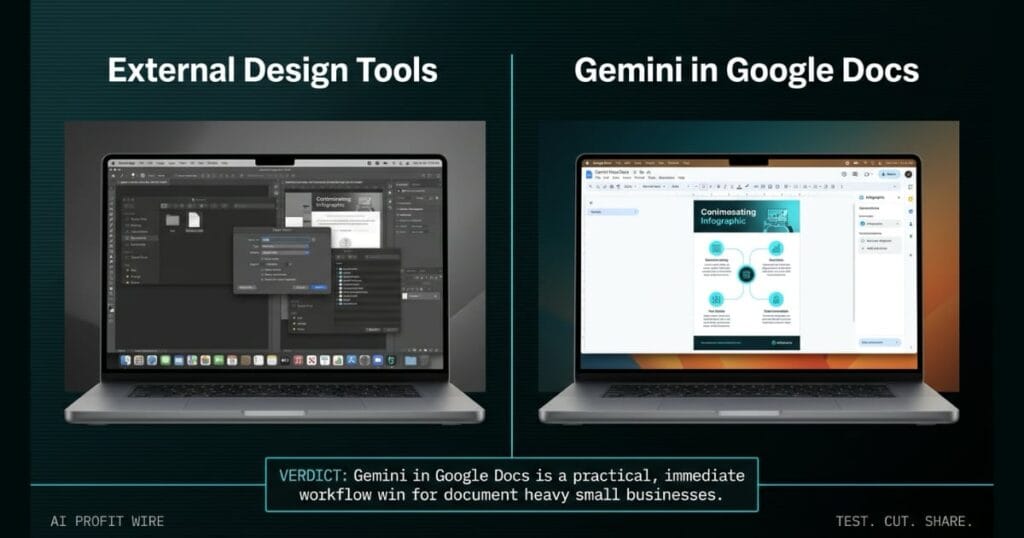
Saves time and money on graphic design by allowing small business owners to create professional visuals directly within their proposals and documents.
What’s Gemini in Google Docs and what changed?
Google integrated Gemini directly into Google Docs to generate and edit images, diagrams, and infographics. This functionality reads the existing text context of your document to build relevant visuals without forcing you to rely on external design tools.
You can prompt the AI to create rich infographics visually summarizing your doc or add a diagram providing an overview of the proposal at the top of your file. This collapses the visual production cycle into a single workspace, eliminating the friction of exporting text to third party software.
Gemini in Google Docs turns raw text into formatted visuals natively.
What’s the evidence behind Gemini in Google Docs?
The source announcement details the ability to refine existing visuals and graphics using simple natural language prompts.
Users can explicitly command the AI to change the aspect ratio to 16:9 or make the style more aesthetic to match the rest of the document. These specific prompt capabilities prove the tool handles both net new creation and granular editing tasks.
The official documentation confirms full generative and editing control inside Docs.
How does Gemini in Google Docs compare to the alternatives, and what background do small business owners need?
Creating professional visuals traditionally requires standalone design platforms or dedicated AI graphic generation tools. Founders typically draft a proposal in a word processor, export the text, and manually rebuild the context inside a separate design environment.
Gemini in Google Docs removes that handoff entirely by leveraging the existing document context to generate the visual on the spot. While standalone platforms may offer deeper design control, the operational advantage of keeping everything in one document saves significant time.
Small business owners can now generate diagrams for client proposals without paying for or learning complex external software.
Native context integration gives Gemini a distinct workflow advantage over external tools.
How does Gemini in Google Docs affect day-to-day operations for small businesses?
This integration streamlines the creation of client proposals and internal documentation by automating the visual layout process. Founders can ask the AI to generate a diagram providing an overview of the proposal at the top of the doc, instantly adding a professional layer to the text.
The ability to refine existing visuals with natural language means you can adjust an aspect ratio to 16:9 without navigating complex formatting menus. This allows small business owners to produce polished, high-quality documents without interrupting their writing flow, an operational shift we track across our ongoing coverage of AI-assisted document workflows for small business owners.
Day-to-day document creation becomes faster and visually richer with zero tool switching.
A work order for a 16:9 security camera installation sits on the desk, but the text hides the weak spots in the client proposal attached to it.
The locksmith drafts the estimate in Google Docs, then asks Gemini to build a diagram of the camera placement at the top of the file. The AI reads the document context and generates the visual right there, killing the friction of building the layout in a separate program.
You ask it to make the style more aesthetic to match the rest of the document, and it adjusts instantly. This is about cutting the software switching out of your client proposal workflow.
What’s the final verdict on Gemini in Google Docs?
The native integration of visual generation and editing tools inside Google Docs delivers a direct time save for small business owners. The ability to manipulate aspect ratios and generate contextual infographics without leaving the text editor cuts operational friction significantly.
Founders who rely on Google Workspace for client proposals will find this feature immediately useful. It reduces reliance on external design tools for standard document visuals, keeping the entire workflow contained.
Gemini in Google Docs is a practical, immediate workflow win for document heavy small businesses.
Source: workspaceupdates.googleblog.com
