Choosing the right tool can drastically reduce product photography editing time and costs, directly impacting ecommerce listing speed and marketing turnaround.
What is the 2026 AI background remover landscape and what changed?
AI background removers use neural networks to label pixels as foreground or background, doing in seconds what used to take 20 minutes in Photoshop.
The technology relies on image segmentation architectures like U-Net or Segment Anything Model, which train on millions of labeled images to recognize foreground patterns quickly. The best tools apply matting, which calculates a transparency value for each pixel to produce smoother transitions around hair, glass, and fur, rather than the hard binary edge that segmentation alone produces. Free tiers often cap resolution at low-quality previews and lock batch processing behind paywalls, which compounds the problem on complex edges where glass, veils, and motion blur produce faint color fringing instead of true transparency.
The core shift is from 20-minute Photoshop work to automated pixel-level segmentation, though free tiers still impose hard operational limits.
What is the evidence behind remove.bg and its 2026 competitors?
A 2026 head-to-head test scored 8 tools on hair edges, transparency, and batch throughput, revealing a wide accuracy gap between top and bottom performers.
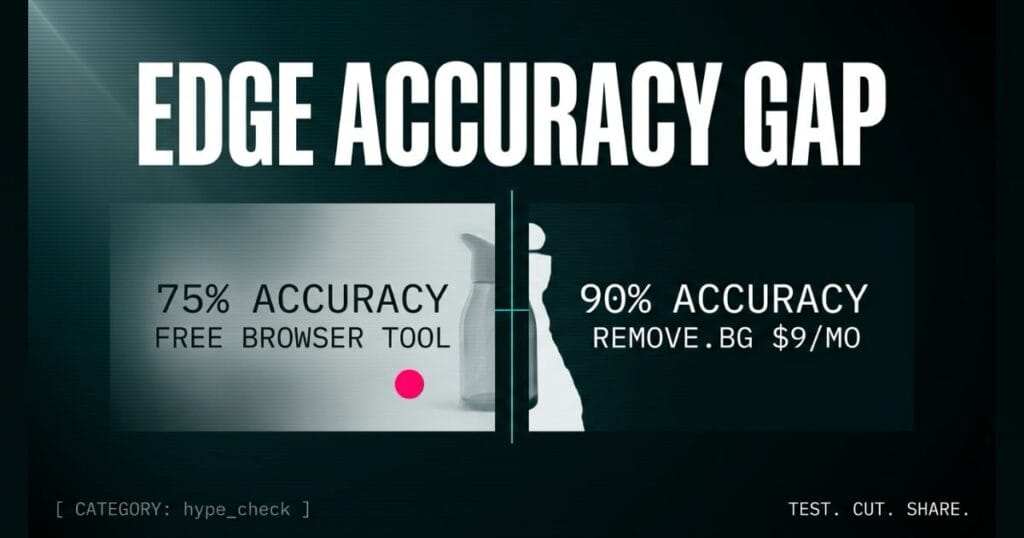
remove.bg correctly preserved hair edges on roughly 90% of test images, while browser-based tools handled hair accurately on only about 75%. A separate side-by-side test found remove.bg and PhotoRoom tied at 8.5+ out of 10 on clean product cutouts, ahead of most of the free field. remove.bg starts at $9 per month for 40 images on a credit system, PhotoRoom starts at $7.50 per month billed annually, and Clipdrop offers full-resolution, watermark-free downloads with no subscription required. Glass, veils, and motion blur cause similar trouble across all tools, since these subjects have no hard edge to segment.
The data shows a clear divide: paid tools like remove.bg dominate fine edge accuracy, while free tools trail significantly on complex details.
How does PhotoRoom compare to the alternatives, and what background do small business owners need?
PhotoRoom targets ecommerce volume, but its batch caps create hard ceilings for large catalogs.
PhotoRoom Pro caps batch sessions at 250 images and limits exports to 500 per month, forcing larger sellers to upgrade to Ultra. Clipdrop provides a full-resolution, watermark-free tier with API support, making it a strong free alternative for developers. Erase.bg struggled with hair accuracy in testing alongside Fotor, which makes both better fits for simple product shots than fine-detail work. Canva locks its background remover behind Canva Pro without offering batch or API options, and Adobe Express runs the same Sensei AI engine as Photoshop inside a free web tool, though difficult images still need a trip into the desktop app for cleanup.
PhotoRoom wins on volume features, but small business owners must track the 250-image batch limit or face workflow interruptions.
At the 6am open, the intake paralegal drops a stack of 40 scanned exhibits on the desk. Each page holds critical evidence, but the photocopier left a dark, distracting grey border around every scan.
You run them through a free, browser-based background remover, and 75% of the scans come out clean. The other 25% have faint, opaque haze around the edges, making the text look slightly blurred, which means 10 exhibits need manual tracing before the morning status meeting.
Routed through remove.bg at $9 per month for 40 images, the same stack would have hit 90% accuracy and left only 4 scans needing manual cleanup. The same gap shows up on every product photo a small business owner pushes through a free browser tool, and it is the difference between a listing that ships today and one that stalls while you chase clean edges.
How do AI background removers affect day-to-day operations for small businesses?
Choosing the right tool directly impacts product photography editing time and marketing turnaround for small business owners.
Using a free browser tool with a 75% accuracy rate means 25% of images require manual cleanup, burning time on complex edges like flyaway hair and glass. Paying $9 per month for remove.bg saves that labor by delivering 90% accuracy on difficult hair and fur details, and its mature API integrates with Photoshop, CLIs, and dozens of third-party plugins. Tools like Claid.ai charge a single credit per image to fold background removal, resizing, and upscaling into one pipeline, which optimizes workflow continuity over raw edge precision for ecommerce teams. Pixelcut delivers mobile-first, watermark-free transparent PNGs with no signup required, though its free tier lacks batch editing and API access. You can map these specific workflow bottlenecks to your broader operational AI automation strategy to protect your margins.
Matching the tool to the image type prevents manual editing bottlenecks and keeps ecommerce listings moving on schedule.
What is the final verdict on AI background remover tools in 2026?
remove.bg remains the best overall choice for most users due to its superior edge accuracy and mature API.
Independent testing puts remove.bg at or near the top on hair accuracy, and its $9 per month starting price provides a mature API for developers building background removal into their own apps. PhotoRoom is the practical choice for large ecommerce catalogs needing batch limits that scale past 250 images, even if its accuracy runs slightly behind remove.bg on fine detail. Clipdrop delivers full-resolution results for free, making it the best budget option for simple portraits and product shots without the tradeoffs that Erase.bg and Fotor show on harder images. Match the tool to the image, not the other way around, since the 90% versus 75% accuracy gap compounds fast across a full product catalog.
Small business owners must match the specific tool to their image volume and edge-complexity needs to avoid paying for manual cleanup.
Source: AutoGPT Blog
