A free, local, open-source agent automates repetitive browser and app tasks while keeping credentials on your own machine, trading SaaS seats for model token spend.
What is Nod and what does it do?
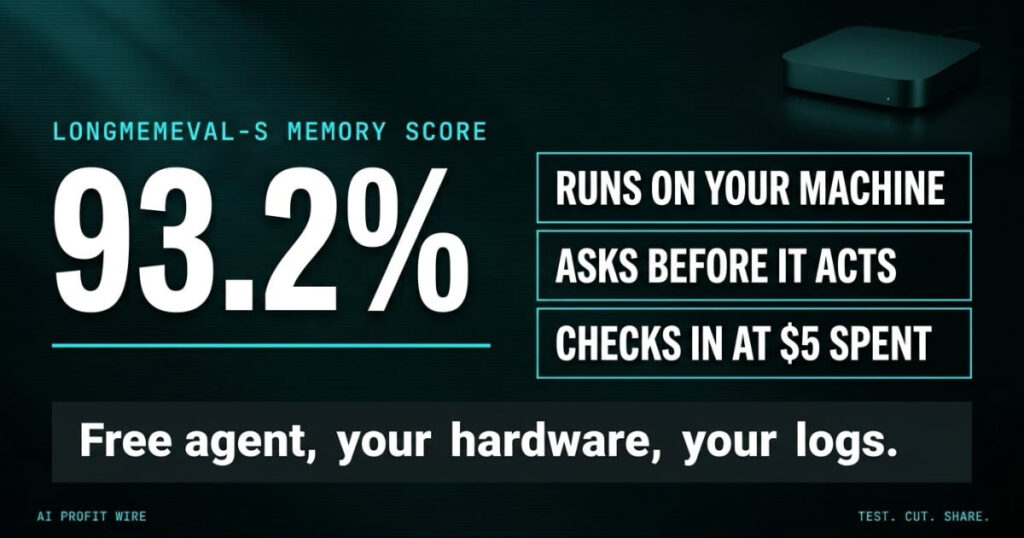
The hype mostly holds: Nod is real, free, and local, and the memory number checks out at 93.2% on the LongMemEval-S benchmark, published on n8n’s own launch post. The cost to act is $0 for the software, plus your model provider’s token bill: n8n’s launch post, checked November 10, 2026, lists Apache 2.0 licensing, a $5 default checkpoint on task spend, and a monthly spending limit you set.
Nod is a free, open-source personal agent from n8n Labs, the team’s experimental unit outside the core n8n automation product. It runs as a standalone app on your own machine, works inside your connected apps and on any website, and finishes multi-step jobs in the background. The launch post from November 10, 2026 describes it as a research preview for Mac and Windows, downloadable at nod.n8n.io, with the code published on GitHub under an Apache 2.0 license.
The jobs n8n lists for it read like the admin pile on a small business desk: cancel a subscription and push back on the retention offers, watch a price and report the drop, sign in to supplier portals each month to download invoices, and pull numbers from a dashboard with no export button. You talk to it in one conversation in the app, on Telegram, or on WhatsApp, while it runs several jobs in parallel, and repeating jobs run on a schedule.
Nod is a local, Apache 2.0 licensed agent that finishes browser and app work instead of handing you a to-do list.
How accurate is Nod on long-term memory?
The benchmark numbers are the strongest part of the launch. On LongMemEval-S, a public benchmark for long-term memory, n8n reports a 93.2% score, “among the best published memory systems,” measured across 500 questions about past chats answered in new sessions. The product page adds a second figure: 98% task completion across 226 errands in test apps and websites, each run three times, with the note that Nod took no actions without permission.
Two caveats belong next to those numbers. The capability evals ran in n8n’s own test apps and websites, so they measure the vendor’s harness, not your stack, and the product page says the task categories draw on more than 900,000 anonymized production workflows, a training base your own task mix may not match. The memory score is benchmark-derived and vendor-published, so the right read is “best-in-class by the vendor’s own math,” which is verifiable but not independent.
93.2% on LongMemEval-S and 98% on 226 errands are vendor-published figures that set the bar your own first week should test.
Is Nod good enough to replace paid automation tools?
The honest comparison is against two stacks: cloud automation platforms and human admin hours. Against SaaS automation, Nod’s pitch is architectural: it runs inside a private virtual machine on your computer with its own browser, its data and memory stay on the machine, and your AI provider receives only what each task needs. Tools that charge per workspace for the same browser work now compete with a free agent that asks before it acts and logs everything.
Against human hours, the math is token spend versus wages. Nod is free software, and n8n states plainly: “You pay your model provider for the AI you use, or you can connect an open-source model running on your own computer.” The cost controls are built in: every task shows what it cost and ends with a receipt, a monthly spending limit caps the run, and Nod checks in with you once a task passes $5, a threshold you can change.
Nod undercuts paid automation on license cost and moves the bill to tokens, where the $5 checkpoint makes spend visible per task.
A stack of unprocessed supplier invoices sits in your downloads folder at 9am because the portal login, the navigation, and the PDF rename took an hour you did not have. The folder has 14 files from 6 portals, and two of them are last month’s, missed when the week got loud. That folder is the job Nod is built to absorb, and the receipt at the end of each run is what tells you what the absorption cost.
Running 4 businesses at once means my week dies by a thousand small portals, so an agent that logs into supplier sites, downloads the invoices, and files them without touching anything else is a direct payroll question. The trade I price before installing is write access: a local sandbox that cannot be reached from outside is the safest form of agent autonomy I have seen, and the permission check that asks before any send, pay, post, or delete is the control that keeps it boring. The $5 checkpoint turns “what did the agent spend?” into a number on a receipt instead of a month-end surprise.
Who is Nod actually for?
The fit is a single owner doing repetitive digital admin: solopreneurs, freelancers, and owner-operators who manage supplier portals, subscription sprawl, and dashboards without export buttons. In the launch post’s words, “Nod is for a single player.” Each installation has one owner, and there is no team permission model yet.
The limits decide the fit as much as the features. Nod stops when your laptop sleeps, so testers keep it on an always-on Mac mini or a server, and a hosted version sits on n8n’s roadmap. It cannot make phone calls, and Windows support is a preview while macOS 14 or later is the stated requirement on the download page.
One-owner businesses with repetitive browser work fit; teams needing shared permissions or unattended laptops do not.
How does Nod handle permissions, passwords, and data?
The security design is the part that separates Nod from cloud agents. Before it sends, pays, posts, or deletes anything you did not ask for, a separate check confirms you asked for it, and a web page or an email cannot give Nod orders. Saved logins and cards are encrypted on your machine, and Nod enters them through private forms the model cannot read, which n8n states as “The AI never sees your passwords.”
The audit trail is built in: Nod logs every sign-in, card use, and action in your apps, along with what each task cost, and you can see, edit, or delete anything it keeps about you. One honest line from the docs belongs in every evaluation: “The permission check is itself a model and can make mistakes,” which is why Nod asks when your words do not cover an action.
Credentials stay encrypted on your hardware, every action is logged, and the vendor admits its own permission check can err.
What does Nod cost to run in practice?
The software costs nothing and the model does not. Your provider bill scales with task volume, and n8n’s own testers “found tasks cost more than they expected,” which the company says drove cost control into recent releases. The guardrails translate directly into a monthly budget: set the spending limit to what the workflow saves, read the per-task receipts, and treat the $5 default checkpoint as the alert level for runaway tasks.
For teams that already track AI spend, Nod’s receipts make it one of the few agents that reports cost per task natively, which is the same discipline behind what your model provider charges per token.
Nod costs $0 to license, and the real budget line is your model provider’s token bill, capped by the limits you set.
Should you install Nod now?
Install it this week if repetitive portal work eats your calendar and you are comfortable holding your own API keys, and see where it sits in our 2026 stack guide to AI agents. Hand it one low-risk recurring job, such as invoice downloads from a supplier portal, read the receipt, and check the logs before giving it anything that spends money.
Skip it if your work machine sleeps on a schedule, if more than one person needs the same agent, or if unattended automation on client systems sits outside your risk appetite. The research preview label is n8n’s own, so production-grade trust is something your first month of logs either earns or fails.
Hand it one invoice portal this week, read the receipt, and let the logs decide how far the permissions go.
Is Nod really free?
The software is free and open source under Apache 2.0, and n8n states you pay your model provider for the AI you use, or connect your own open-source model. The download page lists it as “free,” with ChatGPT Plus or Pro plans and AI keys named as provider options.
What is Nod’s memory benchmark score?
Nod scored 93.2% on LongMemEval-S, a public long-term memory benchmark, which n8n describes as among the best published memory systems. The same page reports 98% task completion across 226 errands run three times each in test apps and websites.
Does Nod work on Windows?
Yes, as a preview: the download page lists macOS 14 or later and Windows 11 preview. Both installers ship from nod.n8n.io, and the code is on GitHub.
Can Nod access my passwords?
No. Saved logins and cards are encrypted on your machine and entered through private forms the model cannot read, per n8n’s launch post. The permission check asks before any send, pay, post, or delete you did not request, and every action is logged with its cost.
Source: n8n Labs, Meet Nod launch post | Also: nod.n8n.io product page (benchmark and eval figures) and the n8n-io/nod GitHub repository | Last Updated: November 10, 2026 | Signal Type: underdog
