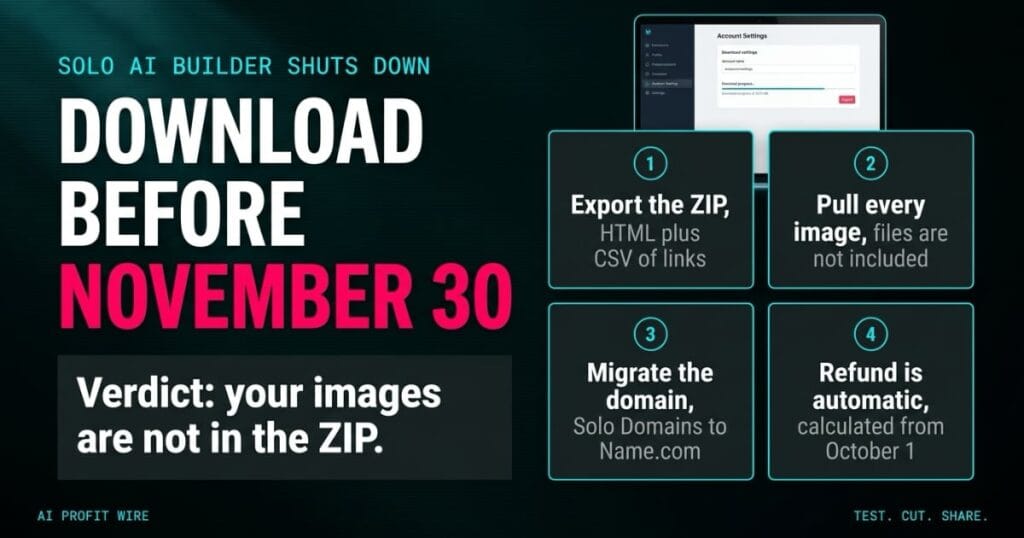
Small business owners using Solo AI must migrate their websites and domains before the deadline to avoid site downtime.
What Happens to Solo AI Websites on November 30?
Solo, Mozilla’s free AI website creator, is shutting down. Every Solo website, account, and data file is scheduled for deletion on November 30, 2026, and the shutdown banner on the Solo homepage tells users to download their sites before that date.
After November 30 there is no recovery path. The support FAQ states that there will be no way to recover your site, account, or data after the deletion date.
The platform served solopreneurs and small businesses that wanted a published site without touching code. Solo is free to use, which means the closing is a migration problem rather than a billing dispute, and the burden sits on the owner.
The deadline is hard, the deletion is total, and the export has gaps you need to plan around.
How Do You Download Your Solo Website Data?
Log in, open the menu at the top right, and select Account Settings. Click Download Website Data and the platform generates your export.
You receive a ZIP file with an HTML export of your website plus a CSV file listing links to your image assets, your contact form submissions, and your newsletter submissions. The HTML and the links survive the export, so the free platform’s docs give you a working floor to rebuild from.
The catch sits in the images: image source files are not included in the ZIP. You must download each image 1 by 1 through the links in the CSV before the shutdown date, or those assets vanish with the platform.
The export preserves your code and your content structure, and it leaves the image work to you.
Is There a Good Alternative to the Solo AI Website Builder?
The FAQ names Wix, Squarespace, and WordPress as popular hosts, and Bolt or Lovable if you want another AI-first builder. Each path trades off speed, control, and cost in a different way.
Whatever you pick, the HTML export gives you a head start on any host that accepts custom code, and the CSV keeps your asset list honest. Domain placement matters as much as hosting, and the FAQ routes Solo Domains customers to Name.com while pointing IONOS-registered domains at IONOS’ domain help center for the transfer path.
Plan for a rebuild rather than a copy. AI-generated layouts do not transfer 1:1 between builders, so expect to re-check structure, menus, and mobile rendering on the new host.
Choose the destination first, then move the domain, because the domain is the part your customers already know.
The first sites I shipped were hand-coded HTML with a PHP mailer behind the contact form, and the discipline that saved me was keeping a local copy of every file I published.
A builder that exports your HTML gives you a floor, not a home. The images and the domain are the parts that hurt, and both live outside that ZIP.
Read the export documentation before the deadline, not after. The difference between a migration and a loss is 1 afternoon of unglamorous downloading.
Who Needs to Act on the Solo Shutdown Right Now?
Anyone with a live site on Solo needs to act, because the deletion covers websites, account data, and hosting in one date. Founders using the free tier are the largest group with the most to lose.
Two groups carry extra work: site owners with image-heavy pages, who must download every image through the CSV links, 1 at a time, and customers who bought domains through Solo Domains rather than IONOS, who must complete a transfer to Name.com.
If your Solo site was a placeholder or an experiment, the math is different. Let it go, keep the export for reference, and spend the rebuild time on the site that earns money.
Image-heavy sites and Solo Domains holders carry the heaviest load, so they should move first.
What Should You Do About Your Solo Domain Before the Deadline?
Create or log in to your Name.com account and complete the default account contacts: the Registrant, Administrative, and Technical fields. Name.com cannot accept the transfer until all 3 are filled in.
Locate your unique Account Code at the top right of the Name.com dashboard and email it to support@soloist.ai. Solo transfers the domain and confirms by email when the move is done.
Add billing information to Name.com before the renewal date, or the registrar will remind you as renewal approaches. While you plan the rebuild, our Elementor intelligence report breaks down what the WordPress page builder handles and what it costs, which is the route most former Solo users will weigh first.
Active Solo Pro and Grow subscribers get an automatic prorated refund for the unused portion of the billing period, calculated as of October 1, 2026, returned to the original payment method. The subscription does not renew.
Complete the 3 contacts, send the Account Code, add billing, and treat the refund as automatic.
Source: support.soloist.ai
