Saves time on repetitive prompting by standardizing recurring tasks like drafting blog posts or lesson planning.
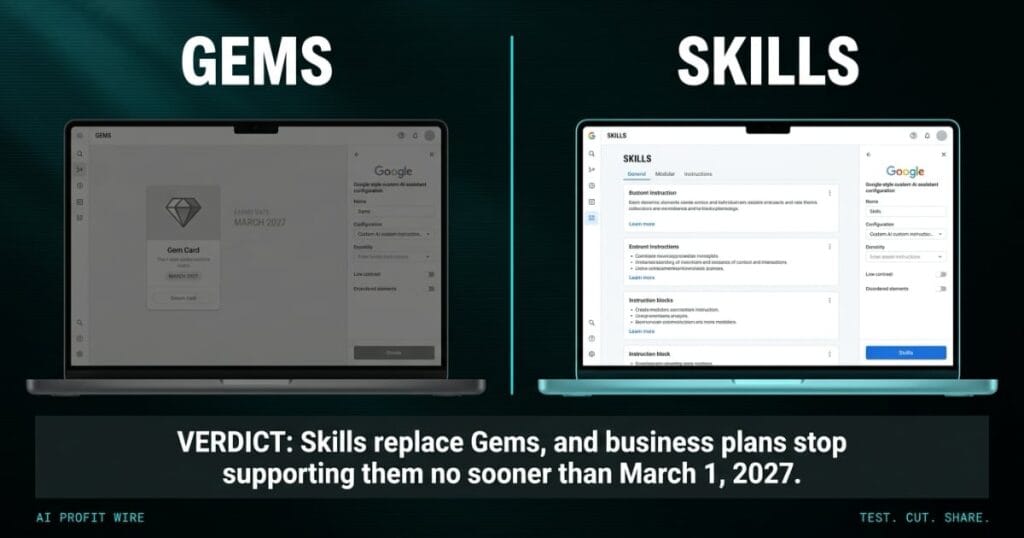
Google is replacing Gems with skills, reusable custom prompts that run inside the Gemini app and most Google Workspace apps. The rollout is live now, and the change comes with a dated timeline: Workspace skills started rolling out October 5 on Rapid Release domains, the Gemini app follows October 13, and both complete by mid-November.
What Are Google Workspace Skills?
A skill is a saved set of instructions that runs any time you prompt Gemini, like a brand voice for drafting posts or a lesson planning template for class prep. Skills live inside Gemini chat and most Workspace apps, so the instructions travel with the prompt instead of sitting inside a separate assistant you open first.
The feature arrives as part of existing Workspace and Gemini subscriptions at no added cost, and Google confirmed the transition on the Workspace Updates blog. One operational caveat applies from day one: skills do not sync between the Gemini app and Workspace apps, so a skill you want in both places has to be created in each.
Skills are Gems rebuilt as instructions that stack inside the prompt itself.
Do Skills Really Replace Gems?
They do, on a published schedule. Gems move to the Settings panel of the Gemini app on November 17, 2026, and users can keep creating, editing, and using them there. On business and enterprise plans, Gems stop working no sooner than March 1, 2027, when they are removed from the Settings panel and any remaining Gems are auto-migrated to draft skills. Education accounts follow the same path no sooner than June 1, 2027.
The auto-migration lands Gems as drafts, not finished skills, so each one needs a human to review and complete it. Google has also already removed the ability to create new Workspace Studio flows with an Ask a Gem step, while existing flows keep working through the transition. The Help Center carries the full admin-side detail on what changes when.
Replacement is scheduled, gradual, and ends with every remaining Gem sitting in your account as an unfinished draft.
What Can Skills Do That Gems Can’t?
Stacking is the functional gain. You can run multiple skills in the same prompt or call different skills at different points in a conversation, which Gems never supported. Google’s own example pairs a vendor evaluator skill with an executive email drafter skill so one prompt analyzes vendors and drafts the recommendation.
Skills are also built on the open, Markdown-native SKILL.md standard, which means a skill written on another platform can be copied into Gemini and Workspace. The format Google chose travels, which is the part worth noticing for any team that has watched a custom assistant get retired before.
Skills stack in one prompt and travel as plain Markdown, which Gems never did.
The appointment cards at a hair salon hold each stylist’s working memory: the toner timing, the formula for a regular, the way one client wants her fringe cut. The supplier that prints those cards discontinues the format and ships a replacement, with every card in every station required to transfer by a date the supplier chose.
Some formulas survive the transfer untouched, and some come back with the toner timing dropped off the edge of the new layout. The stylist who rewrote her own cards by hand before the deadline is the only one whose book still reads right the morning after.
That is this migration with real dates attached: Gems move house on November 17, and business accounts lose them no sooner than March 1, 2027. The auto-migration is the supplier’s transfer, and a draft skill is the card with the timing missing.
Who Are Gemini Skills Actually For?
Any team already paying for Workspace that repeats the same prompts benefits first. If someone on your staff retypes tone, format, or structure instructions more than twice a week, skills remove the retyping, and the person writing the prompts is most often the person doing the work, so the saving lands where headcount is thinnest.
The clearest fits are recurring writing tasks: drafting in a fixed brand voice, prepping lessons or client summaries in a fixed structure, and running the same evaluation steps on vendors or documents, a pattern visible across every other Workspace AI change we’ve tracked this year. Smaller teams gain the most because they have the least slack to spend on re-entering instructions a platform already holds.
If your prompts are repetitive and your team is small, the rebuild pays for itself in the retyping it deletes.
Should You Rebuild Your Gems Before March 2027?
Yes, by hand and on your own schedule. Export your most-used Gem instructions into a document you own while they still live in the Gemini app, then rebuild the heaviest 3 to 5 as skills in both the Gemini app and Workspace, since the two do not sync. The transition guide walks through the migration steps and dates in full.
Treat the auto-migration as the safety net for Gems nobody rebuilds, because its output is a draft, not a working skill. Google’s own walkthrough of teaching Gemini your team’s know-hows covers the build steps, and the export is the part that survives whatever container comes after skills.
Keep the Markdown master outside Google, and rebuild the templates that matter by hand.
Source: workspaceupdates.googleblog.com
