Databox Intelligence Report
Databox
A capable dashboard for agencies and multi-source teams, and an unnecessary paid expense for the solo operator that Google Looker Studio serves for free.
In This Report
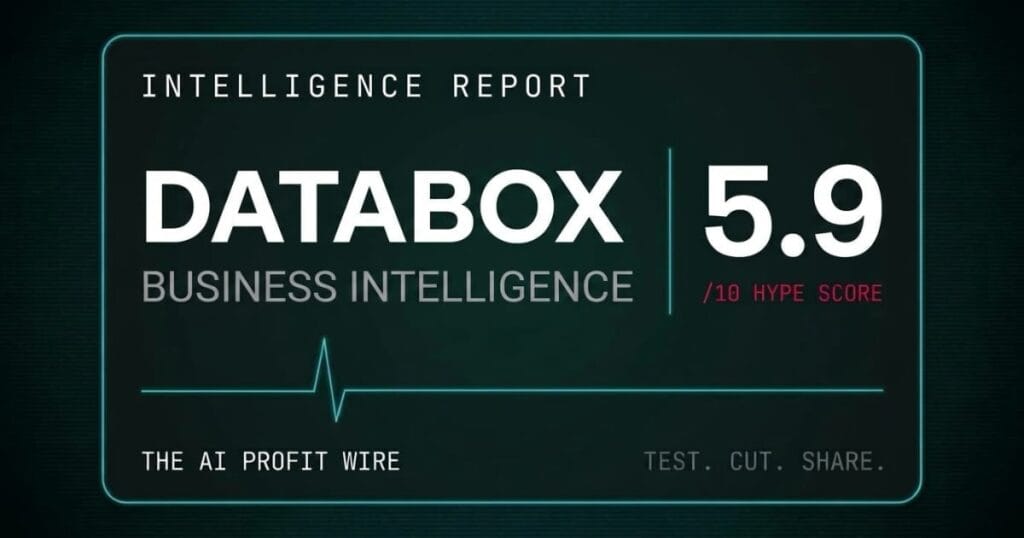
Databox scores 5.9/10 on the Hype Check. It is a business-intelligence dashboard that pulls more than 130 tools, spreadsheets, and databases into one place, with an AI analyst and automated reporting, aimed at teams that want BI without the complexity of Tableau or Power BI. It is a real, 13-year-old product with more than 20,000 customers and SOC 2 certification. The pricing page was rebuilt since our last pass, a genuine Team tier now sits between the solo Analyst plan and the Agency tier, and the score reflects that better fit. The honest catch for most of this audience is still the free competitor: Google Looker Studio does the same core job for free, and Databox’s billing is unusually unforgiving.
Three things reach the desk up front. Databox has a genuinely free plan, and that free plan is the right starting point for most of this audience, not the paid tiers. Its subscriptions are non-refundable with no exceptions, and they auto-renew, and canceling by email or phone does not count, you must cancel inside the app. And its reviews are sharply split, with a strong base of fans and a real cluster of one-star complaints about connectors breaking and refunds refused.
Databox is a capable dashboard for agencies and multi-source teams, and an unnecessary paid expense for the solo operator that Google Looker Studio serves for free.
Disclosure: Metadata Marketer earns a commission if you purchase through links on this page. This does not affect the Hype Check score or editorial assessment.
How strong is the Databox community?
Community Adoption: 6.0/10
The ratings are decent, the volume is modest, and the sentiment is unusually polarized. Databox is reported at 4.4 out of 5 on G2 across roughly 194 reviews (G2’s own page blocks automated readers, so this figure comes from indexed search data rather than a direct page read), and 4.6 out of 5 across 205 reviews on Software Advice, part of the same Gartner Digital Markets network that runs Capterra, which independently confirms Databox’s Analyst plan at $71 a month. That is a small footprint for a 13-year-old tool with 20,000 customers.
The most candid signal is Trustpilot, where the score sits at 3.5 out of 5 and the distribution is bimodal: about 52% five-star and 32% one-star, a love-it-or-hate-it split. The fans praise easy setup and responsive support, and the critics report the same two failures again and again, connectors that break on multi-source setups and billing disputes over auto-renewals. Both patterns show up across Trustpilot, Capterra, and Software Advice, so they are real, not isolated.
Databox works well when it works, and a real slice of long-term users report connectors breaking and refunds refused, so go in with eyes open.
Is Databox pricing fair for a small business?
Pricing Model: 8.0/10
The pricing was restructured since our last pass, and the new lineup is more transparent and a better fit for a small team’s actual size. Databox has a real free plan (3 data sources, 1 dashboard, 1 user, 50 AI credits a month), then Analyst at $71 a month billed annually, or $89 billed monthly (1 user, 5 data sources, 150 AI credits), Team Core at $199 annually or $249 monthly (3 users, 10 data sources, 500 AI credits), Team Scale at $319 annually or $399 monthly (10 users, 30 data sources, 1,000 AI credits), and Agency starting at $79 annually or $99 monthly (unlimited users, 20 data sources, 300 AI credits, plus client packs at $20 to $25 a month each). Unlimited users now arrives only at Agency and the sales-led Custom tier, not at the entry team plan, which is a real change from the old lineup and worth knowing if you were counting on unlimited seats at a lower tier.
The problem for this audience is still the free competitor, not the pricing itself anymore. Google Looker Studio is free and covers roughly 80% of a Google-centric small business’s reporting, so even Databox’s now-cheaper Analyst plan at $71 a month is a real recurring cost against a $0 alternative. On top of that, Databox subscriptions are non-refundable with no exceptions, and they auto-renew. You can start Databox through our Databox link, but start on the free plan.
For a Google-centric small business, Looker Studio’s free tier does most of this for nothing, so only pay Databox if you have many non-Google data sources to stitch together.
Databox scores 5.9 out of 10 on our Hype Check. The full verdict and the numbers behind that score are further down this page.
Does Databox actually perform well?
Benchmark Data: 4.0/10
This is the weakest dimension, and the gap is notable. Databox publishes no uptime SLA at any tier, not even on Team Scale at $399 a month billed monthly, while its free competitor Looker Studio Pro publishes a 99.9% commitment. For a tool that runs your operational dashboards, no reliability guarantee is a real omission.
There are no independent page-speed or data-accuracy benchmarks, and the user-reported signals lean negative on this axis, with verified reviews flagging connectors that break on multi-source setups and, in one case, that “the most simple calculations are wrong too often.” The product is 13 years old and SOC 2 certified, so the foundation is sound, but the absence of any published reliability data on a paid BI tool is a fair mark against it.
Databox volunteers no uptime guarantee and carries a documented connector-reliability complaint pattern, so do not put mission-critical dashboards on it without testing your exact data sources first.
What do experts say about Databox?
Expert Sentiment: 5.0/10
The independent coverage is thin, which is itself telling. There is no Databox review from Forbes, PCMag, or TechRadar, and it does not appear in the Gartner Magic Quadrant for analytics, because that report covers enterprise BI platforms and Databox is deliberately built for smaller teams. Most of the positive coverage that exists sits on smaller review sites, many carrying affiliate links.
The honest operator’s lens matters here. Knowing your numbers is a real edge in a small business, but a dashboard only helps if the data feeding it is reliable, and if a free tool already pulls your core numbers, the paid version has to earn its line on the invoice. For most of this audience, it does not, which is why the balanced verdict is a conditional one rather than a clear recommendation.
Expert coverage of Databox is thin and mostly commercial, and no major analyst firm validates it, so weigh the free-tool comparison more heavily than the review-site praise.
Is Databox production-ready?
Release Maturity: 6.5/10
The company is reasonably mature, if smaller than the category leaders. Databox launched in 2012, which puts it at 13 years, it has raised about $18 million, and it serves more than 20,000 customers with a 51 to 200 employee team, plus SOC 2 certification and GDPR compliance.
The product is actively developed, with a recent AI analyst launch, an MCP server for connecting to ChatGPT and Claude, and a steady stream of updates, so this is not a stagnant tool. It has not raised new funding since 2019, which is neither good nor bad on its own, and there are no documented outages, layoffs, or security incidents. The maturity is solid, just a step below the 30-year, billion-dollar companies elsewhere in this coverage.
Databox is a stable, SOC 2 certified, actively-developed 13-year-old company, so the maturity is not the concern, the pricing and the free competition are.
What does Databox actually cost at every tier?
There is a real free plan, then 4 paid tiers plus a sales-led Custom tier, shown here at annual-billed rates with the monthly-billed rate alongside.
Free ($0): 3 data sources, 1 dashboard, 1 user, 50 AI credits a month, daily sync, cloud integrations only. Genuinely useful for a small pilot.
Analyst ($71 a month annual, $89 monthly): 5 data sources, 1 user, 150 AI credits, hourly sync, custom data integrations, MCP server access, API access.
Team Core ($199 a month annual, $249 monthly): 10 data sources, 3 users, 500 AI credits, everything in Analyst plus routines, custom skills, and sharing and notifications.
Team Scale ($319 a month annual, $399 monthly): 30 data sources, 10 users, 1,000 AI credits, sub-accounts.
Agency (starting at $79 a month annual, $99 monthly): unlimited users, 20 data sources, 300 AI credits, plus extra client packs at $20 a month each on annual billing or $25 monthly, each pack adding 1 client, 5 data sources, and 50 AI credits.
Custom: sales-led, built around your own user, data source, and AI credit needs, with an embedded engineer for setup.
Add-ons stack on top of any plan: AI credit top-ups (flexible pricing), branding and white-labeling at $200 a month, advanced security management at $80 a month, a fiscal calendar at $40 a month, OKRs at $160 a month, and 15-minute sync per data source at $14 a month. Running out of monthly AI credits halts the AI analyst until the next reset. Every paid plan is non-refundable. You can start on the free plan through our Databox link.
Start free, count your non-Google data sources before you upgrade, and treat the non-refundable clause as a hard constraint, because Databox honors it with no exceptions.
Databox vs Google Looker Studio: which fits a solo marketer with mostly Google data sources?
For a solo marketer pulling mostly Google data, Looker Studio is free and Databox’s entry Analyst plan costs $71 a month for the same 5 data sources.
| Tool | Best At | Monthly Cost (1 user, 5 data sources) | Where It Breaks | Best Fit For |
|---|---|---|---|---|
| Google Looker Studio | Free dashboards for Google-native data | $0/mo (unlimited Google sources) | No built-in AI analyst, non-Google sources need extra connectors | Solo operators and small teams with mostly Google data |
| Databox | Cross-source dashboards with an AI analyst | $71/mo (Analyst, 1 user, 5 sources, annual billing) | Non-refundable billing, no published uptime SLA | Agencies and teams stitching several non-Google data sources |
Databox pricing from its official pricing page, verified September 22, 2026. Looker Studio pricing confirmed free at every tier from Google’s own product page. See the billing warnings below for where Databox’s terms get restrictive.
For a Google-centric small business, Looker Studio’s free tier does the same core job at zero cost, and Databox only earns its $71 a month once you are stitching in data Looker Studio cannot reach natively.
What billing warnings should you know before subscribing to Databox?
Every term below is drawn directly from Databox’s own Terms of Service, not from a third-party summary.
- Subscriptions are non-refundable, with no exceptions. The Terms of Service state there are no refunds for partial months, upgrades, downgrades, or unused months, and that no exceptions will be made.
- Plans auto-renew, and email or phone cancellation does not count. You must cancel inside the app under Account Settings. One verified reviewer reported paying $1,910 after an auto-renewal followed months of inactivity, with no refund.
- Data sources are capped by plan. Free includes 3, Analyst 5, Team Core 10 and Team Scale 30, so outgrowing your source count means moving up a tier, or on Agency buying client packs at $20 to $25 a month for 5 more sources each.
- Add-ons stack quietly. OKRs at $160 a month, white-labeling at $200 and advanced security at $80 are separate add-ons, so a plan’s real bill can run well past its sticker price.
- Running out of AI credits halts the AI analyst. Once you exhaust the monthly credit allowance, the Genie analyst stops until the next reset unless you buy an AI credit top-up add-on.
Who should use Databox?
Databox earns its paid price for a specific, higher-end slice of the small-business world.
Marketing agencies and consultants managing client reporting are the true fit, because sub-accounts, white-labeling, and automated client snapshots are built for exactly that. Small services and SaaS firms with several non-Google data sources, stitching HubSpot, Stripe, GA4, and ad platforms into weekly reports, save real hours that justify the Team Core or Team Scale plan. And operators who want a built-in AI analyst without hiring one get one of the few SMB-priced tools that offers it.
If you are an agency or you juggle several non-Google data sources, Databox’s Team or Agency tiers earn their price by replacing hours of manual reporting.
Who should skip Databox?
For most of this audience, a free tool is the honest answer.
Solo operators and 1 to 3 person shops with mostly Google data sources should use Google Looker Studio’s free plan, which covers GA4, Google Ads, Search Console, YouTube, and Sheets natively at no cost. Any team that needs an uptime guarantee should look elsewhere, since Databox publishes none. And anyone who tends to forget about subscriptions should be cautious, because the non-refundable, auto-renewing terms are unforgiving of a missed cancellation.
If your data is mostly Google and your team is small, Looker Studio Free does the job, and paying for Databox is a spend you do not need.
Should you use Databox? Final verdict.
Use the free plan if it fits, and pay only if you are an agency or a genuine multi-source team. For most small businesses, Google Looker Studio’s free tier is still the smarter choice.
The 5.9 out of 10 is not a knock on the product’s capability, it is an honest read of fit and value for this audience, and it moved up from our last pass because the pricing itself got more honest: a real Team tier now sits between solo and agency use instead of jumping straight to unlimited seats at $159 a month. Databox is a legitimate, mature BI tool, but its paid tiers still compete against a genuinely free Google product that covers most small-business reporting, and its non-refundable, auto-renewing billing punishes the disorganized. The fair recommendation is to start free, compare it honestly against Looker Studio Free on your own data sources, and upgrade only if you are stitching several non-Google tools together or running client reports as an agency.
Databox answers the reporting question. If your problem is instead knowing which calls and forms your ad spend actually produced, see the WhatConverts Intelligence Report. For the wider stack these two report on, see our best AI marketing platforms for small business roundup.
If that is you, you can start Databox free here. For the methodology behind every Hype Check score, see the Pipeline page, and browse every tool we score in the Intelligence library. For weekly verified intelligence, subscribe to The AI Profit Wire.
A capable dashboard for agencies and multi-source teams, and an unnecessary paid expense for the solo operator that Google Looker Studio serves for free.
See Databox pricing →Scores 5.9/10, below our 7.0 threshold. Read the verdict above before you commit.
