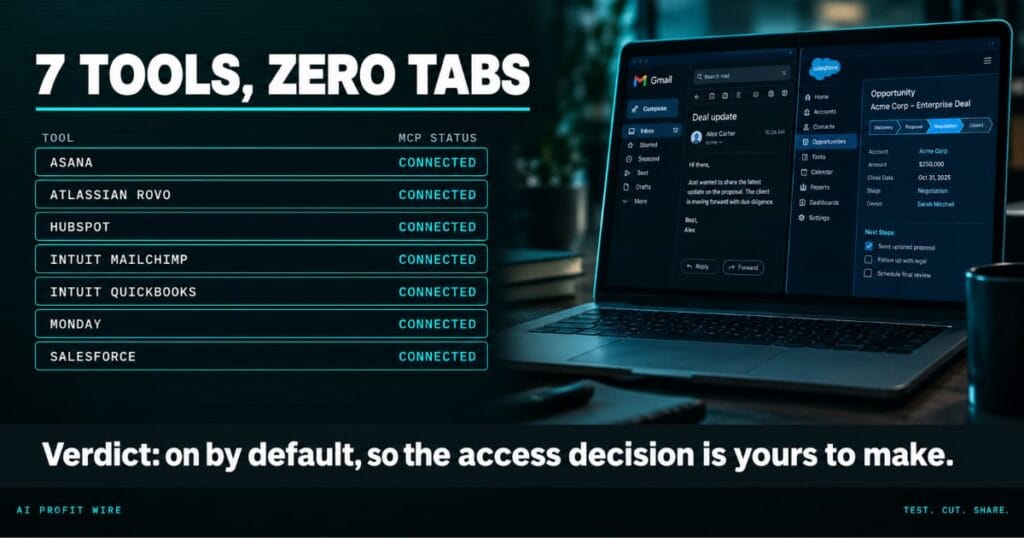
Saves time by removing the friction of tab-switching between your main CRM, project management, and Google apps.
What are Gemini’s third-party connectors in Google Workspace?
Gemini in Google Workspace now reaches Asana, Atlassian Rovo, HubSpot, Intuit Mailchimp, Intuit QuickBooks, Monday, and Salesforce through Model Context Protocol integrations, 7 tools in total.
The Workspace update says users access information without switching tabs, downloading files, or interrupting workflows across Sheets, Gmail, Drive, Docs, and Chat.
The feature is available now on Rapid Release and Scheduled Release domains alike, and it reaches Business and Enterprise editions plus consumer Google AI, Pro, and Ultra plans.
The update names the Workspace surfaces where the connectors matter: Sheets, Gmail, Drive, Docs, and Chat. Google positions the change as killing the tab switch, the file download, and the workflow interruption in one move, which is the productivity claim your team can test in an afternoon.
7 business tools now answer inside the Gemini side panel, and they ship on by default.
Does Gemini in Google Workspace actually connect to your CRM?
Yes. Salesforce and HubSpot are 2 of the 7 launch connectors, alongside the project trackers Asana and Monday, the finance tool QuickBooks, the marketing tool Mailchimp, and Atlassian Rovo.
The current job of each connector is information access: you ask, Gemini pulls what it needs from the connected tool, and the answer lands beside the document you are writing.
Admins control which connectors are enabled through the Admin console under Apps > Google Workspace > Gemini for Workspace > Third-Party Connectors, per Google’s admin documentation, and they manage access at the domain, organizational unit, or group level.
Each connector turns on by name, so the Salesforce connector can reach the sales org while the QuickBooks connector waits for finance, and access policies travel with the group.
The integrations are live today, and their current scope is information access without tab switching.
How is this different from the old copy-paste workflow?
The old workflow: a rep copies an opportunity ID from Salesforce, opens a browser tab, pulls the pipeline numbers, and pastes them into a Doc, 4 steps for 1 fact.
The MCP route standardizes that hand-off. Model Context Protocol, the open standard introduced by Anthropic in November 2024, gives AI models a common way to reach external systems, and Google adopted it for these connectors.
The same protocol runs the Meta, PayPal, and Stripe integrations shipping across the industry, so a tool that speaks MCP plugs into any compliant assistant.
The protocol exists because every one of these pairings used to demand bespoke plumbing, and a shared standard is why vendors now ship connectors in batches instead of one custom job at a time.
One panel reaching 7 tools replaces the copy and the paste.
Who are Gemini’s Workspace connectors for?
The buyers are Workspace-first teams whose revenue data lives in a CRM and whose execution lives in a project tracker: sales teams, agency delivery teams, and finance-adjacent operations roles.
Consumers on Google AI, Pro, and Ultra plans get the connectors too, which means a founder running a solo stack can ask Gemini about a Mailchimp campaign from inside a Doc.
A 5-person agency running Mailchimp campaigns, Asana boards, and QuickBooks invoices gets the same side panel a 500-person sales org gets, which is rare for a rollout that reads this enterprise-flavored.
If the problem runs deeper than tab switching, consolidation attacks the same tax from the other end, and all-in-one marketing platforms like Systeme.io remove the tabs by removing the tools.
Whether you connect the stack or collapse it, the tab-switching tax is the target.
A proposal sits half-written in Docs while its numbers live in Salesforce, its timeline lives in Asana, and the person writing it keeps a mental map of which tab holds which truth. The browser holds 9 open tabs, and 6 of them belong to this one proposal.
The connectors collapse that map: 7 tools, 1 side panel, and the answer arrives where the work already is. The setting turned on by default, which is the part most admins have not read yet.
The risk travels with the convenience. Every tool Gemini can read is a tool your access policy has to name, and the default setting does not do that thinking for you.
How do you turn Gemini’s connectors off or on?
Open the Admin console and go to Apps > Google Workspace > Gemini for Workspace > Third-Party Connectors. Set the default at the domain level first, then open access per organizational unit or group.
End users reach the connectors through the Gemini side panel in Docs, Sheets, and Slides, and in Google Chat, once an admin enables them, per the end-user documentation.
The rollout is live on Rapid and Scheduled Release domains alike, so there is no waiting period to plan around, only the access decision.
Set the default this week, because the feature already shipped on.
Source: Google Workspace Updates
