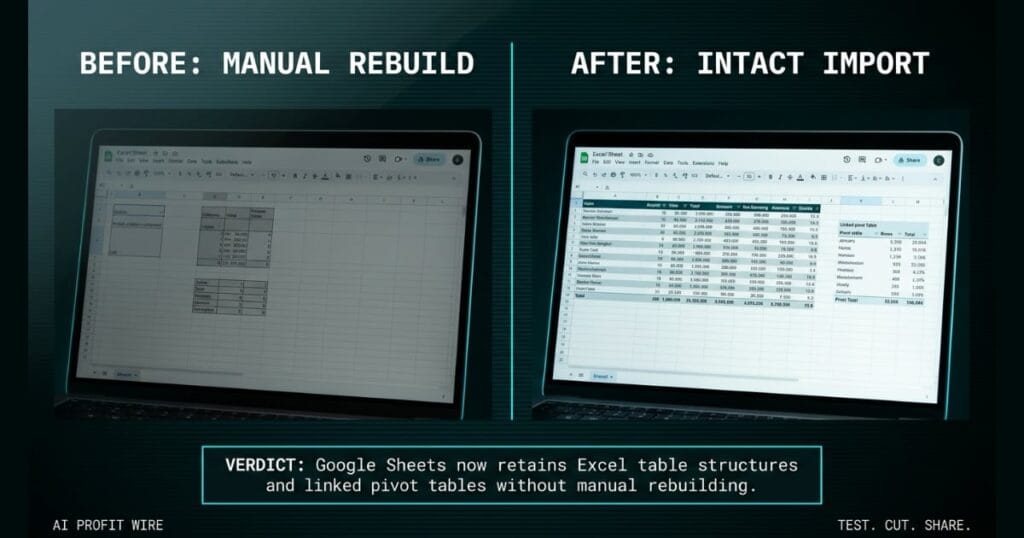
Saves significant time and reduces frustration for teams migrating from Excel to Google Sheets by eliminating manual spreadsheet reconstruction.
What is the Google Sheets Excel import update and what changed?
Google Sheets now preserves Microsoft Excel tables and linked pivot tables when converting files. This update prevents the structural data losses that previously plagued Excel migrations.
Previously, Excel tables didn’t import as Sheets tables, which caused users to miss out on the structural and formatting benefits of tables. Pivot tables linked to table ranges were also replaced with static grids.
These 2 specific failures meant your imported spreadsheets required manual reconstruction before your team could actually use the data. The new update ensures data structures remain intact and formatted upon import.
Google Sheets now retains Excel table structures and linked pivot tables without manual rebuilding.
What is the evidence behind the Google Sheets Excel import update?
The evidence comes directly from the official Google Workspace blog announcing the improved file import capabilities on August 11, 2026. The announcement confirms the 2 specific structural elements that now survive the conversion process.
Excel tables now seamlessly import as Sheets tables, and Sheets fully supports importing Excel pivot tables backed by table ranges. Google confirms this provides improved structural fidelity for Excel imports.
The update is available to all Google Workspace customers and users with personal Google accounts. Table imports are available now, and linked pivot table imports are on a gradual rollout of up to 15 days for feature visibility.
Official Google documentation confirms 2 import fixes.
How does the Google Sheets Excel import update compare to the alternatives, and what background do small business owners need?
Google Sheets competes directly with Microsoft Excel by offering cloud-native collaboration, but it previously lost data structures during file conversions. This update closes a major competitive gap in import fidelity.
Before this change, founders migrating from Excel to Google Workspace faced manual cleanup work to rebuild static grids back into functional tables. The alternative was keeping files locked in Excel to preserve the structural integrity.
With tables and pivot tables now surviving the import process, Google Sheets becomes a more viable replacement for businesses heavily reliant on Excel reporting structures. This removes the operational friction of cross-platform data transfers.
Google Sheets now provides significantly improved structural import fidelity, eliminating a major migration barrier.
How does the Google Sheets Excel import update affect day-to-day operations for small businesses?
Small business owners migrating from Excel to Google Workspace will save significant time on manual spreadsheet reconstruction. Your imported spreadsheets will be ready to use right away instead of requiring structural repairs.
Teams can immediately use imported pivot tables backed by table ranges without rebuilding the data connections. This eliminates the frustration of discovering your linked data converted to a static grid. You can track more spreadsheet workflow fixes alongside this one in our AI workflow signals archive as Google continues closing the gap with Excel.
Day-to-day operations benefit from zero-reconstruction spreadsheet imports and ready-to-use data.
The head brewer exports the quarterly hop inventory from Microsoft Excel into Google Sheets for the taproom manager. The file includes 2 formatted tables and linked pivot tables that track bittering units against alpha acid costs.
Previously, the import destroyed those tables and replaced the linked pivot tables with static grids. The taproom manager would spend hours manually rebuilding the structures just to run a simple cost analysis.
With this update, the tables and linked pivot tables survive the import intact. The taproom manager skips the manual reconstruction and gets straight to analyzing margins.
What is the final verdict on the Google Sheets Excel import update?
The Google Sheets Excel import update delivers a concrete operational win for small business owners. It eliminates the manual reconstruction of tables and pivot tables during file migrations.
By preserving both tables and linked pivot tables, Google ensures that imported spreadsheets are ready to use immediately. This removes a major friction point for teams transitioning to Google Workspace.
This update is a high-value operational fix that saves time and preserves data structures during Excel migrations.
Source: Google Workspace Updates
