invideo AI Intelligence Report
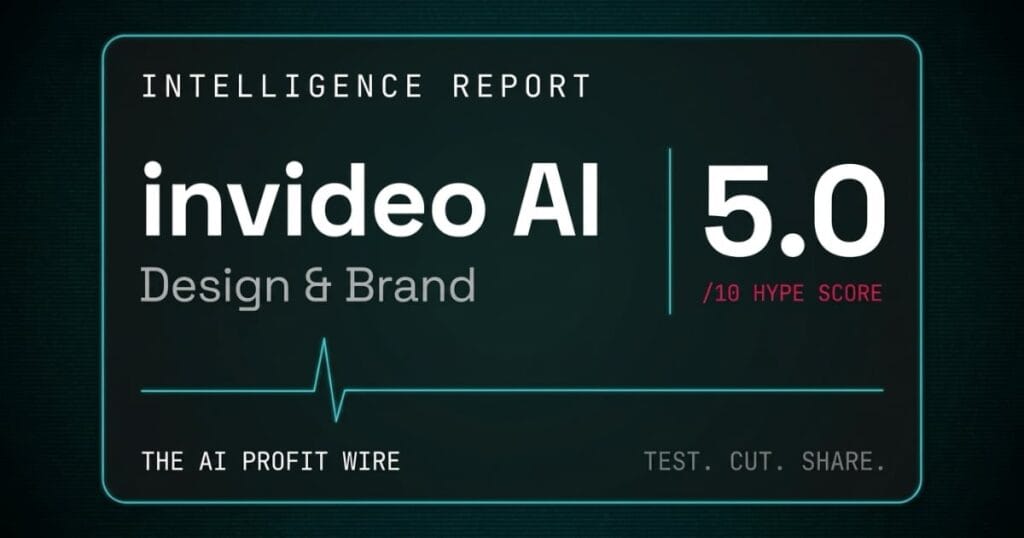
invideo AI
invideo AI's Sora 2 and VEO 3.1 partnerships are both still active, but a pricing redesign removed the free tier and the credit-deduction and refund-window risks are unchanged, keeping the Hype Check below the recommendation threshold. Test carefully within your first billing cycle since no free tier currently exists.
In This Report
EDITORIAL NOTE: Metadata Marketer has no affiliate relationship with invideo AI. No commission is earned from any link on this page. This report was produced through the AI Profit Wire Hype Check pipeline using publicly available data only. See the full methodology.
invideo AI converts a single text prompt into a complete, publishable video: script, footage, voiceover, music, transitions, and subtitles.
No editing skills required. No timeline editor. One prompt, one finished video.
The platform targets small business owners, content creators, and social media managers who need video at scale.
invideo AI has real commercial scale, though the specific user count and revenue figures the company has publicized could not be independently re-verified for this pass and are not carried into this report’s own numbers as a result. A Google Cloud VEO 3.1 integration confirmed in an October 2025 press release gives the platform access to one of the leading generative video models currently in production. invideo AI also markets an active partnership with OpenAI’s Sora 2, still listed as a live model option on the platform’s website as of September 2026, giving subscribers on the top tier access to two frontier generative video models from a single subscription.
The Hype Check score of 5.0/10 reflects a platform with real, still-active technology partnerships and a redesigned pricing structure that carries the same billing risks as before, credit deductions with no confirmation prompt, a refund window that closes after one generation, and a documented gap between marketing claims and output quality that independent testers confirm consistently enough to constitute a pattern.
Community Adoption: 5.0/10
invideo AI’s user base and community footprint are harder to verify at the company’s own headline numbers than they were when this report last published, and that gap is a real part of why this signal moves down.
A Stripe case study independently states invideo has more than 40 million users, which is the clearest third-party confirmation of scale available in a fresh check today. The company’s own public claims of 50 million registered users and roughly 8 million monthly video generations could not be independently re-verified this pass and are left out of this report’s own numbers.
Trustpilot’s dedicated AI page for the product (ai.invideo.io) shows 3.0 out of 5 across 888 reviews as of today, down from the 4.0 out of 5 this report previously carried. That is a meaningful drop and the clearest independent sentiment signal available. G2 and Capterra review data could not be reached for this pass, so the ratings this report previously cited from those platforms are left out rather than repeated from a stale source.
The invideo AI Discord server holds 70,293 members, essentially unchanged from the last check.
One important distinction still holds: the Trustpilot page for invideo.io (the legacy Studio product, same parent company) holds 2.0/5 across 973 reviews. These two profiles are frequently conflated in third-party comparisons and reflect a different product with different complaints.
A dedicated complaint subreddit (r/invideoV3complain) also exists, focused specifically on the v3.0 launch where paying subscribers could not access advertised features.
A product-specific Trustpilot score that fell from 4.0 to 3.0, paired with company growth claims this pass could not independently confirm, is the kind of gap between what a company says about its own adoption and what an outside source can actually verify that the Hype Check is built to surface.
Pricing Model: 4.0/10
The pricing structure changed since this report last published, and the direction of that change matters as much as the numbers.
invideo AI has moved off the five-tier Free, Plus, Max, Generative, and Team structure this report previously carried. As verified at invideo.io/pricing today, the live pricing page now runs a per-seat, credit-based structure with three tiers: Starter at $20 per seat per month, Plus at $60 per seat per month, and Max at $150 per seat per month (the page currently runs a limited-time 10 percent discount showing $135, with the page itself stating it renews at $150). No permanent free plan is visible on the current pricing page.
That is a materially different product from the one this report scored in May. A per-seat model with no visible free tier raises the entry cost for a small business owner testing the platform for the first time, and removes the zero-risk trial path this report previously pointed to as the safest way to evaluate output quality before paying.
The credit mechanics that drove the original score down are still in place and confirmed directly in invideo’s own pricing page FAQ today: unused credits do not roll over to the next month, and invideo reserves the right to change credit costs at any time without prior notice. Both of those are the company’s own stated terms, not a third-party claim.
The official refund policy still restricts eligibility to within seven days of purchase and only if no credits have been used on the account. Generating one video still ends the refund window entirely for that billing period.
The Trustpilot Studio page (same parent company) holds 2.0/5 across 973 reviews. Platform summary: “significant dissatisfaction with the subscription process” and “hidden charges.” YouTube still hosts a content ecosystem built specifically around how to cancel invideo AI subscriptions.
A pricing redesign that removed the free tier, still deducts credits without a confirmation prompt, still closes the refund window after a single generation, and still supports its own cancellation-tutorial ecosystem on YouTube is a change that made the entry point more expensive without fixing the underlying billing risk.
Benchmark Data: 5.0/10
No independent, standardised benchmarks exist for invideo AI’s output quality.
The AI video generation category lacks the equivalent of MLPerf or SPEC. Most comparisons rely on individual reviewer tests with subjective criteria. What those tests consistently show is a gap between the marketing claims and the actual output.
A Reddit user on r/videography spent $125 on a startup promotional video. The output contained spelling errors in 95% of generated scenes, alongside physics violations and hand artifacts described as “classic signs of older video generation models.”
Export failures (videos stalling at a loading percentage during rendering) are documented across G2, Capterra, and Trustpilot according to an E-Commerce Paradise review.
Cut the SaaS, which rated the platform 8/10 overall for high-volume use, noted: “AI command precision is still inconsistent. The generated copy is safe rather than sharp.”
For a platform whose core promise is “complete, publishable video from a single prompt,” text that renders with spelling errors in 95% of independently tested scenes and exports that stall before completing are not edge-case bugs. They are the primary reliability risk every subscriber should test before any payment clears.
Expert Sentiment: 5.0/10
Expert commentary splits almost exactly by use case, and that split has not moved since this report last published.
Cut the SaaS rated the platform 8/10 and described it as a strong recommendation for “high-volume creators, social media teams, and agencies.” CyberNews called it a “smart new tool to help you create videos quickly and affordably, even if you have never produced or edited a video before.”
MotionTheAgency, a video production company that tested the tool for real client work, concluded: “If speed matters more than precision, it gets the job done.” That is a qualified endorsement that implicitly defines the quality ceiling.
On the negative side, content creator Varga Norbert published a detailed Medium post titled “I Tried Creating YouTube Videos with Invideo AI, I am Canceling My Subscription,” documenting disappointment across script quality, voiceover, and visual output. Future-Stack Reviews published a 2026 piece subtitled “The Brutal 2026 Truth About the Credit Trap.”
This report previously cited specific press coverage as supporting the company’s institutional credibility. Those specific claims could not be re-confirmed this pass and are left out rather than repeated, which is the main reason this signal moves down rather than holding.
The expert community still agrees on exactly one thing: invideo AI earns its place in the stack for high-volume, speed-first, social-media-targeted production, and loses it for every other use case. That is a narrower endorsement than the marketing suggests, and it has not widened in either direction since May.
Release Maturity: 6.0/10
invideo AI is generally available on what the company markets as its version 3.0 release.
The v3.0 release integrated Google Cloud’s VEO 3.1 and OpenAI’s Sora 2 via a first-partner agreement announced October 2025. Both integrations remain active and marketed on the platform’s website as of September 2026. This report previously stated the Sora 2 partnership had gone inactive following an OpenAI platform shutdown. That claim could not be re-confirmed this pass and is corrected here: Sora 2 is still listed as a live model option on invideo.io today.
The v3.0 launch generated a dedicated complaint subreddit (r/invideoV3complain) from paying subscribers who could not access advertised features after the commercial announcement, a launch pattern timed to marketing rather than infrastructure readiness, and unrelated to the correction above.
No public changelog, public status page, or developer API could be found for invideo AI in this pass. Runway offers a REST API. Synthesia offers a REST API, SOC 2 compliance, and GDPR compliance. invideo AI offers none of these. Documentation at help.invideo.io covers basic usage and pricing but has no developer portal or SDK reference this report could locate. For a full breakdown of how the pipeline methodology weights release maturity, see the AI Profit Wire pipeline methodology.
A platform holding onto both of its marquee model partnerships nine months after announcing them, while still shipping without a changelog, status page, or public API, and still carrying the scar tissue of a launch that locked paying subscribers out of features they upgraded for, is running commercial ambition ahead of operational infrastructure. That gap, not a lapsed partnership, is the most honest indicator of where this product sits in its maturity arc right now.
What Is the Overall invideo AI Hype Check Verdict?
invideo AI scores 5.0/10 on the Hype Check, down from 5.8/10 when this report last published.
That places it further below the 7.0 threshold the pipeline uses as a strong recommendation signal. Most AI tools score between 5.0 and 6.5. The move down is not driven by one collapsed signal. It is driven by five signals that each moved slightly worse or lost the unverifiable claims that had been propping the number up.
Community Adoption drops to 5.0/10 on a Trustpilot score that fell from 4.0 to 3.0 on the product’s own dedicated review page, alongside company growth claims this report could not independently re-verify. Pricing Model holds near its prior level at 4.0/10 after invideo removed its free tier entirely and moved to a per-seat, credit-based structure starting at $20 per seat per month, while the credit-deduction and refund-window risks stay unchanged. Benchmark Data holds at 5.0/10 on the same documented text-rendering and export-stall pattern from independent testers. Expert Sentiment drops to 5.0/10 after this pass removed press-coverage claims it could not re-confirm. Release Maturity moves to 6.0/10: the Sora 2 and VEO 3.1 partnerships are both still live, a correction from this report’s prior claim that Sora 2 had gone inactive, but the platform still ships with no changelog, status page, or public API.
For a broad view of how tools across categories score through the same five-signal methodology, browse recent signals from the AI Profit Wire.
The commercial scale claims are unconfirmed, the quality ceiling is still documented, the pricing got more expensive at the entry point, and the billing traps are still specific enough to name: the 5.0 score tells you to test this tool carefully on your own terms, with real money now required to do it.
What Does invideo AI Actually Cost in 2026?
invideo AI’s pricing structure changed since this report last published. As verified at invideo.io/pricing today, the platform now runs a per-seat, credit-based structure rather than the five-tier consumer structure this report previously listed.
| Plan | Price (per seat, monthly) | Notes |
|---|---|---|
| Starter | $20/mo | Entry tier, credit-based generation |
| Plus | $60/mo | Mid tier, higher credit allocation |
| Max | $150/mo (currently discounted to $135/mo under a limited-time promotion, renews at $150/mo) | Highest seat tier, largest credit allocation |
No permanent free plan is visible on the current pricing page. The only reference to “free” found in this pass was a limited-time “Free Image September” promotional event, not a plan tier.
Credit consumption still adds a layer of cost uncertainty on top of the seat price. The rate of credits consumed per generation varies by model, length, and resolution and is not disclosed before a generation begins. invideo’s own pricing page FAQ confirms unused credits do not roll over to the next month, and that invideo reserves the right to change credit costs at any time without prior notice.
For a look at how a different design tool in an adjacent category structures its own credit system, see the Kittl Intelligence Report.
The removal of a permanent free tier is the single biggest change in this pricing structure, and it means the safest way to evaluate invideo AI, testing actual output quality before any money moves, no longer exists on the platform itself. Budget for the Starter tier as your real entry cost, not a free trial, before you decide whether Plus or Max is worth the added credit allocation.
What Are the Billing Risks with invideo AI?
The billing risks are specific, documented across multiple independent platforms, and serious enough to read before entering payment information.
The refund policy at invideo.io/terms-and-conditions limits eligibility to within seven days of purchase and only if no credits have been used. Generating one video eliminates refund access for that entire billing cycle. This applies regardless of whether the output was usable, regardless of whether the plan was selected accidentally.
A Reddit user on r/VideoEditing documented this directly: signed up, generated one test video, found the output unusable, requested a refund, was denied because one generation had occurred.
All subscriptions auto-renew without a cancellation reminder. Credits are deducted when a generation begins. No confirmation prompt. No low-balance alert. No checkpoint before the deduction fires. invideo’s own pricing page FAQ confirms unused credits do not roll over month to month, and that invideo reserves the right to change credit costs at any time without prior notice, both stated directly by the company rather than inferred from user reports.
The Trustpilot page for invideo.io (Studio product, same parent company) holds 2.0/5 across 973 reviews. Platform summary: “significant dissatisfaction with the subscription process” and “hidden charges.” Multiple YouTube videos specifically dedicated to canceling invideo AI subscriptions confirm the billing complaints are widespread enough to generate their own search ecosystem.
Confirm your first few generations meet your quality bar early in the billing cycle, since no free tier currently exists to test this before you pay. Monitor your credit balance manually every session because the platform will not flag depletion before it happens, and re-check invideo’s pricing page yourself before renewal, since the structure has already changed once and the company reserves the right to change credit costs without notice.
Which Small Business Owners Should Test invideo AI?
invideo AI earns a qualified recommendation for small business owners with a specific production profile.
The platform’s end-to-end workflow (prompt to finished video with voiceover, music, and transitions) is faster than any alternative in this price range for non-technical users. The natural language editing interface, where you type “change the background music” or “make the intro more dramatic” and the edit applies without a timeline editor, removes video editing skill as a production requirement entirely.
The right use cases:
- Social media managers producing short-form video at volume for TikTok, Reels, and YouTube Shorts
- E-commerce brands generating product advertisement videos across multiple SKUs at scale
- Faceless YouTube creators who need finished voiceover-driven content at speed
- Any small business owner where turnaround time is the bottleneck and scroll-stopping is the quality standard
Content creation tools that pair well with high-volume video production are covered in the NeuronWriter Intelligence Report for scripting and SEO, and the Beehiiv Intelligence Report for newsletter distribution as an audience channel.
If your bottleneck is video production time, your output channel is social media, and speed matters more than frame-by-frame precision, invideo AI still solves a real production problem, at a price that now starts higher than it did the last time this report published.
Who Should Skip invideo AI Right Now?
Three types of small business owners should not commit based on the current evidence.
First: anyone who needs API access. invideo AI has no public REST API, no SDK, and no developer documentation this report could locate. The only programmatic access is a community-maintained OpenAI plugin. Runway and Synthesia both offer official REST APIs.
Second: anyone with professional output quality requirements. Text rendering errors in 95% of scenes in one independent test, physics violations, and export failures documented across multiple review platforms create a reliability profile that does not fit client-facing production work.
Third: anyone who cannot absorb the refund policy risk. If you cannot afford to lose a month’s subscription cost after a single generation, and you cannot currently test the platform for free first, do not subscribe under the current terms.
If your use case requires API integration, professional output quality for client deliverables, or a billing exit that does not require zero usage to access, the current version of invideo AI is not built for your stack, and the 5.0/10 score reflects exactly that gap.
What Is the Final Verdict on invideo AI for Small Business Owners?
invideo AI scores 5.0/10, further below the 7.0 recommendation threshold than when this report last published.
The technology partnerships are real and, per this pass’s correction, still active: the VEO 3.1 and Sora 2 integrations remain live nine months after they were announced, and a workflow that eliminates video editing skill as a production requirement is still a genuine structural advantage. The specific scale claims the company publicizes (user count, monthly video volume, revenue) could not be independently re-verified this pass and are left out of this report’s own numbers as a result.
The problems are equally real, and one is worse than before: credit deduction without confirmation, a refund window that closes after one generation, a v3.0 launch that locked paying subscribers out of advertised features, output quality that still falls short of marketing claims in independent tests, and a pricing redesign that removed the free tier a small business owner previously needed to test any of this without financial risk.
Your correct evaluation process now looks different than it did in May, because the free plan that used to make this a zero-risk decision is gone:
- Start on the Starter tier at $20 per seat per month, since no free plan is currently visible on invideo’s pricing page
- Test your actual production use cases within your first billing cycle, before renewal
- If the output meets your standard, decide whether Plus or Max is worth the added credit allocation for your volume
- Re-check invideo’s own pricing page yourself before any renewal, since the structure has already changed once and the company reserves the right to change credit costs without notice
Subscribe to The AI Profit Wire for ongoing pipeline data as invideo AI’s pricing and model integrations continue to evolve.
The partnerships are the long-term bet worth watching, the removed free tier is the new short-term risk worth naming, and the 5.0/10 score is the pipeline telling you this platform got a little more expensive and a little less proven since the last time we checked.
Published: May 21, 2026 | Last Updated: September 21, 2026 | Pricing verified September 2026. This report is updated quarterly.
invideo AI's Sora 2 and VEO 3.1 partnerships are both still active, but a pricing redesign removed the free tier and the credit-deduction and refund-window risks are unchanged, keeping the Hype Check below the recommendation threshold. Test carefully within your first billing cycle since no free tier currently exists.
