Saves time on administrative tasks like photo curation and scheduling events from images.
What is Gemini Spark and what does it do?
Gemini Spark is Google’s personal AI agent, introduced at Google I/O in May 2026 as a 24/7 assistant that works in the background on your tasks. On September 4, Google announced Spark can now manage your Google Photos library, a rollout Google Photos lead Shimrit Ben-Yair shared in a post on X and photography outlet PetaPixel covered the same day.
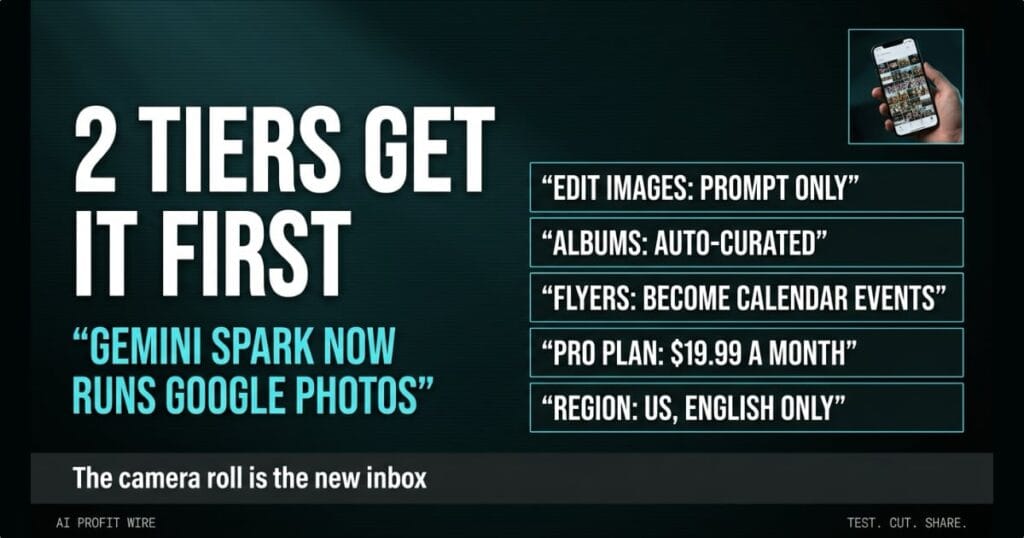
The integration lets you prompt Spark to edit images, curate albums, automatically create shared albums from your favorite shots, turn concert flyer photos into calendar appointments, and run multi-stage workflows. Google’s own announcement thread shows the range: extracting text from a receipt, turning a whiteboard photo into an action list saved to Docs, and weekly recurring routines that gather, dedupe, and edit photos as new copies so originals stay untouched.
Google’s product page describes Spark as an agent that keeps working in the background 24/7 even when your phone and laptop are off. That is the pitch behind putting it inside a library you update from your pocket.
Spark treats your photo library as a task queue instead of a storage closet.
Can Gemini Spark actually manage Google Photos?
The capability is real, documented, and limited. TechCrunch’s report says the rollout happens over the next few weeks for eligible Gemini AI Pro and Ultra subscribers in the US, in English only, and Google didn’t say if or when other markets get it.
Setup takes 3 steps: connect Google Photos to Gemini, toggle Spark on in the top corner of the Gemini app, then enter your prompt. The examples Google published lean practical, from organizing a vacation album to filtering duplicates out of a library and building automated weekly highlight routines.
One caveat comes from TechCrunch’s own coverage: on their own, such features don’t seem revolutionary, and making a photo album manually was never that difficult. The value case rests on the multi-step workflows, not the single album.
The capability is real, but it is subscription-gated, English-only, and aimed at volume users.
Is there a cheaper alternative to Gemini Spark?
The free alternative is the way you already do it: manual albums, manual calendar entries, and the storage that comes with a free Google account. TechCrunch’s skeptical take is blunt, it isn’t that difficult to make a photo album, and the outlet argues that Google promoting every AI-infused upgrade is part of an industry problem Sam Altman described, telling Bloomberg the industry has “done a terrible job” communicating AI’s benefits.
The paid path starts at $4.99 a month for Google AI Plus, but the Photos integration requires Google AI Pro at $19.99 a month or Google AI Ultra starting at $99.99, per Google’s subscriptions page. The Pro plan is the entry ticket for this feature.
If your week moves enough photos, the $19.99 plan earns a test, and below that the free route still wins.
Who is Gemini Spark actually for?
The feature targets 2 subscription tiers in 1 country at launch, and Google’s own examples lean personal: vacation albums, garden updates, road trip highlights, and weekly emails to family. Volume is the dividing line, because deduping and curating a large library is where the agent saves real time.
Small business owners should look past the vacation examples at the workflow shape. Any process where a photo carries information you re-type later, flyers, receipts, business cards, whiteboards, maps onto the same pattern, and the agent rollout wave we track in the signals archive says that pattern is where consumer agents are headed next.
Spark is for people whose camera roll is really an inbox, and most small businesses have one.
The site supervisor snaps a photo of every delivery notice taped to the trailer door. By Friday the trailer door is layered in them, and the concrete pour’s material order is buried somewhere between a lunch flyer and a subcontractor’s card.
Someone spends the last hour of the week transcribing those photos into the calendar, an hour billed to nobody and costing real money anyway. That re-typing step is what Spark’s flyer-to-calendar workflow deletes, and it’s the trade hiding under the $19.99 a month Google charges for the plan that unlocks it.
Is Google AI Pro worth $19.99 a month for Spark?
Worth depends on what your week holds. If you already run a paid Gemini plan, the Photos integration arrives inside your existing subscription, and the weekly photo sort becomes a prompt, which is the trade Google is betting justifies the $19.99.
If your library is 200 vacation photos and a screenshot backlog, the manual habit is cheaper and TechCrunch’s skepticism holds. The rollout is US-only and weeks from finished, so waiting for it to prove itself on real workflows costs you nothing, especially with no international date announced.
Pay for Spark when photo admin costs you more than $19.99 a month in hours, not before.
Source: TechCrunch AI
