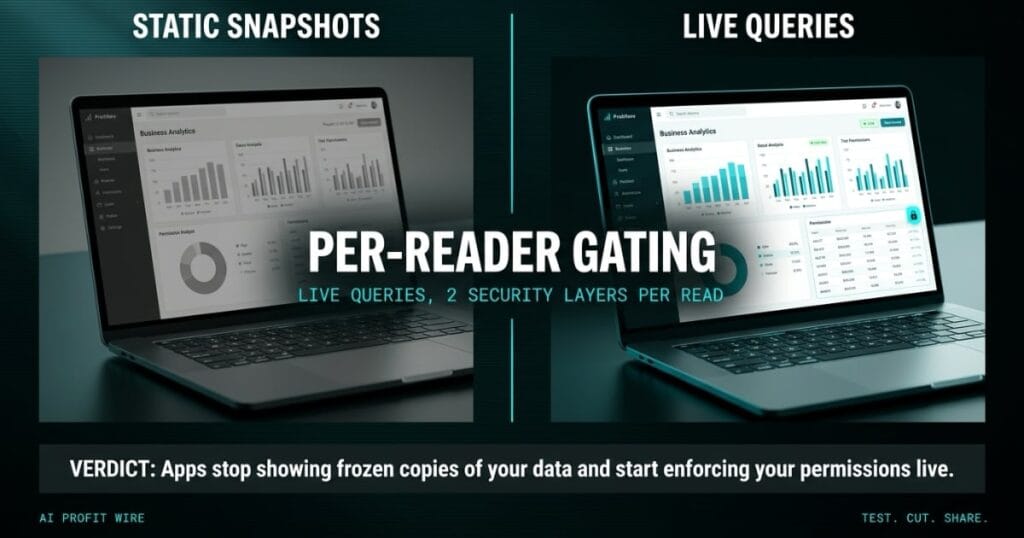
Saves time by allowing team members to build secure, live-data applications using natural language instead of static snapshots.
Live Data in Apps is a new Amazon Quick capability that lets AI-built applications query governed QuickSight datasets in real time, replacing the static build-time snapshots those apps relied on, per the AWS Machine Learning Blog. You describe the app you want in plain language, and an agent finds the relevant curated datasets, writes the SQL and asks you to approve each dataset by name.
After publish, the app re-runs that same SQL every time someone opens it, so the numbers stay current without a refresh script. No hands-on coding or DevOps steps sit between the dataset and a working internal tool.
Apps stop showing frozen copies of your data and start enforcing your permissions live.
What Is Live Data In Apps For Amazon Quick?
Live Data in Apps turns an AI-built Amazon Quick app into a live window on governed QuickSight datasets. Both SPICE in-memory datasets and Direct Query datasets are supported, and the app re-checks the underlying data on every open.
The build flow is natural language end to end: describe the app, approve the datasets the agent discovers, then publish and share with viewer access for Quick users or groups. A workflow that AWS sizes at a month of conventional effort, wiring the right data for each customer, becomes a prompt sequence with approval gates.
Identity at query time: the app renders this moment’s answer under this reader’s permissions.
Does Amazon Quick Live Data Actually Enforce Per-User Security?
Yes, by design: each query executes under the identity of the person viewing the app rather than a shared service account. Existing row-level security (RLS) and column-level security (CLS) rules apply automatically on every request, and AWS states the QuickSight query engine enforces authorization against each viewer’s identity, so the app, frontend and proxies never handle access decisions.
AWS’s own walkthrough shows two regional sales managers opening the same app and seeing different rows: one limited to AMER data, one with both regions seeing both. A viewer without dataset access gets an explicit error instead of partial data.
Consent is part of the enforcement model: each viewer approves each dataset on first use, builders approve datasets during the build, and consent is enforced server-side on every query. The row-level security documentation covers the rule model these apps inherit.
Security follows the reader, and that is the model which holds past a handful of users.
Live Data In Apps Vs Static Snapshots: Which Should You Build On?
Live queries win on freshness and access control, and snapshots keep their own advantages: SPICE datasets refresh on a schedule, Direct Query needs no refresh at all, and both dataset types can sit in one app when they share a source. Direct Query datasets from different sources cannot combine in the same app.
Live queries bring guardrails you should plan around: a query that returns more data than the transport carries surfaces a “narrow the query” message instead of truncated results, builders face an initial row limit during build that requires paginated retrieval, and renaming or removing columns requires rebuilding the app’s queries.
Anonymous or public access is not supported for live-data apps, and viewers must be authenticated Quick users. Public-facing pages sit outside this feature’s lane by design.
For any app more than one role touches, live queries with inherited permissions beat snapshots on freshness and risk alike.
An order book sits open on the counter, every client’s measurements and every price in the same ledger. The apprentice needs the hem length, the owner needs the invoice total, and the phone keeps ringing.
Live Data in Apps puts 2 locks on that ledger: row security decides which lines a reader sees, column security decides which fields travel with them, and both locks recheck on every read. Same book, different answers, and no photocopy going stale in a pocket.
Who Is Amazon Quick Live Data Actually For?
Teams already storing governed datasets in QuickSight are the target: operations owners who want staff building and sharing data apps without an engineer on each project, and administrators who want existing RLS and CLS rules carried over untouched. The Amazon Quick product page positions the same assistant across research, BI and automation, so this capability extends a surface many teams already run.
The fit is strongest where the same numbers serve different roles. A sales lead, a finance reviewer and an operations manager can open 1 app and each see only their permitted slice, with the builder needing a Reader Pro role minimum.
If your team lives in AWS and shares QuickSight datasets today, this feature is aimed at you.
Is Amazon Quick Live Data Production Ready?
For governed internal apps, yes: the capability shipped with per-reader consent, query and result-size guardrails, paginated build retrieval, and a fallback behavior that surfaces clear narrow-the-query messages instead of truncated data. The natural-language app builder underneath it reached general availability in September, per the AWS What’s New announcement, so the live data layer rides on a shipped platform rather than a preview.
No separate fee is stated for the capability, so model your cost against your existing QuickSight edition and reader count before you roll apps out to a wider team. If your dashboards live outside AWS, the mechanism is still the test: Databox pulls 130+ tools into one BI dashboard and answers the same freshness question from the other direction.
Start with 1 report your staff exports to a spreadsheet, rebuild it as a live-data app, and let the export be the before picture.
Source: AWS Machine Learning Blog
