WhatConverts Intelligence Report
WhatConverts
A functional lead-attribution tool with a thin, mixed independent-review record and pricing that hides real usage cost until you're already a customer.
In This Report
What is WhatConverts and who is it for?
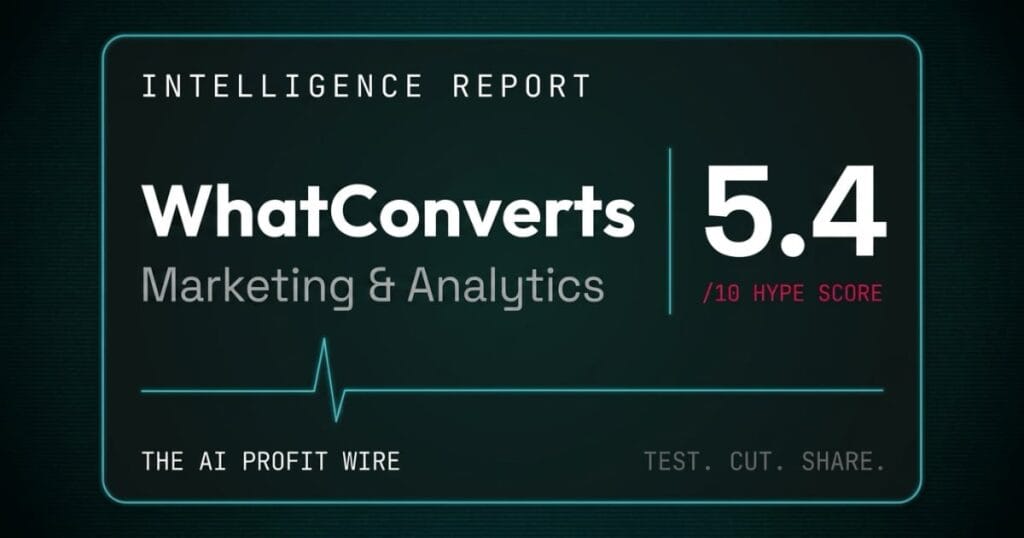
WhatConverts is lead-tracking and attribution software that ties inbound calls, forms, and chats back to the marketing source that generated them, and it scores 5.4/10 on the Hype Check.
It’s built for marketers and agencies who need to know which channel, keyword, or campaign actually produced a lead, and it runs call-tracking numbers alongside form and chat capture. Higher tiers add HIPAA-compliant tracking for healthcare and legal clients. Its pricing page markets it as “Built by marketers, for marketers.”
The score sits at 5.4 because 4 published plan tiers are public and a current terms of use is in force. Against that, a “Poor” 2.6 Trustpilot rating from only 6 reviews, unpublished per-lead usage rates, and 2 bot-blocked review platforms hold it down.
WhatConverts is a functional attribution tool with a thin, mixed independent-review record and pricing that hides real usage cost until you’re already a customer.
How big is WhatConverts, and how well do users rate it?
Community Adoption: 4/10
The only independently verifiable rating is weak, and the sample size is tiny.
Trustpilot shows 2.6 out of 5, rated “Poor,” across just 6 reviews, and the page notes WhatConverts has “no recent history of asking for reviews.” G2 and Capterra both blocked automated access this session, so neither rating could be independently confirmed. A third-party site cites a secondhand G2 figure of 4.7 from 15 reviews, but that number is not independently verified here and is not used in this score.
A 2.6 “Poor” rating from 6 reviews, with G2 and Capterra unreachable, gives WhatConverts the thinnest confirmed community footprint in this report.
Is WhatConverts’ pricing model fair for a small business?
Pricing Model: 6/10
4 single-account tiers are public, and what each lead actually costs past the free credit is not.
WhatConverts publishes Call Tracking at $30 a month, Plus at $60, Pro at $100, and Elite at $160, each labeled “+ usage,” plus 3 agency tiers running $500 to $1,250 a month for unlimited client accounts. Every plan includes a usage credit (a $30 credit on the 4 single-account tiers, a $400 credit on Elite Unlimited Accounts), but the per-lead or per-call rate that kicks in once you exceed it is not published anywhere on the pricing page.
No annual-billing toggle was visible in this session’s capture of the pricing page, so a yearly discount, if one exists, could not be confirmed.
A clean 4-tier structure loses points because the number that actually decides your bill, the usage rate, stays off the page.
WhatConverts scores 5.4 out of 10 on our Hype Check. The full verdict and the numbers behind that score are further down this page.
Does WhatConverts hold up against independent testing?
Benchmark Data: 5/10
No independent benchmark exists either way.
No third party has published a speed, accuracy, or attribution-quality test of WhatConverts against competing call-tracking tools this session. That is not a mark against the product, it is an absence of data, and it is why this dimension sits at the no-data midpoint rather than being scored down.
With no benchmark data published anywhere, this dimension holds at the no-data midpoint.
What do reviewers say about WhatConverts?
Expert Sentiment: 6/10
1 named hands-on review is positive, and the other easily accessible review is competitor-published and gets the pricing wrong.
Romain Cochard, CEO of the marketing agency Hack’celeration, scored WhatConverts 4.0 out of 5 in a named, dated review and called it “one of the strongest lead tracking and attribution platforms on the market.” Rafael Hernandez, founder and CEO of Lead Distro AI, a competing lead-distribution vendor, published a pricing breakdown claiming WhatConverts “starts at $30 per month for the Plus plan.” That’s wrong: $30 is the Call Tracking tier, and Plus is $60, per WhatConverts’ own live pricing page. A third review, from call-tracking competitor CallRail, could not be loaded this session, so its content is unverified.
A genuine 4.0/5 hands-on review carries this dimension, and the only other visible commentary comes from a rival vendor with a factual error in its own pricing table.
Is WhatConverts production-ready?
Release Maturity: 6/10
The legal paperwork is current, and the support documentation is built out.
WhatConverts’ terms of use carry an effective date of March 23, 2026, issued by Icon Digital LLC, and the site maintains a dedicated help-center billing FAQ and a step-by-step cancel-or-downgrade guide. That is evidence of an operating, maintained product, though no independent founding-date or team-size data could be confirmed this session.
Current legal terms and a real help-center documentation set point to an actively run product, without independent confirmation of company size or age.
What does the overall 5.4 Hype Score mean for your business?
A 5.4 means WhatConverts does the job of attribution tracking, and it asks you to accept an unpublished usage rate and a thin review record to find out.
Pricing Model and Expert Sentiment carry the score at 6 each, because the plan tiers are public and 1 named reviewer rates the product well. Community Adoption drags it down at 4, on a “Poor” 2.6 Trustpilot score from only 6 reviews.
Test WhatConverts against a real month of your leads before committing past the entry tier, because the usage math only shows up on your invoice.
What does WhatConverts actually cost at every tier?
All prices below come from the official pricing page, read on September 21, 2026 in US dollars. Every price is listed “+ usage,” meaning a base fee plus metered charges once the included credit runs out.
- Call Tracking ($30/month + usage): Tracks call leads back to marketing sources; usage credit included
- Plus ($60/month + usage): Adds form and chat tracking plus integrations; $30 free usage credit
- Pro ($100/month + usage): Adds API access and advanced reporting; $30 free usage credit
- Elite ($160/month + usage): Adds HIPAA-compliant call, form, and chat tracking; $30 free usage credit
- Plus Unlimited Accounts ($500/month + usage): Agency reporting across unlimited client accounts
- Pro Unlimited Accounts ($800/month + usage): Agency tier with API access
- Elite Unlimited Accounts ($1,250/month + usage): Agency tier with HIPAA compliance; $400 free usage credit
Per-lead and per-call usage rates beyond the included credit are not published on the pricing page, and no annual-billing option is visible in the current site capture. Price out a real month of your lead volume before you pick a tier, because the usage line is the part WhatConverts doesn’t show you upfront. Check current WhatConverts pricing.
WhatConverts vs Databox: which fits a 3-person marketing team tracking 500 leads a month?
For a 3-user marketing team running 1 website with about 500 leads a month across 5 data sources, WhatConverts’ Plus Single Account plan is the cheapest fit at $60 a month plus usage, while Databox’s comparable Team (Core) plan runs $249 a month billed annually.
| Tool | Best At | Monthly Cost (this scenario) | Where It Breaks | Best Fit For |
|---|---|---|---|---|
| WhatConverts | Call, form, and chat attribution | $60/mo + usage (Plus) | Per-lead usage rate unpublished | Agencies proving channel ROI to clients |
| Databox | Cross-channel analytics dashboards | $249/mo billed annually (Team/Core) | Monthly-billed price unverified this session | Teams that want dashboards, not just attribution |
The 2 tools price on different axes: WhatConverts on account tier plus per-lead usage, Databox on users, data sources, and AI credits, so this comparison is approximate by necessity. WhatConverts is built to answer which channel produced a given lead, and Databox is built to answer how the whole funnel is performing, so a marketing team chasing attribution specifically gets there cheaper through WhatConverts in this scenario. See the full Databox Intelligence Report for the complete 5-dimension breakdown.
WhatConverts costs less for pure lead-source attribution in this scenario, and Databox is answering a broader dashboarding question that WhatConverts doesn’t attempt.
What billing warnings should you know before subscribing to WhatConverts?
Every term below is quoted from WhatConverts’ own terms of use, not from a third-party summary.
- Subscriptions auto-renew. The terms of use state WhatConverts “will automatically renew your membership on each monthly or yearly anniversary of the date that we first charge your payment method for the first subscription.”
- Fees are not refunded. The same section states “subscription fees will not be refunded, in whole or in part, subject to applicable law. You will not be eligible for a pro-rated refund.”
- Prices can change with notice. WhatConverts “may change any portion of the fees by posting the changes to the website or notifying you of the change,” and any change “will take effect at the beginning of the next period of service.”
- Cancellation is self-serve. “You may cancel your subscription at any time by contacting customer support or following the cancellation instructions in your account,” per the terms of use and the site’s cancel-or-downgrade guide.
- Usage rates aren’t published upfront. Every plan is priced “+ usage” on the pricing page, but the per-lead or per-call rate that applies once your included credit is used is not listed publicly. Confirm it with sales before you sign.
Why does an unpublished usage rate feel like an unpriced menu item?
I ran restaurants for 16 years, and a price tag that says “plus usage” is the invoice you can’t see until the month closes.
A base fee you can budget for. A metered rate you’ve never been shown is a different problem, because you can’t price the job until you know what the job costs. WhatConverts publishes a clean 4-tier ladder and then leaves the number that actually drives your bill, the per-lead usage rate, off the page entirely.
The smart way to buy is the same way you’d price a new supplier: ask for the usage rate in writing before you sign, run 1 real month against your actual lead volume, and only then decide which tier actually fits.
Get the usage rate in writing before you commit to a tier, because the base price is only half the bill.
Who should use WhatConverts?
There are 3 profiles where a 5.4/10 still earns its place.
Agencies that need to prove channel ROI to clients. The agency tiers exist specifically for unlimited client accounts, and the core product does 1 job well: tying a lead back to the exact source that produced it.
Marketers running paid campaigns across multiple channels. Call, form, and chat tracking in 1 place beats stitching together 3 separate tools when the question is simply “which campaign worked.”
Healthcare and legal businesses that need HIPAA-compliant tracking. The Elite tier is built specifically for that requirement, and it’s a real differentiator against most lead-tracking competitors.
Who should skip WhatConverts?
There are 3 situations where WhatConverts isn’t the right buy.
Anyone who needs a firm, predictable monthly bill. Every tier carries an unpublished usage rate on top of the base fee, and that’s a hard number to budget against sight unseen.
Teams that want a broader analytics dashboard, not just attribution. Databox and similar tools are built to show the whole funnel, not just where a lead came from.
Buyers who weigh review volume heavily. A 2.6 Trustpilot score from 6 reviews, with G2 and Capterra unreachable, is too thin a sample to lean on for social proof.
What is the final verdict on WhatConverts?
Yes for agencies and multi-channel marketers who need clean lead attribution. No for anyone who needs a predictable bill without a sales call.
A 5.4/10 buys a focused, functional attribution product with a public 4-tier price ladder and current legal terms. It costs you an unpublished usage rate, a thin 6-review Trustpilot sample, and 2 review platforms this report couldn’t independently check.
If you’re an agency or a multi-channel marketer who needs to know which campaign actually produced a lead, start on Call Tracking or Plus and get the real usage rate in writing before you scale up. If you want a broader dashboard instead of pure attribution, price Databox first.
Check current WhatConverts pricing. Get the usage rate in writing before your first invoice.
For the methodology behind every Hype Check score, see the Pipeline page. For weekly pipeline intelligence, subscribe to The AI Profit Wire.
This report is updated quarterly. Pricing verified September 21, 2026 from WhatConverts’ live pricing page. G2 and Capterra ratings, per-lead usage rates, and an annual-billing option could not be verified this session; see the billing warnings above before you sign.
Test. Cut. Share.
A functional lead-attribution tool with a thin, mixed independent-review record and pricing that hides real usage cost until you're already a customer.
See WhatConverts pricing →Scores 5.4/10, below our 7.0 threshold. Read the verdict above before you commit.
