Cuts response time on automated customer service agents and background data syncs, and caching patterns reduce inference spend on repeated queries.
How to Reduce AI Workflow Latency and Speed Up Automations
Total latency in an agentic system breaks down into model inference, tool calls, and orchestration overhead, and each layer needs a different fix. n8n’s production guide maps the patterns that cut the wait, from parallel tool calling to semantic caching.
A single model call can be fast, but production AI workflows stack calls until latency becomes unbearable without built-in workflow controls. The core argument: identify the layer that stalls the run before you optimize anything.
How Do You Reduce AI Workflow Latency?
You break the run into its 3 layers, model inference, tool calls, and orchestration overhead, and you fix the layer that stalls the execution. Swapping models does nothing for a workflow that spends 4 seconds on 3 sequential API calls.
Model inference splits into 2 phases. Prefill processes the whole input at once on the GPU, and decoding generates the remaining tokens one at a time, which makes decoding the longer phase.
The metric to track on interactive workflows is Time to First Token (TTFT), and a low TTFT sits under 200 to 500 milliseconds. A TTFT of a second or longer on a non-reasoning model signals heavy server traffic or overloaded memory.
Real-time workflows need 500 milliseconds or lower, and batch workflows run 5 to 20 seconds. Background syncs stretch past 30 seconds without a customer ever feeling it, so the budget depends on what the workflow serves.
Identify the layer that stalls the run before spending a single hour on model inference speed.
Does Parallel Tool Calling Actually Reduce Latency?
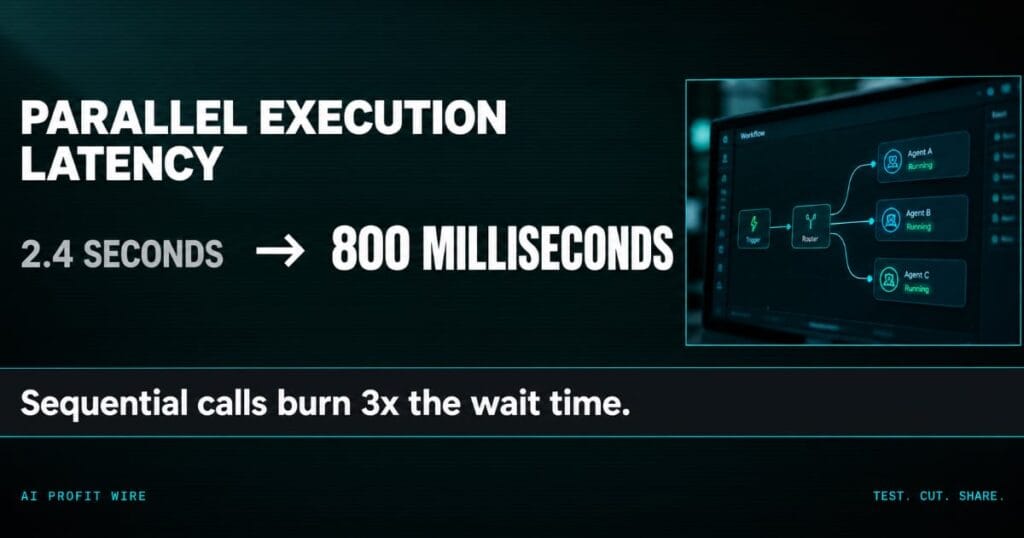
Yes, when the calls are independent. 3 sequential API calls at 800 milliseconds each take 2.4 seconds to complete, and the same calls in parallel take about 800 milliseconds.
Most recent LLMs support parallel tool calling, and you can prompt the model to use the feature inside an AI agent node. That prompt-level switch is what makes it the cheapest fix in the set.
The model-level patterns compound the gain. Routing short classification tasks from a dense 70B model to a smaller mixture-of-experts model saves hundreds of milliseconds per query, and OpenAI’s latency guidance puts the token math at close to linear: cut output tokens 50 percent and latency drops about 50 percent.
Semantic caching avoids inference for repeated queries, retrieving a previous answer when a new request asks the same thing in different words. One customer asks for the return window, another asks how long they have to send an order back, and the cached answer serves both.
Parallelize the independent calls first, then cap output length, then cache the repeats.
Is n8n Faster Than Custom Code for AI Workflows?
n8n bakes the orchestration patterns into workflow settings, which replaces the scheduling and concurrency code a hand-built stack needs. The platform is source-available, and its public repository carries 162,000 stars.
Self-hosted instances cap concurrent production executions, and queue mode lets a main instance handle triggers while a pool of workers picks up each execution through Redis. Throughput scales as you add workers.
Building the orchestration layer yourself means owning a scheduler and an execution store forever. Alternative SDKs require custom retry limits and timeout handlers from scratch, and every new pattern lands as more code to maintain.
Queue mode and built-in concurrency controls replace the scheduler and execution store you would own forever in a hand-built stack.
Who Should Fix AI Workflow Latency First?
Teams running real-time agents feel it first. A real-time workflow needs 500 milliseconds or lower, and 2.4 seconds of sequential waiting spent the whole budget before the model generated a token.
Batch workflows tolerate 5 to 20 seconds and background syncs run fine past 30 seconds, so an overnight data sync can skip most of the pattern set. Over-engineering it burns the same engineering hours the patterns save elsewhere.
For teams running live AI support agents, the 500 millisecond budget decides which conversations survive, and our Tidio intelligence report breaks down what those agents cost to run at volume.
Match the latency budget to the workflow type before touching any model setting.
The dispatch desk at a 9-truck freight brokerage runs the same pattern every morning. 3 carrier rate checks, 80 seconds each on the phone, one after another, while the customer holds for the full 4 minutes.
Your AI agent is that desk. Every independent lookup it sequences bills the full wait, 2.4 seconds on 3 calls that finish in about 800 milliseconds in parallel, and the customer on the line experiences the hold.
Adding phone lines drops the brokerage hold from 4 minutes to 80 seconds. Parallel tool calling does the same thing to an agent’s stack, and the models you already pay for support it.
Is n8n Production Ready for AI Automations?
The patterns are production-grade and the platform runs them, from queue mode scaling to hard timeouts on the HTTP Request node. n8n Cloud is free to try, and the self-hosted route opens the concurrency and queue mode controls.
The work this week is small: mark the independent tool calls in your slowest workflow and prompt the agent to fire them together, then cap response length and cache the repeated queries on the same pass. The engineering cost is an afternoon of workflow edits.
Scaling comes later, when execution volume stacks. Queue mode and worker pools exist for the day 40 executions land at once, and turning them on then is a configuration change.
Ship the prompt-level fixes first and add queue mode when execution volume starts stacking.
Source: n8n, Reducing AI Workflow Latency: Patterns That Actually Work
