Reduces manual administrative overhead by automating repetitive email responses and appointment scheduling.
What is the Amazon Quick Outlook integration?
Amazon Quick is AWS’s generative AI assistant for work, and the Outlook integration connects it to your email and calendar through Microsoft Graph and OAuth 2.0. Once connected, Quick summarizes long email threads, drafts replies with relevant context, schedules meetings, and starts downstream workflows.
The AWS integration walkthrough runs 4 required steps: add the Microsoft Outlook connector, sign in, authorize Quick, and confirm a Signed in, Ready status. An optional fifth step tests sample actions like checking email or summarizing calendar events, and there is no middleware stack to maintain.
It turns Outlook from a place you read email into a system your AI assistant operates.
Does Amazon Quick actually automate Outlook email?
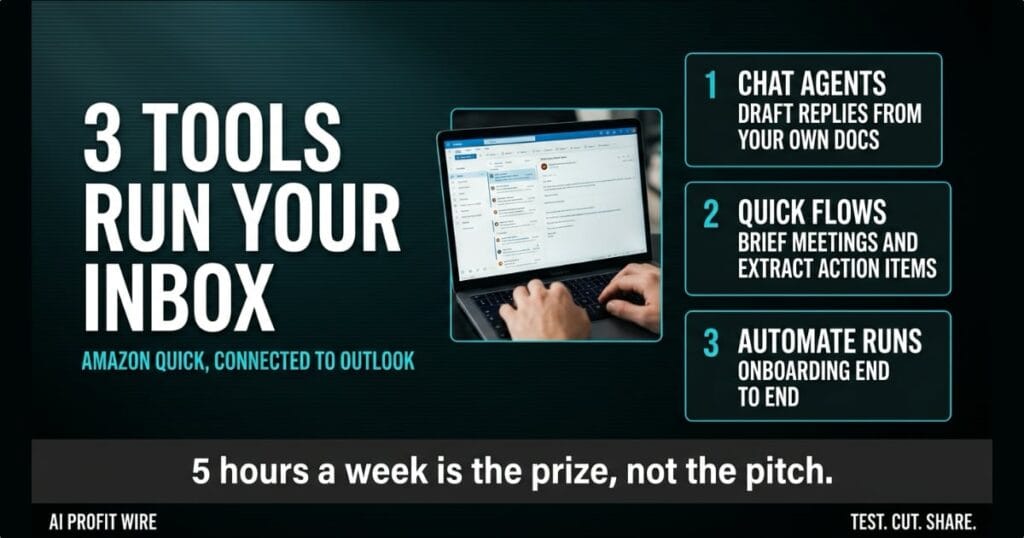
Yes, across 3 specific tools, and the division of labor matters for what you automate first. Amazon Quick chat agents are custom AI assistants that draft contextual responses and summarize lengthy threads, grounded in your organization’s knowledge bases, product documentation, and internal wikis.
Amazon Quick Flows automate the routine email tasks: meeting briefings generated before scheduled calls, action items extracted from threads and pushed into project tools like Asana or Monday.com, customer inquiries routed to the right team, and weekly status reports compiled from email updates.
Amazon Quick Automate orchestrates the multi-step processes that span email, calendars, and other enterprise systems. The AWS example is customer onboarding: a signed contract detected in email triggers account provisioning, kickoff scheduling, welcome communications, and internal notifications in one run.
The automation is real, but it’s scoped to what you connect and authorize, not a generic inbox takeover.
Is Amazon Quick safer than sharing your Outlook login?
The integration runs on OAuth 2.0, the industry-standard authorization protocol, instead of credential sharing. Quick accesses Outlook on your behalf with specific permissions, such as reading email or managing calendars, and your password never touches the integration.
The mechanism is Microsoft Graph, Microsoft’s unified API surface for Microsoft 365 data. That’s the pipe your email and calendar data travel through, which is why the permission list deserves a read.
That design has a cost side worth naming: the person setting this up needs administrative access to the Microsoft Entra admin center and Application Developer permissions or higher in the Microsoft tenant. The security posture is yours to configure, not the vendor’s to promise.
Scoped OAuth grants beat a shared login, and the permission list is where you keep them scoped.
The inbox hits 40 unread by 8:15 and every one of them wants a showing time. The property manager answers the first 6 by hand, and the calendar knot is already tighter than it was at 7.
Gartner counts the prize at nearly 5 hours a week for sellers, and 72% of sales organizations fail to reinvest it. Her version of that number is a Tuesday lost to “does Tuesday work” threads that an assistant should have closed.
The first automated briefing lands at 7:58, two minutes before the first call. That’s the whole product in one timestamp.
Who is the Amazon Quick Outlook integration actually for?
Support teams drafting consistent customer replies, executives drowning in thread summaries, and sales reps who want pricing, competitive positioning, and account history without leaving Outlook get the clearest wins. AWS built each use case around reducing response time and context-switching.
The sales case is the concrete one: a rep queries the chat agent from inside the inbox, pulls customer history into a prospect email, and never opens a second application. That’s where the coordination tax actually gets paid.
IT leaders evaluating the rollout should note the prerequisite stack: Entra admin access, developer-level tenant permissions, and OAuth familiarity. That’s a 1-person afternoon for a company with an IT function, not a procurement project.
Founders mapping AI assistants into daily operations can pull our daily AI productivity signals to watch how Quick stacks up as AWS ships more connectors.
This is for teams whose week lives in Outlook, and whose margin leaks through coordination.
Should you connect Outlook to Amazon Quick?
Connect it if email coordination is chewing measurable hours, and test against one recurring workflow first: meeting briefings or support replies are the honest starting points. The Amazon Quick documentation covers the connector configuration before you touch a production inbox.
The Gartner framing is the decision test: AI saves sellers nearly 5 hours a week, yet 72% of sales organizations fail to reinvest that time in high-value activities. An assistant that saves hours nobody re-claims is an expense, not leverage.
Also note what this integration is not: there is no pricing figure in the announcement, no stated per-seat cost, and no benchmark from your own inbox. Run one workflow through it this week, measure the hours, and let that number make the call.
Connect the connector, scope the permissions tight, and make the calendar prove the hours back.
Source: AWS Machine Learning Blog
