Saves time on project onboarding and research by allowing teams to instantly duplicate and customize shared AI notebooks.
What is Google Gemini Notebook and what changed?
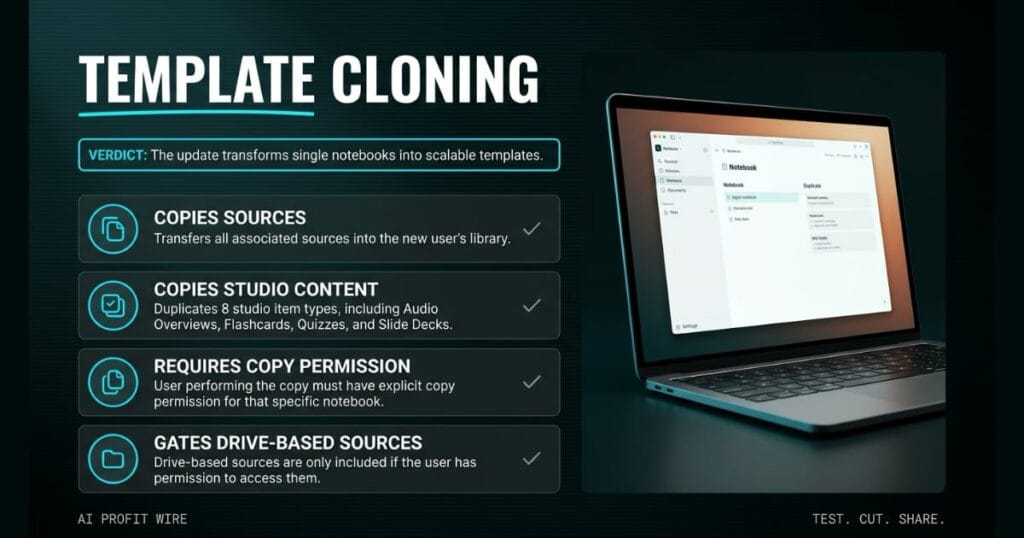
Google Gemini Notebook now allows users to copy entire notebooks, transferring all sources and 8 studio item types into a new library. The capability targets teams that need to build on existing work or templates shared by others.
When a copy is made, sources and studio content transfer to the new user’s library. A teacher can share a notebook with a student, who can then add personal study notes and generate customized practice quizzes or flashcards from that copy.
In a corporate setting, a coworker can copy a notebook with foundational information and add additional sources to tailor it to a specific project. The copy decouples from the original, so subsequent updates by the original owner do not overwrite the copied version.
The update turns single notebooks into scalable templates.
What is the evidence behind Google Gemini Notebook?
The official Google Workspace Updates blog confirms that copying a notebook transfers several key components to the new user’s library, specifically sources and studio content. The user performing the copy must have explicit copy permission for that specific notebook.
Studio content includes 8 artifact types: Audio Overviews, Video Overviews, Study Guides, Flashcards, Quizzes, and Slide Decks, plus artifact generation prompts and custom chat configurations. Personal chat history and user-generated notes do not transfer to the copied notebook.
Drive-based sources only transfer if the user performing the copy has permission to access and copy the original Google Drive file. The “Allow copies” setting is on by default, and there is no admin control for this feature.
Access controls govern the notebook duplication process end to end.
How does Google Gemini Notebook compare to the alternatives, and what background do small business owners need?
The reliance on Drive-based source permissions creates a structural difference from simple file uploads. If a user lacks access to the original Drive files, the copied notebook will not include those foundational sources.
Because the copy does not sync with the original, updates by the original owner never overwrite the copied version. Each teammate works on an independent copy with their own additions on top of the cloned base.
The feature is available to all Google Workspace customers and personal Google account users with access to Gemini Notebook. Rollout is complete for both Rapid Release and Scheduled Release domains.
Drive permissions determine the completeness of the copy.
How does Google Gemini Notebook affect day-to-day operations for small businesses?
A team member can copy a master notebook, add project-specific sources, and generate customized study materials or flashcards immediately. Standardizing team research workflows becomes a one-step action instead of a rebuild from scratch.
The access requirement for Drive-based sources means the user must have the correct permissions before sharing the notebook. Without proper Google Drive access, the copied notebook will be incomplete and require manual source uploads.
Founders looking to standardize research workflows across multiple team members can track similar operational AI tools in our signals archive.
Permission gating is required to realize the full copy value.
A pricing quote template sits open on the second monitor. The contractor built it with line items for labor, materials, and a tiered markup structure, then duplicated it across project folders before lunch.
Each clone carries the master structure into a new client folder, and the original stays untouched. Project-specific line items go on top of the cloned base, which is exactly what the Gemini Notebook copy function does for shared research.
8 studio items transfer with each copy, including Audio Overviews, Video Overviews, Study Guides, Flashcards, Quizzes, and Slide Decks. Personal notes never cross over, so each teammate starts with the same foundation and adds their own context on top.
What is the final verdict on Google Gemini Notebook?
Google Gemini Notebook delivers a way for small teams to turn isolated research into scalable templates. The permission requirements ensure that source transfers are governed by existing access levels.
The copy decouples from the original, which means updates by the original owner do not break downstream team work. Founders can distribute a master research notebook and let each teammate own their customized version.
Founders should use this to create shared research templates for their team.
Source: workspaceupdates.googleblog.com
