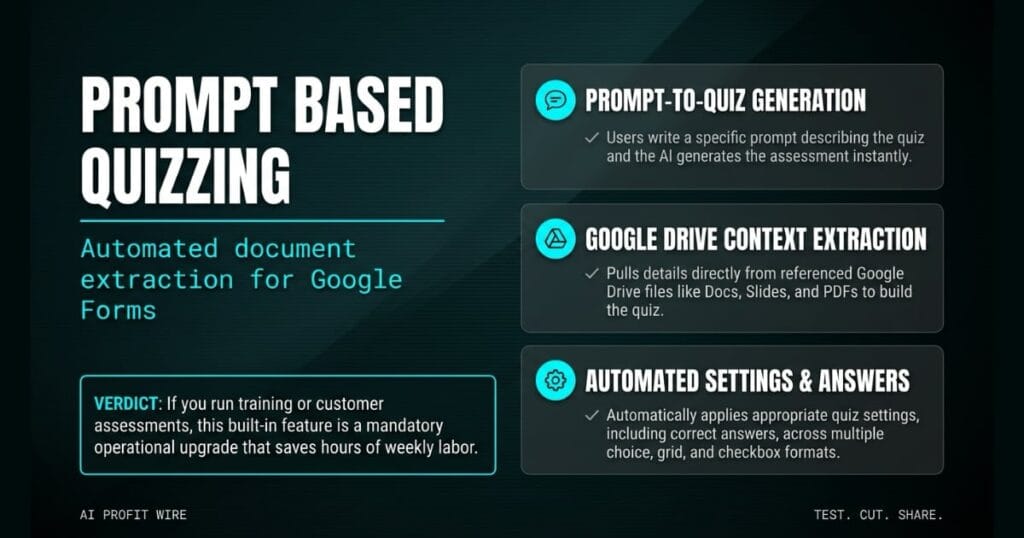
Saves significant time for HR, training, and customer engagement by automating quiz creation directly from existing business documents.
What’s Gemini in Google Forms and what changed?
Gemini in Google Forms now supports automated quiz generation from text prompts and existing files. You can generate a quiz by writing a specific prompt describing the quiz you want to create.
The prompt can reference Google Drive files like Docs, Slides, or PDFs as sources for the quiz. Gemini then generates a quiz incorporating details from any files you reference.
The tool automatically applies appropriate quiz settings, including correct answers for each question. Gemini supports multiple choice, grid, and checkbox question types natively within Google Forms.
Gemini changes quiz creation from a manual typing exercise into a prompt-driven document extraction process.
What’s the evidence behind Gemini in Google Forms?
The Google Workspace Updates blog confirms the launch on July 30, 2026. The announcement provides specific operational steps for how the feature functions in practice.
Users reference Google Drive files like Docs, Slides, and PDFs as sources. Gemini then pulls details from those files to build the assessment with correct answers.
Admins need to enable smart features and personalization for users to access Gemini in the side panel of Workspace apps. The feature is rolling out to Rapid Release domains starting July 24, 2026, and Scheduled Release domains starting August 5, 2026.
The official documentation confirms a deployed feature for Business, Enterprise, Education Plus, and Consumer Google AI tiers.
How does Gemini in Google Forms compare to the alternatives, and what background do you need?
Gemini in Google Forms generates quizzes inside the existing Forms interface. You type a prompt, and the AI pulls context from your referenced Google Drive files.
The feature reads your Google Docs, Slides, and PDFs directly to generate questions with correct answers. You can preview the quiz after it’s generated and adjust the content as needed.
The feature supports multiple choice, grid, and checkbox formats natively within Google Forms. Availability covers Business Standard, Business Plus, Enterprise Standard, Enterprise Plus, Education Plus, and Consumer Google AI, Pro, and Ultra tiers.
Gemini in Google Forms generates prompt-driven quizzes inside a tool many founders already pay for.
How does Gemini in Google Forms affect day-to-day operations?
This feature lets you generate assessments directly from existing business documents. You write a prompt, reference your Google Drive files, and the tool builds the quiz.
A founder can reference a PDF training manual and generate a quiz with correct answers without typing each question manually. The system handles the formatting and the answer key.
You can scan our archive of AI workflow signals that compress admin time for founders for related moves. The feature is available to Business, Enterprise, Education Plus, and Consumer Google AI subscribers.
Automating quiz creation directly from source documents cuts administrative busywork inside Google Workspace.
A blank quiz template stares back from the monitor while a stack of product training PDFs sits untouched on the desk. A manager types a sentence prompt and watches the screen populate with multiple choice questions, pulling the exact specifications directly from those PDFs.
The friction point was never the testing itself, but the manual labor of translating a document into a scannable assessment. Gemini reads the source file, applies the grid and checkbox structures, and assigns the correct answers automatically.
The takeaway for small business owners is simple: you turn existing files into operational tests using a single prompt. The feature is live for Google Workspace subscribers on Business Standard and above.
What’s the final verdict on Gemini in Google Forms?
Gemini in Google Forms is a direct operational upgrade for small business owners using Google Workspace. It generates quizzes from your existing files without manual typing.
The ability to generate multiple choice, grid, and checkbox questions from a single prompt using your own Google Docs and PDFs creates an immediate workflow advantage inside Google Forms.
You can preview the quiz after it’s generated and adjust the content as needed before publishing. Availability covers Business, Enterprise, Education Plus, and Consumer Google AI, Pro, and Ultra tiers.
If you run training or customer assessments on Google Workspace, this built-in feature replaces manual quiz authoring.
Source: workspaceupdates.googleblog.com
