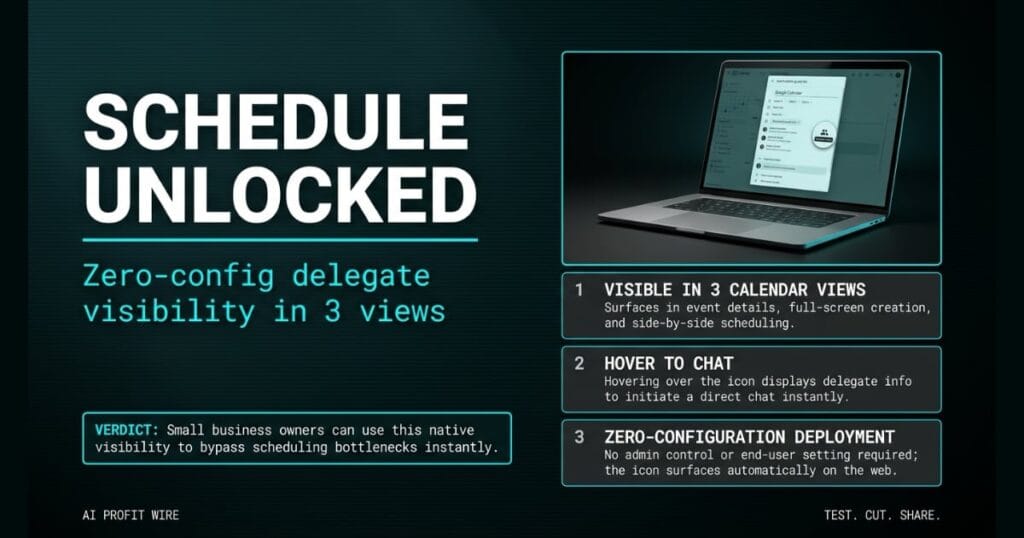
Saves time and reduces friction for small business owners and their assistants by eliminating the guesswork of finding the right person to contact for scheduling.
What is the Google Calendar delegate icon and what changed?
Google Calendar now displays a new icon next to leaders who have a calendar delegate. Hovering over the icon reveals the delegate’s information and lets you chat directly with the person managing the schedule.
The feature works without any setup. When you view a guest list on Google Calendar on the web, the icon appears next to leaders who have a delegate, and one click opens a chat with the person who actually controls the executive’s schedule.
The feature surfaces automatically in 3 calendar views, including event details, full-screen creation, and side-by-side scheduling. There’s no admin control and no end-user setting, which means zero configuration is required.
The update removes the friction of identifying who actually controls the executive’s schedule.
What is the evidence behind the Google Calendar delegate icon?
The official Google Workspace Updates blog confirms the rollout started on July 23, 2026 for Rapid Release domains. Scheduled Release domains follow on August 3, 2026 with a 1 to 3 day visibility window.
Rapid Release domains see gradual rollout over up to 15 days. The feature is available to all Google Workspace customers, Workspace Individual subscribers, and users with personal Google accounts on the web.
The source post tags this as a Google Calendar Rapid Release feature, which means it reaches personal Google accounts and Workspace Individual subscriptions alongside enterprise tenants. The image caption confirms the icon surfaces in the guest list in event details view, which is 1 of the 3 confirmed calendar views.
The source also confirms the end-user workflow requires a single hover action. Users hover over the icon next to the person name to see more information about their scheduling support, which removes any training overhead for teams adopting the feature.
The evidence confirms a zero-configuration deployment across 3 distinct user tiers.
How does the Google Calendar delegate icon compare to the alternatives, and what background do small business owners need?
Previously, users had to email an executive directly or search company directories to find their assistant. That manual process created operational friction and delayed meeting coordination.
Scheduling link tools like Calendly require the executive to publish open slots, which doesn’t help when you need to coordinate with someone else’s calendar. Contact directories like Apollo or ZoomInfo surface names, but they don’t tell you who actually books the executive’s time.
The new icon fills a specific gap that external scheduling tools can’t address, because the relationship between executive and assistant lives inside the calendar itself. The feature lives natively inside Google Calendar, which means no additional vendor and no separate scheduling tool to license.
Native calendar visibility beats manual directory searches for pure contact identification.
How does the Google Calendar delegate icon affect day-to-day operations for small businesses?
Small business owners can stop sending exploratory emails when booking meetings with executives. The interface surfaces the exact scheduling contact needed to finalize an appointment.
For teams that book meetings with outside clients, this creates a faster path from request to confirmed time. You identify the delegate and chat with them in seconds, without leaving the calendar environment.
The rollout reaches Rapid Release domains first, with gradual visibility over up to 15 days starting July 23, 2026. Scheduled Release domains see the feature on August 3, 2026 with a 1 to 3 day visibility window. Small business owners on either release track get the same zero-config deployment, with no admin console setting to toggle.
You can scan similar operational signals on the AI Profit Wire signals dashboard.
Founders gain direct access to scheduling delegates without wasting operational cycles.
The reception phone rings for the 4th time in 20 minutes, and the caller needs to confirm a meeting with the operations director. The generic company inbox bounces the request to a queue, and 3 emails later, nobody has confirmed who actually controls the director’s calendar.
That friction is exactly what the Google Calendar delegate icon removes. The 1 name you need sits directly inside the guest list, visible in 3 calendar views, with 0 admin setup required.
You stop guessing at inboxes and start chatting with the delegate who can actually move the appointment. For a small business owner running lean, that 1 click beats 3 emails every time.
What is the final verdict on the Google Calendar delegate icon?
The Google Calendar delegate icon is a simple operational fix that eliminates communication delays. By surfacing the exact scheduling contact in 3 distinct calendar views, Google removes the friction of manual contact discovery.
The rollout reaches all Workspace customers and personal Google accounts without any configuration. Small business owners save administrative time and accelerate meeting coordination the moment the icon appears.
Small business owners can use this native visibility to bypass scheduling bottlenecks instantly.
Source: workspaceupdates.googleblog.com
