Potential future impact on administrative time and team productivity as enterprise features roll out.
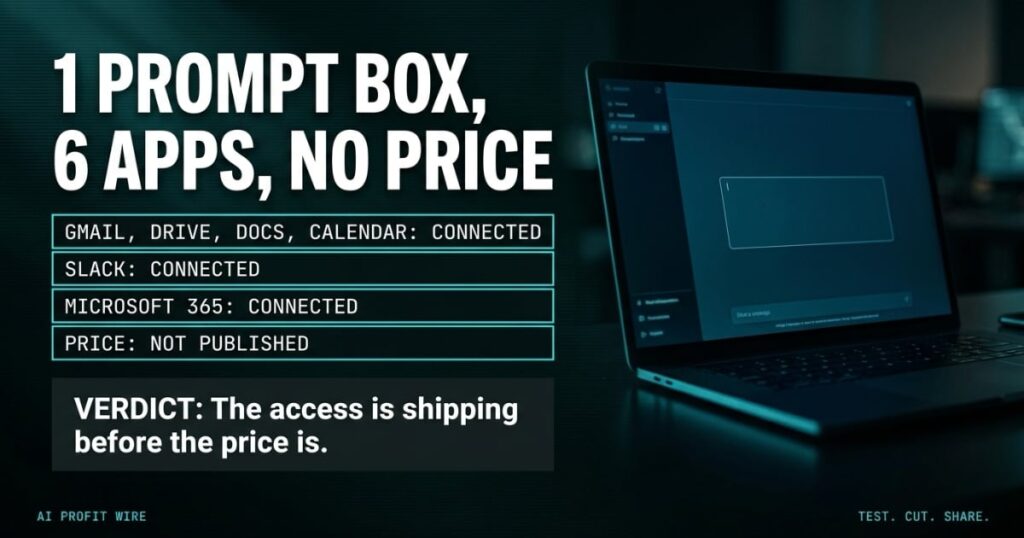
Google announced the Gemini agent at its Gemini at Work 2026 event: a single, universal agent for work that answers questions, handles knowledge work, creates media, and writes and runs code from one prompt box. It sits in private preview, and Google has published no pricing.
What Is Google’s Gemini Workplace Agent?
The Gemini agent is Google’s single, universal agent for work, announced by Google Cloud chief executive Thomas Kurian at the Gemini at Work 2026 keynote. You hand it objectives rather than instructions, and it plans the work, uses skills and connectors, and brings back finished output.
It works inside Gmail, Drive, Docs, Slides, Sheets, Chat and Calendar, and it reaches beyond Google into Slack, Microsoft 365 and third-party applications through an API that runs it as a headless agent. Google’s announcement lists connections to Confluence, Salesforce, ServiceNow, Jira, Git, BigQuery, Databricks, Postgres and Snowflake, plus any Model Context Protocol server a company already runs.
Under the hood it runs each job on the model that fits best, orchestrating across the Gemini and Claude model families today with more planned, and it can spin up temporary sub-agents and persistent coworker agents with their own identities for work that runs hours or days.
The pitch is one front door to every work app you already pay for, with the agent doing the walking.
Does the Gemini Agent Work With Slack and Microsoft 365?
The cross-platform reach is confirmed, with a catch: the agent sits in private preview, so no independent performance data exists yet.
9to5Google’s coverage of the launch confirms access from the command line, Google Workspace, Slack and Microsoft 365, plus an @Gemini mention inside Gmail, Docs, Sheets, Slides and Chat. Google’s own examples show it checking calendars across a team and starting the coordination email on its own.
Google Cloud says about 90% of the Fortune 100 already use Gemini Enterprise and about 8 in 10 of its customers use its AI products, which is adoption of the platform rather than proof this agent works. Wide availability is promised soon for Workspace customers on select Business and Enterprise plans, and Bloomberg reported the launch as Google’s answer to Microsoft, OpenAI and Anthropic.
Until someone outside Google measures the agent, treat the capability list as a spec sheet rather than a track record.
How Is the Gemini Agent Different From Microsoft Copilot?
The difference Google is selling is reach across rival platforms: the agent works inside Microsoft 365, which is the home turf of Microsoft’s own Copilot.
Copilot lives inside Microsoft’s apps and Google’s agent lives inside Google’s, and the new launch pitches a layer above both. Google also keeps the model choice open, running each job on Gemini or Claude models depending on the task, so a customer’s workflow does not depend on one model staying ahead.
That turns the competition into a fight over who owns the layer above the apps, and it is why the governance tools matter as much as the features: Google lists authorization controls, secure sandboxing, network gateways and real-time spend caps as built in.
The contest is over access to your workflow, and Google is the first vendor to pitch an agent that openly spans its biggest rival’s apps.
The invoice lands in the email tab, the hours sit in the spreadsheet tab, and the client’s change request lives in a third window you keep meaning to close. A bookkeeper spends the first hour of every morning walking between those tabs, copying numbers from one place to another and hoping nothing moved overnight.
A prompt box that reads all of them changes the walking, and that is the actual product here. What you are buying is access: an agent that touches Gmail, Drive, Calendar, Slack and Microsoft 365 touches 6 systems in a single permission grant, and that grant covers everything a thief would want and everything a mistake would corrupt.
The access map is the purchase, whatever the price turns out to be. Decide which of those 6 systems an agent may read, which it may write, and which it never sees.
Who Is the Gemini Agent Actually For?
Google is aiming the agent at companies on Workspace Business and Enterprise plans first, with wide availability promised soon and private preview access today.
The buyer who benefits first runs knowledge work with clear permission boundaries: an admin who can decide which systems the agent touches, which stay off-limits, and who reviews the output. Google’s security list, from authorization controls to network gateways, assumes an organization that has someone to operate it.
For a smaller team, the realistic move is preparation rather than adoption: inventory which workflows cross 3 or more apps, because that is where a universal agent earns its keep and where a permission mistake does the most damage.
The agent is built for companies that can govern it, and the governance checklist comes before the purchase order.
What Should You Do About the Gemini Agent Now?
Wait for the price and the admin documentation, and build the evaluation rubric in the meantime, because there is nothing to buy and nothing to migrate today.
Write down the single workflow where your team burns the most hours on cross-app retrieval, then list the 3 things you need to see before connecting an agent to it: a published price, a permission model you can audit, and independent performance data. For a sense of how fast this category is moving, the other AI agent launches we have tracked show the same access-first pattern repeating.
Define the access rules now, because the day Google publishes pricing the evaluation clock starts, and the buyer who overcommits is the one who never wrote the rules.
Write the permission rules now, and let the pricing announcement find you ready.
Source: Bloomberg Tech
