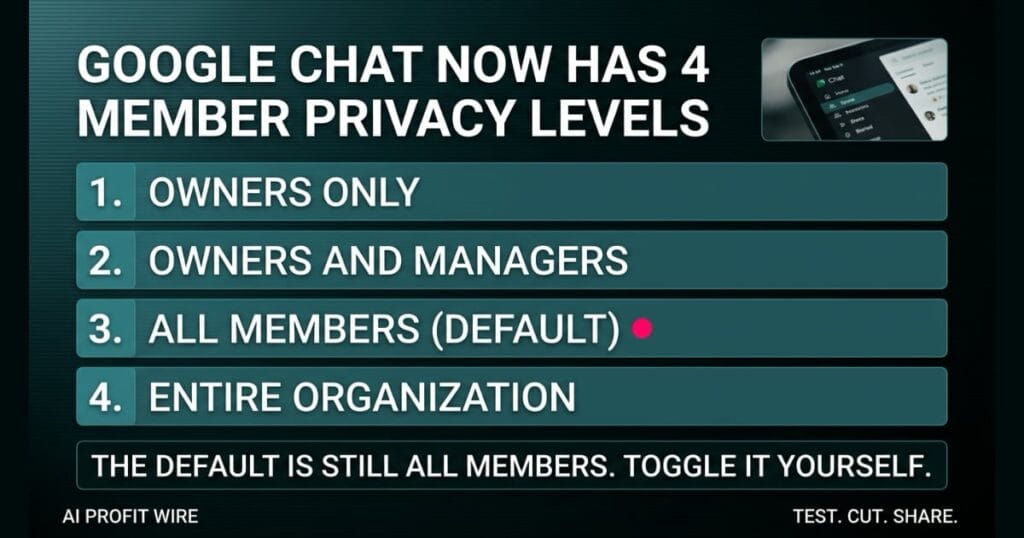
Prevents external partners or clients from seeing other members in a shared space, reducing privacy risks and professional friction.
What is the new Google Chat member visibility setting?
Google Chat now allows space owners and managers to restrict who can view the full member list in a Google Chat space, replacing the previous open-by-default model.
The new View members setting offers four permission levels: Owners only, Owners and managers, All members (the default), and Entire organization.
The rollout started on August 24, 2026, for Rapid Release and Scheduled Release domains, with up to 15 days for full feature visibility.
Space owners now have direct control over participant anonymity.
Does the Google Chat privacy setting actually hide the member list?
Yes, when a space owner or manager selects Owners only or Owners and managers, participants without that permission cannot see the names of other members in the space.
The source confirms one hard exception: any user who actively sends a message in the space remains visible by name and profile, regardless of the visibility setting.
There is no admin console control to disable the feature, so the setting is managed space by space at the owner level.
The setting is a hard gate on the member list, not on active participants.
How is this different from the old Google Chat member rules?
Previously, any member of a Google Chat space could view the complete list of participants by default, with no native way to hide it from external guests or low-level participants.
The new system replaces the open-by-default architecture with four granular permission levels, which Google compares to the membership privacy controls already in Google Groups.
The shift matters most in customer spaces, sensitive forums, and confidential project spaces, the three scenarios Google names directly in the source as the use cases the new setting was built for.
In a customer space, a founder can now invite a vendor into a shared Chat without handing over the names of every other vendor or client in the same space, which closes a real privacy and competitive leak.
In a sensitive forum, members can join a community on a sensitive topic without revealing their membership to every other participant, which is the same protection Google Groups already offered.
In a confidential project space, broad participants cannot see every internal or external user added to the initiative, which limits the blast radius of an accidental invitation.
Google moved from a transparent member model to a restricted access model.
A vendor walks into the back office of a multi-location dental practice for a presentation on a new imaging system. The office manager hands him a tablet so he can see the shared Google Chat space where the practice coordinates case reviews across three locations.
Before this update, that vendor would also have seen every patient coordinator, every billing lead, and every associate dentist in the practice, because the default All members setting exposed the full roster to anyone invited in. The vendor now has a map of the practice’s entire clinical org chart for free, whether the practice intended to hand it over or not.
The new View members setting closes that leak. Set the space to Owners and managers, and the vendor sees the chat thread without seeing who else is in the room.
Who is the Google Chat member restriction actually for?
It is for businesses that collaborate with multiple external clients, vendors, or partners in the same shared Chat space, the exact scenario Google names in the source.
It is also for sensitive internal forums where membership itself is confidential, and for broad project spaces where participants should not see every internal or external user added to the initiative.
Small business owners running a single shared client space with multiple vendors get the most direct lift, because the default All members setting was the leak, and this update now sits alongside the broader external-collaboration privacy signals a founder should audit every quarter.
The update is for any founder who collaborates externally in Chat and never audited the default.
What should you do about Google Chat privacy settings now?
Open Space Settings, navigate to Membership, find the View Members permission control, and switch every space with external guests to Owners only or Owners and managers.
The default remains All members, so the protection only activates if you manually change the visibility on each affected space.
Plan for the manual toggle across every external space, because there is no admin-level way to enforce it domain-wide.
Run the audit on a Friday afternoon and keep a running list of every space you touched, because the setting is per-space and easy to lose track of when multiple owners are involved.
The hard exception remains: a user who actively sends a message in the space is visible by name and profile regardless of the visibility setting, so the gate is on the roster, not on the conversation itself.
Toggle every external space today, because the default is still All members.
Source: workspaceupdates.googleblog.com
