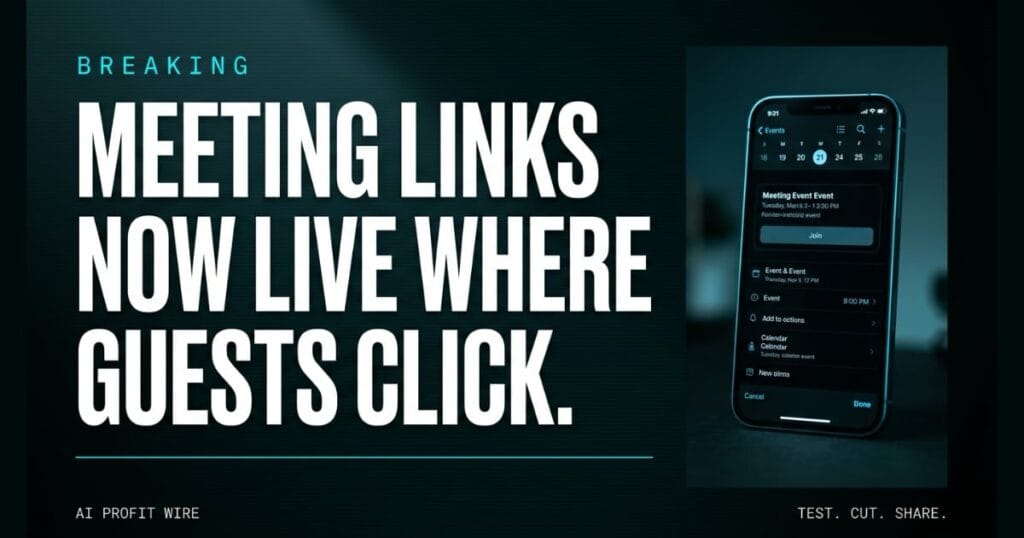
Reduces client friction and meeting no-shows by making it easier for external guests to join calls.
What is the Google Calendar Location field update?
Google is changing how meeting links travel between calendar systems. When you send a Google Calendar invitation containing a Microsoft Teams, Zoom, or Cisco Webex link, Google Calendar now automatically writes that URL into the event’s Location field.
This matters because of what your recipient uses. External clients like Microsoft Outlook and Apple Calendar treat the Location field as high-priority space and render links there as prominent, clickable buttons or chips in the event preview.
Before this change, the third-party link typically sat in the event description, where many guests never looked. Google announced the improvement on August 27, 2026.
Google frames the whole thing around hybrid work, where teams collaborate across different organizations, calendaring platforms, and video conferencing providers. That’s exactly the client-facing reality for most small service businesses.
The link now lives where the guest already looks first.
Do Outlook and Apple Calendar guests really get one-click joins?
Yes, and that’s the whole mechanism. Because the conferencing URL is now in the Location field, guests on Outlook or Apple Calendar see it as a join button in the event preview instead of a string buried in the invite body.
The claim is Google’s own: many external clients render links in the Location field as prominent, clickable buttons or chips. The automation applies to Microsoft Teams, Zoom, and Cisco Webex, the 3 services the change covers.
It solves a gap Google explicitly named. Previously, external recipients didn’t always see conferencing links prominently in their event previews, and the join experience depended on which client the guest happened to use.
One click from the preview is the point, and the Location field is what makes it work.
How is the Google Calendar Join button different from copy-pasting links?
The update also works in reverse. When a Google Calendar user receives an invitation from an external system such as Microsoft Outlook, Calendar now identifies and extracts the meeting URL, meeting ID, and passcode or PIN into structured video conferencing data.
That structured data powers a prominent “Join video call” button directly on the event, across Google Calendar on web, Android, and iOS. The extraction works from either the event description or the location, whichever field holds the conferencing details.
Previously, joining a third-party meeting from an external invitation meant manually copying and pasting URLs or passcodes out of a text description. Now the event carries its own join button in both directions.
Both directions matter for mixed-stack teams. Sending from Google and receiving from Outlook used to be two different broken experiences, and this update fixes each side.
The copy-paste step is the part that died, on both sides of the invite.
A shared screen shows an Apple Calendar event with no join button anywhere, 4 minutes into a bookkeeping firm’s payroll walkthrough with a new client. The Zoom link is in the description, sitting under 2 lines of rescheduling apology.
Then somebody says the sentence every services business dreads: “can you resend the link?” The clock keeps billing, the client is annoyed, and the meeting is now 7 minutes shorter than what was sold.
The fix is unglamorous infrastructure, the kind that never makes a keynote. Links in the right field mean the calendar app does the finding for them, across all 3 major third-party tools.
Who does the Google Calendar update actually matter for?
It matters most to founders and solopreneurs whose revenue depends on external video calls with people outside their own stack: clients, suppliers, and partners working in Outlook or Apple Calendar.
Availability is broad. The feature is included for all Google Workspace customers, Google Workspace Individual subscribers, and users with personal Google accounts.
The stated goal is removing friction from the scheduling and meeting-join experience for everyone involved. Your contacts get the same fix whether they work in Microsoft Outlook, Apple Calendar, or Google Calendar.
There is no admin control and nothing to configure. If you send invitations containing third-party conferencing links, the behavior simply changes, which deletes the usual rollout checklist.
If your week is a wall of client calls, you are the target user.
Does the Google Calendar update change anything for your business this quarter?
Practically, no action is required, and that’s the point. The feature is available by default for all incoming and outgoing calendar invitations containing supported third-party conferencing links.
The rollout is extended, which Google defines as potentially longer than 15 days for feature visibility, starting August 27, 2026 on Rapid Release and Scheduled Release domains.
Tell your clients nothing and configure nothing. Expect fewer “where’s the link” emails as the rollout reaches your domain, and keep sending invites the way you already do.
If you want the manual basics while the rollout lands, Google’s Workspace Learning Center documents how to add or remove a video conference from a Calendar event.
Do nothing, and expect late starts to drop as the rollout completes.
Source: Google Workspace Updates
